IC Markets





























How to Set a Trailing Stop on MT5 Mobile (and the Workarounds That Exist)
The MT5 mobile app has no trailing stop. On desktop it only runs while the terminal is open. Here is how trailing stops really work in MetaTrader and three ways to trail a stop from your phone.
 WriterAbir KhanWriterWrites the guides · checks every figure against primary sources View profileAbout Abir →
 Market analysisTanbir Habib RiyadForex & Crypto AnalystForex and crypto analyst · technical and fundamental analysis View profileAbout Tanbir →
 Fact-checking & riskJannatul FerdaushFact-Checker & Risk AnalystFact-checks every figure · risk analysis · Applied Statistics, University of Dhaka View profileAbout Jannatul →
 Trading reviewJowel RanaCo-Founder & Forex TraderCo-founder · forex trader · reviews guides from a trader's view View profileAbout Jowel →
 Final approvalRanjan NiskrityFounder, Owner & Forex TraderFounder and owner · forex trader · signs off every guide View profileAbout Ranjan →
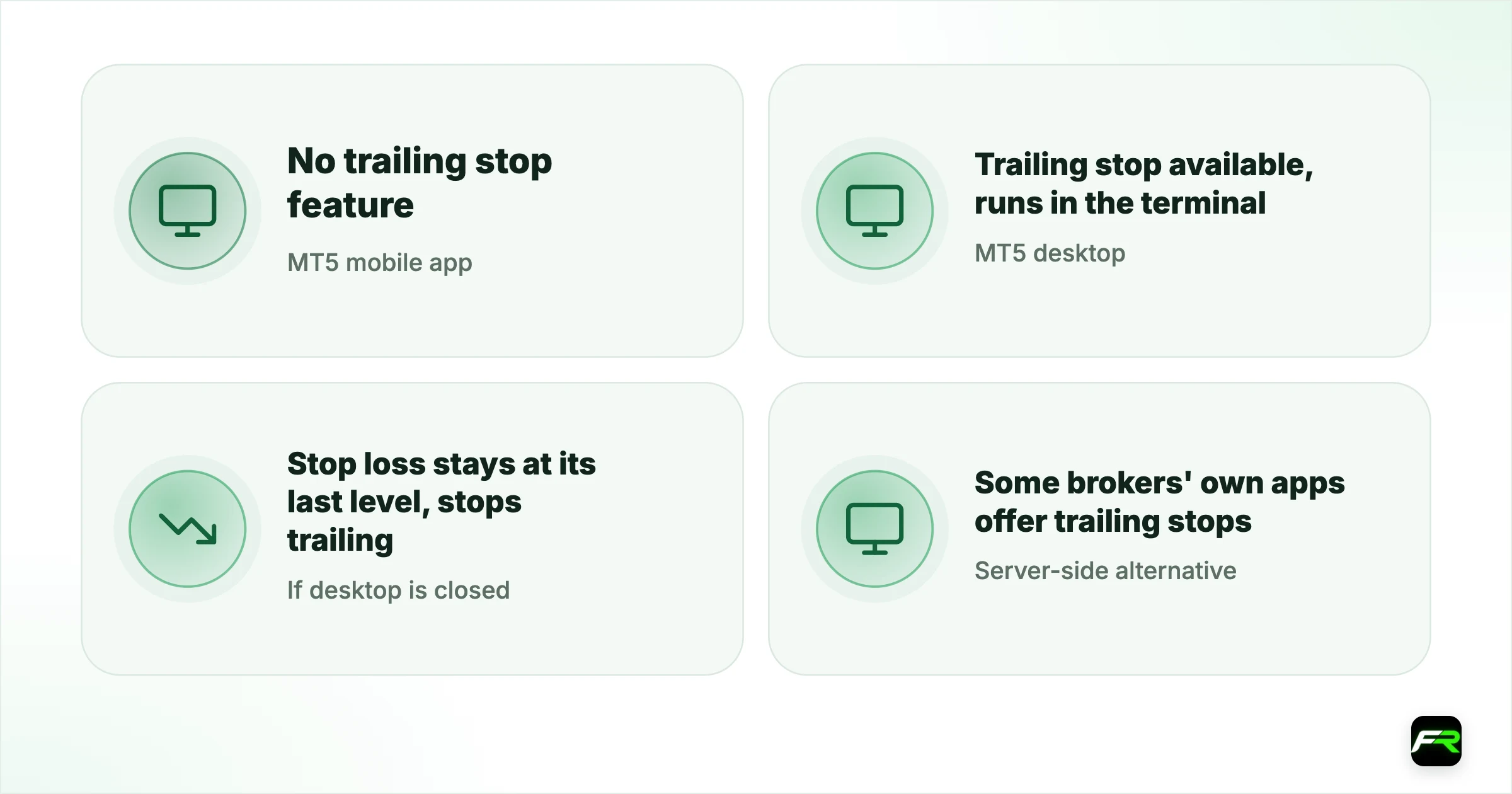
The MetaTrader 5 mobile app does not have a trailing stop. It is a desktop feature, and even there it runs inside the terminal on your computer rather than on the broker's server. MetaQuotes' own help says the trailing stop is executed in the trading platform, so it stops moving your stop loss when the platform is closed.
You can still trail stops while away from a computer. The three practical options are moving the stop by hand from the app, running desktop MT5 on a VPS that stays online, or using an Expert Advisor that trails for you. Each has trade-offs, set out below.
| MT5 mobile app | No trailing stop feature |
|---|---|
| MT5 desktop | Trailing stop available, runs in the terminal |
| If desktop is closed | Stop loss stays at its last level, stops trailing |
| Server-side alternative | Some brokers' own apps offer trailing stops |
| Best workaround | Desktop MT5 on a VPS, or manual moves with alerts |
How the desktop trailing stop works
On desktop MT5 you right-click an open position, choose Trailing Stop and pick a distance in points, such as 200 points (20 pips on a five-digit pair). Once the trade is in profit by that distance, the terminal moves the stop loss behind price, keeping the chosen gap. If price turns, the stop stays where it last moved to.
The terminal does the moving. Each time it shifts the stop, it sends a modification to the server, and the stop loss itself then sits on the server like any normal stop. That is why the stop survives if you close the terminal, but stops following price.
| Situation | What happens to the trailing stop | What happens to the stop loss |
|---|---|---|
| Desktop MT5 open and connected | Keeps trailing behind price | Updated on the server each move |
| Desktop closed or offline | Stops trailing | Stays at the last level, still active |
| Only the mobile app open | Not available | Normal stop loss works as set |
| Desktop on a VPS | Keeps trailing 24/5 | Updated on the server each move |
Workaround 1: move the stop by hand
The simplest method is to move the stop yourself from the app at set points. Decide the rule in advance, such as moving the stop to break-even once the trade is 30 pips in profit, then to lock 20 pips once it reaches 50. In the app, tap the position, choose Modify, drag or type the new stop loss and confirm.
Price alerts make this practical. Set an alert at each level where you plan to move the stop. MetaTrader can send push notifications to your phone when an alert triggers; link the app's MetaQuotes ID in the desktop terminal's Notifications settings to receive them.
Workaround 2: desktop MT5 on a VPS
A virtual private server is a remote computer that stays on all week. Run desktop MT5 there, set the trailing stop once, and it keeps working while your own computer is off. Several brokers provide a VPS free once you trade a set volume each month; see IC Markets VPS and Exness VPS for how those offers work.
You can manage everything from your phone through a remote desktop app. The VPS keeps the terminal connected, and your phone shows the position and stop loss as usual through the MT5 app.
Workaround 3: an Expert Advisor
Trailing-stop EAs offer more control than the built-in tool: trailing by ATR, by candle lows, in steps, or only after break-even. They still need a running terminal, so they work best on a VPS. Test any EA on a demo account first, and download them only from the MQL5 Market or a developer you trust.
A trader in Accra buys GBP/USD at 1.3200 with a stop at 1.3150 and checks the trade only from a phone during work. The rule is to move the stop to 1.3200 at 1.3250 and to 1.3240 at 1.3290, with alerts at both levels. Mid-morning the first alert fires and the stop moves to break-even from the app. Price later reverses at 1.3270 and the trade closes flat instead of at a 50-pip loss.
Break-even stops on mobile
Moving a stop to break-even is the most common manual trailing step, and it is easy from the app. Tap the open position, choose Modify, set the stop loss to your entry price and confirm. Some traders add a pip or two above the entry on a buy, so the spread and commission are covered if price comes back.
Do it only after the trade has moved well in your favour. A break-even stop placed too early often gets hit by normal pullbacks, closing trades that would have reached their target. One simple rule, moving to break-even after one times your initial risk, keeps the decision mechanical and avoids watching every tick on the phone.
Choosing a trailing distance
A trailing stop too close to price gets hit by normal noise; one too far gives back most of the profit. One common starting point is a distance near the pair's average range on the timeframe you trade, often measured with the Average True Range indicator. On a four-hour EUR/USD chart that might be 20 to 40 pips; on gold it is far larger in dollar terms.
Trail only after the trade has moved in your favour by at least your original risk. Trailing too early turns many good trades into small losses.
A trailing stop does not protect you from gaps. If price jumps over your stop at the weekend open or on news, the stop fills at the next available price. Read weekend gaps and stop losses.
Behaviour described is from MetaQuotes' MetaTrader 5 help. Some brokers' own apps add server-side trailing stops; check your broker's app if this matters to you.
Frequently asked
Does MT5 mobile have a trailing stop?
No. The MetaTrader 5 mobile app has stop loss and take profit, but no trailing stop. Trailing stops exist only in the desktop terminal, where it runs on your computer. On a phone you can move the stop by hand or rely on desktop MT5 running on a VPS.
Does a trailing stop work if MT5 is closed?
It stops trailing. MetaQuotes' help says the trailing stop is executed in the platform, not on the server. The stop loss it last set stays on the server and still protects the trade, but it will not move again until the terminal reconnects.
How do I keep a trailing stop working 24 hours?
Run desktop MT5 on a virtual private server, which stays online all week. Set the trailing stop there once. Several brokers offer a free VPS above a monthly trading volume, and you can check positions from your phone as usual.
What is a good trailing stop distance?
Base it on the market's normal movement on your timeframe, for example a multiple of the Average True Range. Too tight and noise stops you out; too wide and you give back most of the gain. Many traders start trailing only after reaching one times their initial risk.
Can a trailing stop lose money?
Yes, if it is set before the trade is in profit, or if price gaps through it. The stop only locks in profit once it has moved past your entry. Before that, it behaves like a normal stop loss and can close the trade at a loss.
Do any broker apps offer trailing stops on mobile?
Some brokers' own trading apps include server-side trailing stops, which keep working when your phone is off. They only apply to trades placed in that app or platform. Check your broker's app features page or ask support.
Official sources: MetaTrader 5 Help: trading operations
Related reading
The team behind this guide
Researched, checked and approved by five forex specialists
Every guide is written, fact-checked and edited before it goes live, and updated when the facts change. Spotted an error? Tell us.