IC Markets





























Invalid Volume Error in MT4 and MT5 (Error 131 and 10014) Explained
"Invalid volume" means your lot size breaks one of three broker rules: the minimum, the maximum or the step. Here is how to read those rules and size trades that always go through.
 WriterAbir KhanWriterWrites the guides · checks every figure against primary sources View profileAbout Abir →
 Market analysisTanbir Habib RiyadForex & Crypto AnalystForex and crypto analyst · technical and fundamental analysis View profileAbout Tanbir →
 Fact-checking & riskJannatul FerdaushFact-Checker & Risk AnalystFact-checks every figure · risk analysis · Applied Statistics, University of Dhaka View profileAbout Jannatul →
 Trading reviewJowel RanaCo-Founder & Forex TraderCo-founder · forex trader · reviews guides from a trader's view View profileAbout Jowel →
 Final approvalRanjan NiskrityFounder, Owner & Forex TraderFounder and owner · forex trader · signs off every guide View profileAbout Ranjan →
"Invalid volume" means the lot size you sent breaks one of your broker's three volume rules. MetaTrader 4 reports it as error 131, ERR_INVALID_TRADE_VOLUME, while MetaTrader 5 uses return code 10014, TRADE_RETCODE_INVALID_VOLUME. Nothing reaches the market, so nothing was opened and nothing was charged.
The fix is always the same: change the lot size so it fits the minimum, the maximum and the step for that symbol on that account. Those rules differ between brokers, account types and instruments, which is why a size that works on one account can fail on another.
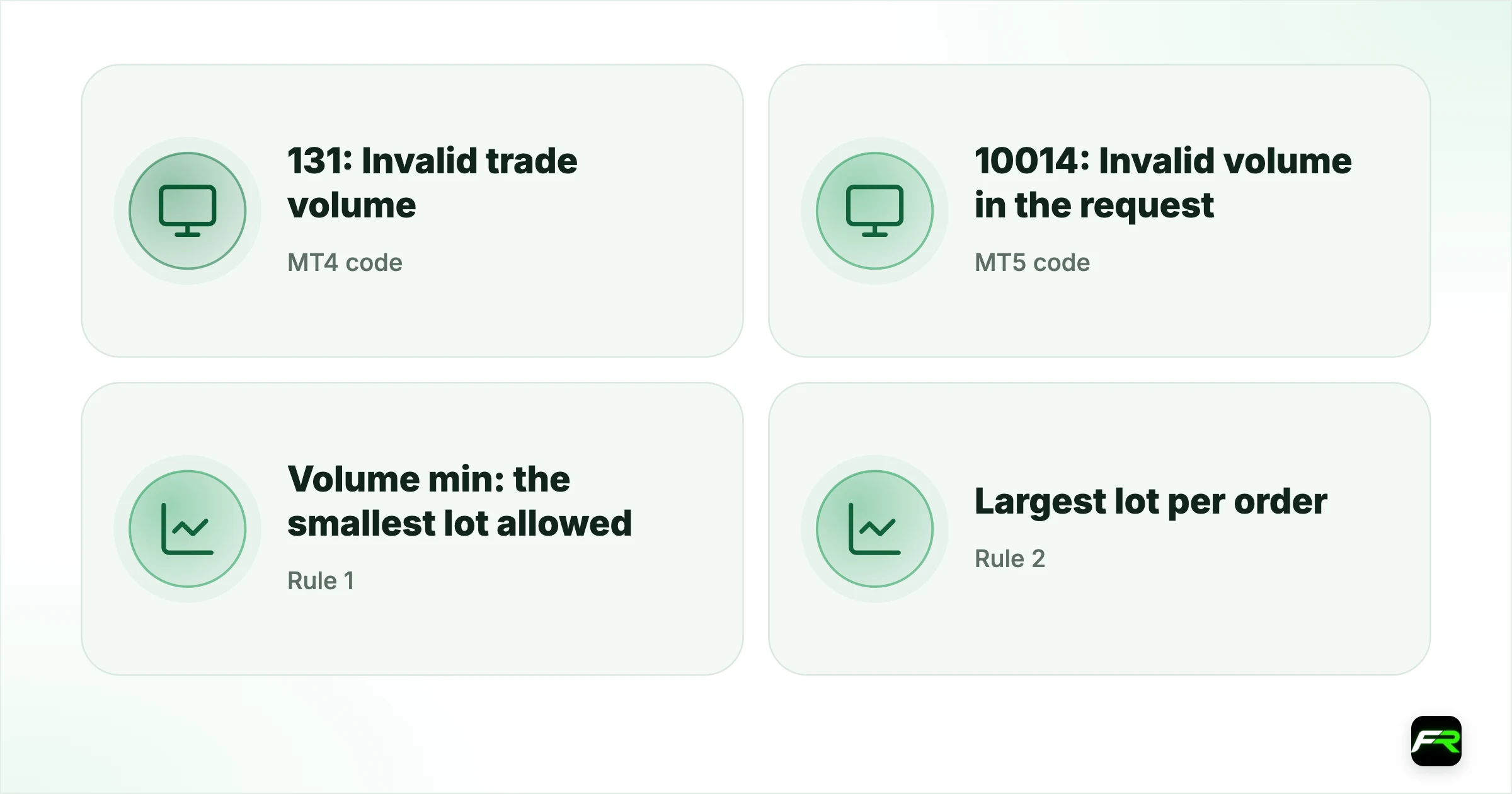
| MT4 code | 131: Invalid trade volume |
|---|---|
| MT5 code | 10014: Invalid volume in the request |
| Rule 1 | Volume min: the smallest lot allowed |
| Rule 2 | Largest lot per order (volume max) |
| Rule 3 | Volume step: lots must be a multiple of it |
The three volume rules
Every symbol carries three numbers that control lot size. The minimum (volume min) is the smallest order the broker accepts, commonly 0.01 lots on standard accounts. At the other end, volume max caps a single order, anywhere from a few lots to 100 or more. Last comes volume step, the increment between allowed sizes, usually 0.01, so 0.37 lots is fine but 0.375 is not.
A trade fails if it is below the minimum, above the maximum or not an exact multiple of the step. Of the three, the step catches people most often, because risk calculators and EAs produce sizes such as 0.137 lots that look reasonable but break the step.
| Lot size sent | Min / max / step | Result |
|---|---|---|
| 0.005 | 0.01 / 50 / 0.01 | Rejected: below the minimum |
| 0.137 | 0.01 / 50 / 0.01 | Rejected: not a multiple of the step |
| 0.13 | 0.01 / 50 / 0.01 | Accepted |
| 75 | 0.01 / 50 / 0.01 | Rejected: above the maximum |
| 1.5 | 0.1 / 50 / 0.1 | Accepted on a 0.1-step account |
How to find your broker's limits
- Open Market Watch (Ctrl+M on desktop).
- Right-click the symbol and choose Specification.
- Read Minimal volume, Maximal volume and Volume step. On MT4 these appear as Minimum lot, Maximum lot and Lot step.
- Repeat for each symbol you trade, since gold, indices and crypto often have different steps from forex.
On mobile, tap the symbol, choose Details or Specification, and scroll to the volume lines. If a symbol has a suffix version for your account type, check that version rather than the plain one.
Why a size works on one account but not another
Cent accounts, micro accounts and standard accounts often use different contract sizes and steps for the same pair. A cent account may express volume in cent lots, so a size copied from a standard account can be far too large or too small. Copy-trading tools hit this problem when they pass the master account's lot size straight to a follower account with different rules.
Indices and stock CFDs are the other common trap. Their volume step can be 0.1 or 1, so a forex-style size like 0.25 fails. Our guide to the Specification window shows every field that matters before you trade a new symbol.
A trader with a $2,000 account wants to risk 1% on EUR/USD with a 30-pip stop. The risk is $20, and at $10 per pip per standard lot the exact size is 0.0667 lots. MT5 rejects 0.0667 with code 10014, because the step is 0.01. Rounding down to 0.06 lots keeps the risk at $18 and the order goes through.
Always round lot sizes down to the step, never up. Rounding down keeps your loss at or below the risk you planned.
Fixing it in an Expert Advisor
If an EA or copier produces the error, the code needs to read the broker's limits rather than assume them. In MQL5 the values come from SymbolInfoDouble with SYMBOL_VOLUME_MIN, SYMBOL_VOLUME_MAX and SYMBOL_VOLUME_STEP. The size should be rounded down to a multiple of the step, then clamped between the minimum and maximum before the order is sent.
Ask the EA's developer for an update if you cannot edit the code. Running an EA built for a micro account on a standard account, or the reverse, is one of the most common reasons it starts failing with this error.
Never fix the error by raising the lot size until it passes. A size that clears the minimum can still be far too large for your account. Work out the size from your risk first with the position size calculator.
Cent and micro accounts
Cent accounts show balances in cents and use smaller contracts, so the volume rules look different. A balance of 1,000 on a cent account is $10. One cent lot is usually 1,000 units of the base currency, a hundredth of a standard lot, but the minimum on screen may still read 0.01. Before trading, read the Specification's contract size as well as the volume lines, because the same number of lots means very different risk on each account type.
Micro accounts at some brokers use a contract of 1,000 units per lot. On those, a volume of 1.00 controls what 0.01 controls on a standard account. If you move a strategy between account types, recalculate the size from your risk rather than copying the number of lots.
Partial closes and the step
The same volume rules apply when you close part of a position. A close of 0.05 lots on a 0.12-lot trade works with a 0.01 step. Taking off a third of it, 0.04 lots, also works, but closing exactly a third is impossible and some trade managers send 0.0399 or 0.04001, which the server rejects. If a partial close fails with invalid volume, round the closing size to the step and try again.
The remaining position must also stay at or above the minimum. With a minimum of 0.01, closing 0.12 of a 0.12-lot trade is fine, but some brokers with a 0.1 minimum on certain symbols will not let you leave a 0.05-lot remainder.
Frequently asked
Why does a partial close fail with invalid volume?
The size you tried to close, or the size left open, breaks the step or the minimum. Closing 0.0399 lots fails on a 0.01 step, and leaving less than the minimum open can fail too. Round the closing size to the step and keep the remainder at or above the minimum.
What does error 131 mean in MT4?
Error 131 is ERR_INVALID_TRADE_VOLUME in MetaQuotes' MQL4 documentation. The lot size you sent breaks your broker's minimum, maximum or step for that symbol, and the order is rejected before execution, so no position opens and no cost is charged.
What is error 10014 in MT5?
Return code 10014, TRADE_RETCODE_INVALID_VOLUME, is MT5's version of the same problem: invalid volume in the request. Check the symbol's Specification for minimal volume, maximal volume and volume step, then send a size that fits all three.
What is the volume step in MetaTrader?
It is the smallest increment between allowed lot sizes. With a step of 0.01, sizes like 0.01, 0.02 and 0.37 are valid, but 0.375 is not. Indices and some CFDs use larger steps such as 0.1 or 1, so check each symbol.
Why does my copy-trading account show invalid volume?
The follower account probably has a different minimum, step or contract size from the master account. If the copier passes the master's lot size without converting it, the follower's server rejects it. Adjust the copier's lot settings to match the follower account.
Is the invalid volume error a broker fault?
No. It is the server applying the volume rules shown in the symbol's Specification. The rules are set per account type and instrument, and the order is rejected before it reaches the market, so you lose nothing apart from the missed entry.
Official sources: MQL5: trade server return codes · MQL4: error codes · MetaTrader 5 Help: trading basics
Related reading
The team behind this guide
Researched, checked and approved by five forex specialists
Every guide is written, fact-checked and edited before it goes live, and updated when the facts change. Spotted an error? Tell us.