 IC Markets




































 WriterAbir KhanWriterWrites the guides · checks every figure against primary sources View profileAbout Abir →
 Written byAbir KhanWriter
 Market analysisTanbir Habib RiyadForex & Crypto AnalystForex and crypto analyst · technical and fundamental analysis View profileAbout Tanbir →
 Market analysis byTanbir Habib RiyadForex & Crypto Analyst
 Fact-checking & riskJannatul FerdaushFact-Checker & Risk AnalystFact-checks every figure · risk analysis · Applied Statistics, University of Dhaka View profileAbout Jannatul →
 Fact-checked byJannatul FerdaushFact-Checker & Risk Analyst
 Trading reviewJowel RanaCo-Founder & Forex TraderCo-founder · forex trader · reviews guides from a trader's view View profileAbout Jowel →
 Reviewed byJowel RanaCo-Founder & Forex Trader
 Final approvalRanjan NiskrityFounder, Owner & Forex TraderFounder and owner · forex trader · signs off every guide View profileAbout Ranjan →
 Approved byRanjan NiskrityFounder, Owner & Forex Trader
Last verified Against each broker's own terms
CFDs are complex instruments and carry a high risk of losing money rapidly due to leverage. Results on a demo account do not guarantee results with real money. Demo rules change often, so confirm them with the broker. Some links are affiliate links; they never change which brokers we list or how we rate them.
Forex demo accounts compared
Every broker below is one we review in full. The table gives the headline rules; the cards show the detail that decides how long your practice account lasts.
| Broker | Virtual balance | Expiry | Platforms | Live account needed |
|---|---|---|---|---|
 Exness Exness | $10,000 default | No fixed expiry | MT4, MT5, own app | No |
 XM XM | Up to $100,000 | 60 days inactive | MT4, MT5, app | No |
 IC Markets IC Markets | $10,000 default | 30 days inactive | MT4, MT5, cTrader, TV | No |
 FXTM FXTM | Up to $20,000 | 14 days to first trade | MT4, MT5, app, web | No |
 FP Markets FP Markets | $100,000 default | 30 days no login | MT4, MT5, cTrader, TV | No |
 AvaTrade AvaTrade | 10,000 default | 60 days | MT4, MT5, own apps | No |
 LiteFinance LiteFinance | Chosen at opening | 45 days away | MT4, MT5, web | No |
 RoboForex RoboForex | Chosen at opening | Members Area rules | MT4, MT5, R StocksTrader | No |
Exness demo account
Opened from the Exness Personal Area
- Expiry
- No fixed date; inactive demos can be removed
- Platforms
- MT4, MT5, Exness Terminal and app
- Balance
- Top up or reset any time
- Live account needed
- No
Watch out: Unlimited top-ups make it easy to trade a balance you will never have. Set it to your real deposit before you start.
XM demo account
XM Global demo server
- Expiry
- Closed after 60 days without activity
- Platforms
- MT4, MT5, XM app
- Balance
- Chosen when you open it
- Live account needed
- No
Watch out: XM closes a demo after 60 days without activity, and you can hold up to five active demos. Keep trading on it to keep it open.
IC Markets demo account
IC Markets Global demo server
- Expiry
- 30 days inactive for demo-only users
- Platforms
- MT4, MT5, cTrader, TradingView
- Balance
- Set when you open it
- Live account needed
- No; live clients keep demos open
Watch out: Demo-only users lose the account after 30 days of inactivity. Opening a live account, even unfunded, keeps demos available.
FXTM demo account
FXTM demo trading
- Expiry
- Closes if no trade in the first 14 days
- Platforms
- MT4, MT5, FXTM app, web
- Balance
- In $1,000 steps up to $20,000
- Live account needed
- No, email only
Watch out: Place a trade within 14 days of opening or the account closes automatically. Stock CFDs are not available on demo.
FP Markets demo account
FP Markets demo server
- Expiry
- 30 days without login
- Platforms
- MT4, MT5, cTrader, TradingView
- Balance
- Adjustable on some platforms
- Live account needed
- No
Watch out: An expired demo cannot be reactivated, so a month away means starting again from scratch.
AvaTrade demo account
AvaTrade demo
- Expiry
- 60 days, extensions on request
- Platforms
- MT4, MT5, AvaTrade app, WebTrader
- Balance
- 10,000 in USD, EUR or GBP
- Live account needed
- No
Watch out: The demo runs for 60 days. To keep it longer, contact customer services before it expires.
LiteFinance demo account
LiteFinance demo
- Expiry
- 45 days, counter resets on login
- Platforms
- MT4, MT5, web terminal
- Balance
- Virtual funds chosen at opening
- Live account needed
- No
Watch out: Stay away for 45 days and the account closes. LiteFinance also runs demo contests with real prizes, each with its own rules.
RoboForex demo account
Opened through the RoboForex Members Area
- Expiry
- See Members Area rules
- Platforms
- MT4, MT5, R StocksTrader
- How to open
- Members Area only since July 2025
- Live account needed
- No
Watch out: Demos opened straight from the trading terminal went close-only on 7 July 2025 and were shut on 27 July 2025. Open yours from the Members Area.
Demo contests and starter offers from brokers we list
Some of the brokers we cover add something to the demo: free competitions with real prizes, or small starter offers for when you move to a live account.
ExnessFree demoExness Free Demo Account
Exness pays no deposit bonus. It offers a free demo with $10,000 of virtual funds and Exness Rewards for selected clients.
XMCompetitionXM Trading Competitions
Free demo contests, including a $25,000 weekly pool for 100 winners and a Daily Arena of up to $5,000, plus a $5 paid daily contest.
RoboForexWelcome creditRoboForex $30 Welcome Bonus
$30 credit after a $10 bank-card deposit on a cent or standard MT4/MT5 account. Profits can be withdrawn; the $30 cannot.
XMDeposit bonusXM 50% Deposit Bonus up to $100
50% up to $100, then up to $5,000 in deposit bonuses each month at regional rates. Withdrawals reduce the bonus proportionally.
What a forex demo account is, and what it is for
A forex demo account is a practice account funded with virtual money. It runs on the broker's real price feed, so spreads, charts and order types look the same as on a live account, but nothing you win or lose is real. You open one with an email address, pick a platform such as MetaTrader 4, MetaTrader 5, cTrader or TradingView, and choose a starting balance.
Brokers offer demos because they work: a trader who has learnt the platform is more likely to open a live account. For you, that makes a demo the cheapest way to learn how orders, margin and leverage behave, and to test a broker's platform before you send money.
The virtual balance is the part most people get wrong. A $100,000 demo teaches habits you cannot use with a $500 account, because position sizes, stop distances and drawdowns all scale with the balance. Set the demo to the deposit you really plan to make.
Brokers also call it a practice account, paper trading account, virtual trading account or trading simulator. All of them do the same job: real prices, fake money.
How to open a forex demo account
- Pick a broker you might trade with live
Practising on the platform and price feed you will trade on saves you relearning everything later.
- Register with your email
An email and a password are usually enough. RoboForex now asks you to open demos from its Members Area.
- Choose the platform
MetaTrader 4 and 5 are the most common; cTrader and TradingView suit traders who want cleaner charts and order tickets.
- Set the balance and leverage
Match your planned deposit and the leverage you will really use. On FXTM you can pick any balance up to $20,000.
- Log in and place a first trade quickly
FXTM closes demos with no trade in the first 14 days, and others close after 21 to 90 days of inactivity.
Size demo trades like live ones
Enter the deposit you plan to make and the risk you will take per trade. The calculator gives the position size to practise with, and shows how far off you would be using a $100,000 demo balance at the same risk.
Demo vs live trading: what changes
A demo copies prices and platforms well. It cannot copy the parts of trading that cost beginners the most.
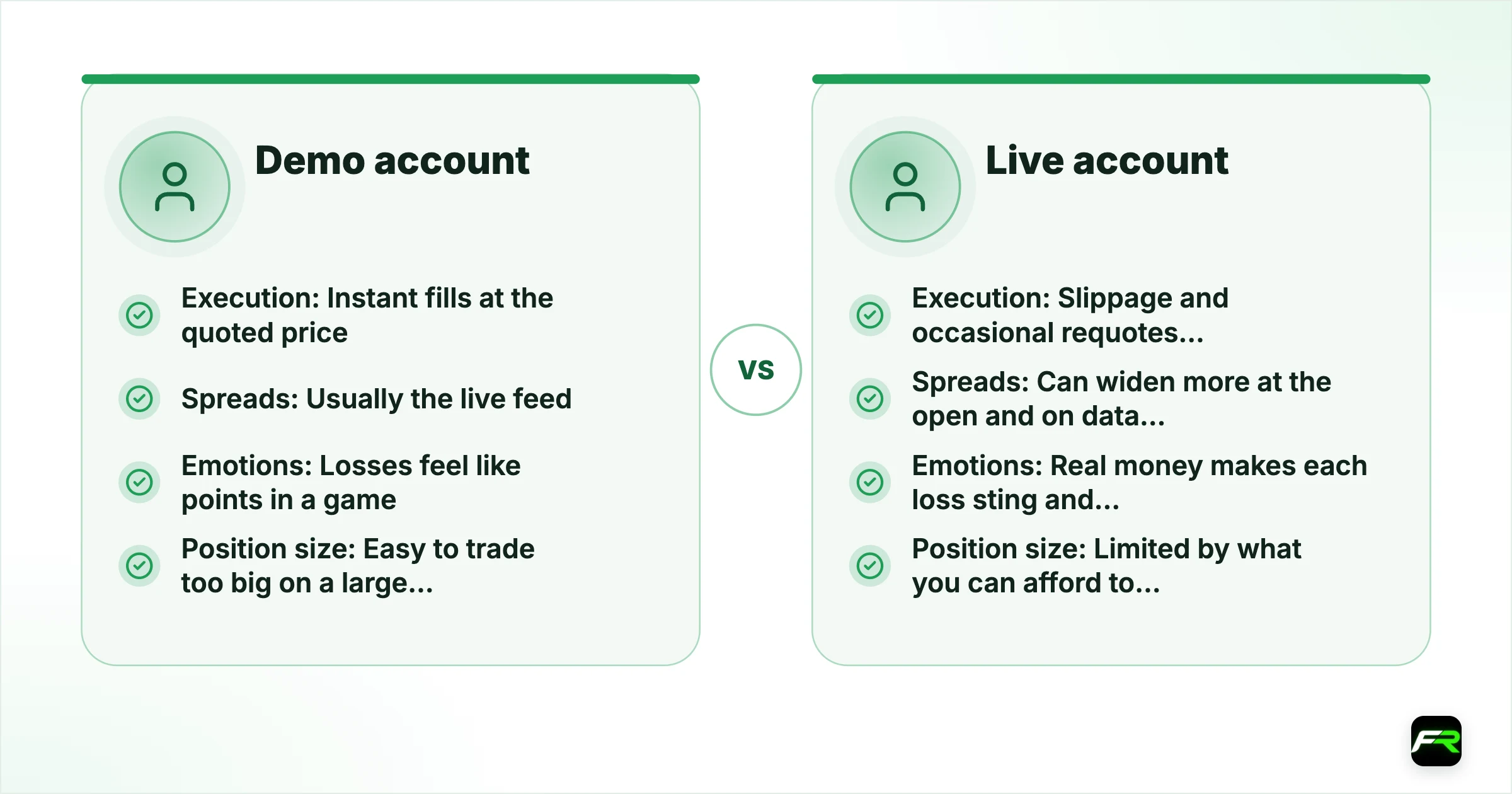
| Demo account | Live account | |
|---|---|---|
| Execution | Instant fills at the quoted price | Slippage and occasional requotes, worst around news |
| Spreads | Usually the live feed | Can widen more at the open and on data releases |
| Emotions | Losses feel like points in a game | Real money makes each loss sting and changes decisions |
| Position size | Easy to trade too big on a large balance | Limited by what you can afford to lose |
| Swaps and fees | Often shown, rarely felt | Overnight swaps and withdrawal fees cut real returns |
| Stop outs | Reset the balance and carry on | The money is gone |
A 30-day demo trading plan
Aimless clicking teaches very little. Four focused weeks turn a demo into evidence you can act on.
- Week 1: learn the platform
Place market, limit and stop orders on one pair. Set stop losses and take profits on every trade. Read the margin figures before and after each order.
- Week 2: one simple strategy
Pick a single setup, write its entry, exit and risk rules, and trade only that. Risk 1% of the balance per trade.
- Week 3: keep a journal
Log every trade: reason, size, result and what you felt. By now you should have 20 or more entries.
- Week 4: review the numbers
Work out win rate, average win, average loss and largest drawdown. If the numbers hold up, plan a small live account; if not, adjust and repeat.
When to move from demo to live
There is no fixed number of weeks. Move when your record, not your confidence, says you are ready. Tick all six first.
- At least 50 demo trades following written rules
- Positive results over two different months, not one lucky week
- No single loss bigger than your planned risk per trade
- A demo balance equal to the money you plan to deposit
- You can explain margin, leverage and stop out without looking them up
- A plan for the first live month with a smaller position size
Ready for a small live account? Start with our best brokers for beginners, and keep your first live positions smaller than your demo ones.
Demo trading trends in 2026
How traders practise has shifted this year. These four changes affect which demo you should open and how long it will last.
TradingView paper trading and broker demos side by side
TradingView's free paper trading has become a common first step, and more brokers now connect demo and live accounts to TradingView charts. Practise on the platform you will trade on.
Testing AI tools and trading bots on demo first
AI trading assistants and bots have multiplied in 2026. A demo account is the only safe place to see how one behaves across a few weeks before any real money is connected.
Demo contests with real prize pools
XM's Demo Weekly shares a $25,000 weekly pool among 100 winners, according to XM, and LiteFinance runs its own demo competitions. Read each contest's rules, since prizes can come with trading conditions.
Tighter demo account rules
Brokers are pruning demo servers: RoboForex closed terminal-created demos in July 2025, and short inactivity windows of 14 to 45 days are common. Keep logging in if you want to keep your history.
Demo account mistakes to avoid
Size the demo to your real deposit, or every lesson about risk is wrong by a factor of 100.
A reset button hides the most useful data. Log the drawdown before you start again.
After two or three good months, a small live account teaches what a demo cannot.
Run one setup long enough to trust its numbers before you change anything.
Include spreads, commission and swaps in your results so the live account holds no surprises.
Forex demo account FAQs
What is a forex demo account?
A forex demo account is a free practice account funded with virtual money. It uses the broker's real price feed and trading platform, so you can place orders, set stops and see margin in action without risking anything. Profits and losses are not real and cannot be withdrawn.
Is a forex demo account free?
Yes. Every broker on this page offers a demo for free, usually with just an email address. Some ask you to register in their client area first, as RoboForex now does, but none asks for a deposit to practise.
Do forex demo accounts expire?
Many do. FXTM closes a demo if you do not trade within 14 days, IC Markets and FP Markets close inactive demos after 30 days, AvaTrade's demo runs 60 days and can be extended, and XM closes demos after 60 days without activity. Exness demos have no fixed end date but can be removed if unused.
How long should I use a demo account before trading live?
Long enough to follow written rules for at least 50 trades and see results hold across two different months. For most people that is two to three months. Staying much longer rarely helps, because the missing lessons are emotional and only a small live account teaches them.
Can I withdraw profits from a demo account?
No. Demo money is virtual, so neither the balance nor any profit can be withdrawn. Some brokers run demo contests with real prizes, but those are separate competitions with their own rules.
Is demo trading the same as real trading?
Prices and platforms are the same, but execution and emotions are not. Demo orders usually fill instantly at the quoted price, while live orders can slip around news. Losing real money also changes decisions in ways a demo cannot copy.
Which broker has the best demo account?
It depends on how you practise. Exness suits open-ended practice with no fixed expiry, XM gives up to $100,000 and a 60-day activity window, IC Markets and FP Markets add cTrader and TradingView, and FXTM's $20,000 cap keeps the balance realistic.
What balance should I use on a demo account?
Use the amount you really plan to deposit. If you will start live with $500, practise with $500, so your position sizes, stop distances and drawdowns match what you will face with real money.
Sources: FXTM demo trading, RoboForex demo account support update, FP Markets demo expiry FAQ, AvaTrade Help Centre: extending a demo account, XM Help Center: trading accounts, LiteFinance demo account, IC Markets help centre.