IC Markets





























How to Read the MT5 Specification Window: Every Field That Matters
The Specification window holds the rules for every symbol: contract size, lot limits, stop levels, swaps, sessions and margin. Here is what each field means and the five to check before trading anything new.
 WriterAbir KhanWriterWrites the guides · checks every figure against primary sources View profileAbout Abir →
 Market analysisTanbir Habib RiyadForex & Crypto AnalystForex and crypto analyst · technical and fundamental analysis View profileAbout Tanbir →
 Fact-checking & riskJannatul FerdaushFact-Checker & Risk AnalystFact-checks every figure · risk analysis · Applied Statistics, University of Dhaka View profileAbout Jannatul →
 Trading reviewJowel RanaCo-Founder & Forex TraderCo-founder · forex trader · reviews guides from a trader's view View profileAbout Jowel →
 Final approvalRanjan NiskrityFounder, Owner & Forex TraderFounder and owner · forex trader · signs off every guide View profileAbout Ranjan →
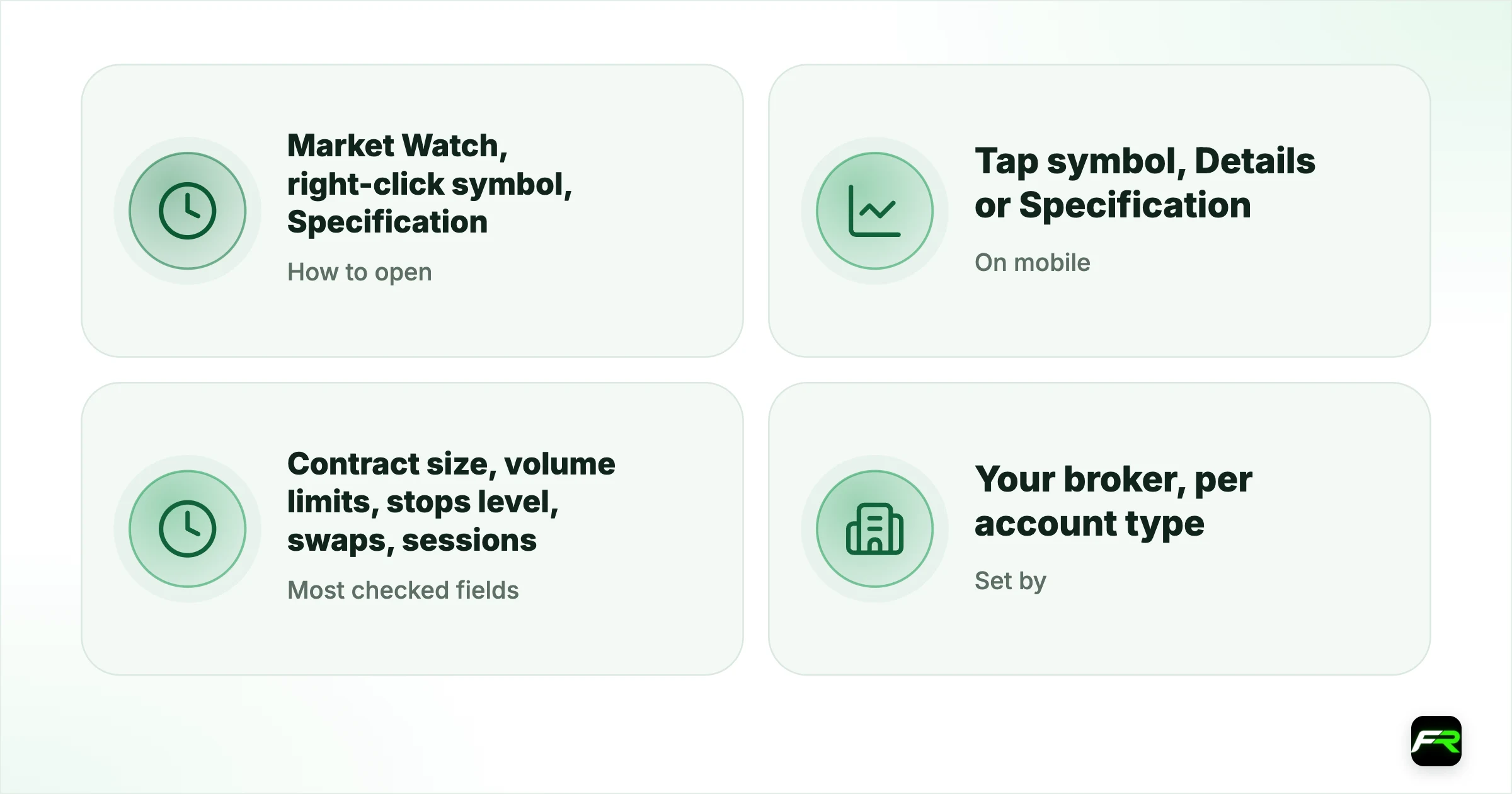
The Specification window in MetaTrader 5 lists the trading rules for one symbol on your account: its contract size, how small and large an order can be, how close stops may sit, what swap you pay, when it trades and how margin is calculated. Right-click the symbol in Market Watch and choose Specification to open it.
Most trading errors and nasty surprises, from rejected orders to unexpected margin, trace back to a field in this window. Five minutes reading it before you trade a new symbol saves hours of confusion later.
| How to open | Market Watch, right-click symbol, Specification |
|---|---|
| On mobile | Tap symbol, Details or Specification |
| Most checked fields | Contract size, volume limits, stops level, swaps, sessions |
| Set by | Your broker, per account type |
| Changes | Brokers can update fields, especially swaps |
The fields, grouped
| Field | What it means | Why it matters |
|---|---|---|
| Contract size | Units per 1.00 lot, e.g. 100,000 or 100 oz | Sets your exposure and pip value |
| Digits | Decimal places in the price | Tells you what one point is worth |
| Spread | Current spread, or Floating | Your entry cost |
| Stops level | Minimum distance for stops, in points | Too close and orders are rejected |
| Freeze level | Zone where orders cannot be changed | Explains blocked modifications |
| Margin currency / profit currency | Currencies used for margin and P/L | Affects conversion into your account currency |
| Calculation mode | Forex, CFD, CFD leverage, futures | Decides how margin and profit are worked out |
| Minimal / maximal volume, volume step | Lot size rules | Breaking them gives invalid volume |
| Swap type, swap long, swap short | Overnight interest rates | Cost or credit of holding overnight |
| 3-day swap | Day the triple swap is charged | Usually Wednesday on forex |
| Sessions | Quote and trade times, in server time | Explains market closed errors |
| Margin rates and hedged margin | Factors used for margin, including on hedges | Explains margin surprises |
Contract size and digits
Contract size tells you what one lot controls. Forex pairs usually use 100,000 units of the base currency, gold often 100 ounces, and indices and stocks vary widely. Digits tell you the price precision. Together they set the value of one point: contract size times the smallest price step. On EUR/USD with five digits, one point on one lot is $1. A gold contract of 100 ounces with two digits gives the same: one point ($0.01) on one lot is also $1.
Volume rules
Minimal volume, maximal volume and volume step decide which lot sizes the server accepts. A step of 0.01 allows 0.37 lots; a step of 0.1 does not. If an order is rejected with invalid volume, this is where to look; our guide to the invalid volume error covers the fixes.
Stops and freeze levels
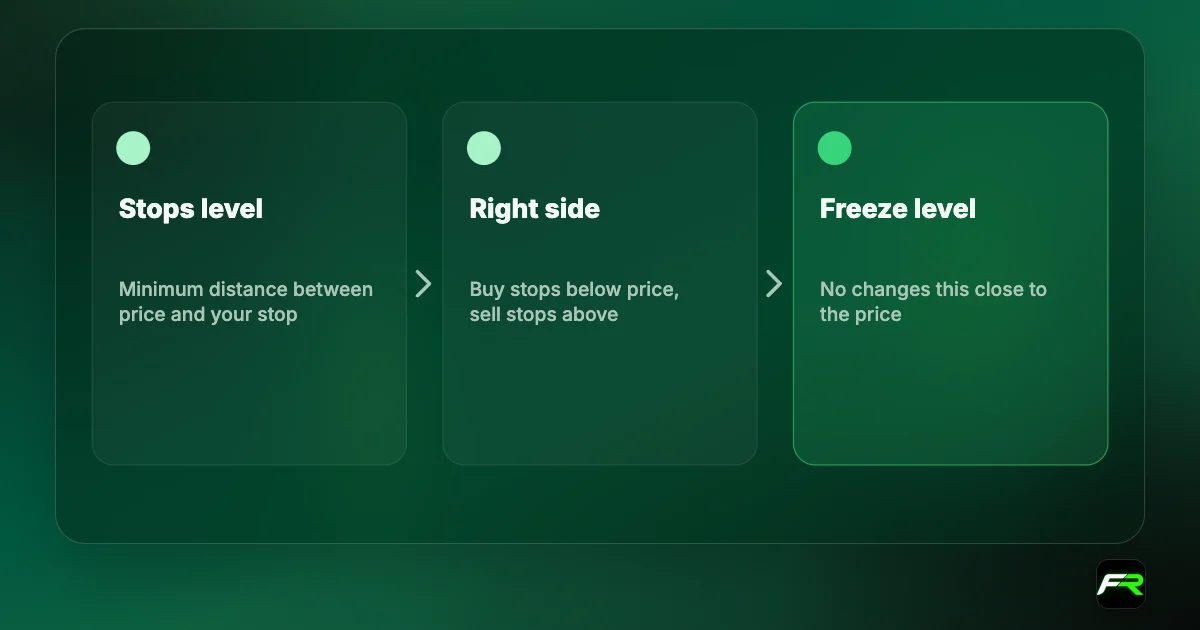
Stops level is the minimum distance, in points, between the current price and any stop loss, take profit or pending order. Freeze level blocks changes to orders when price is within that distance. Zero means no limit. Values often rise for exotic pairs and around news. See our guide to the invalid stops error for examples.
Swaps
Swap type says how the rates are expressed: in points, as a percentage or in money. Buys use swap long and sells use swap short. The 3-day swap line names the day when three nights are charged. Our guides to calculating swap cost and triple swap Wednesday use these fields directly.
Sessions
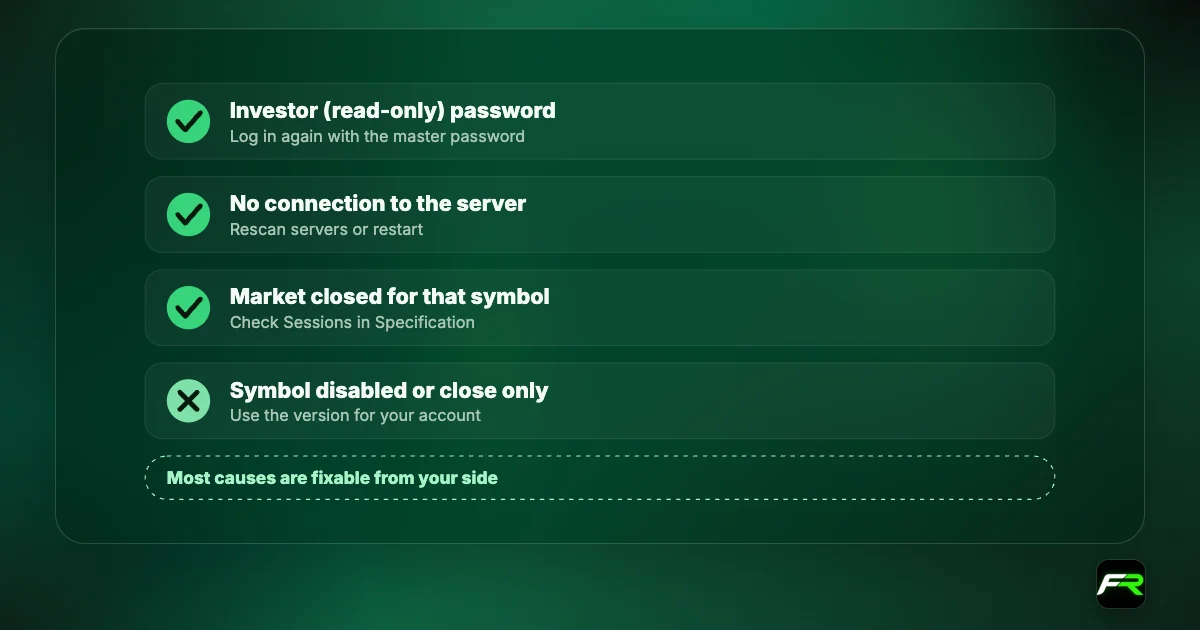
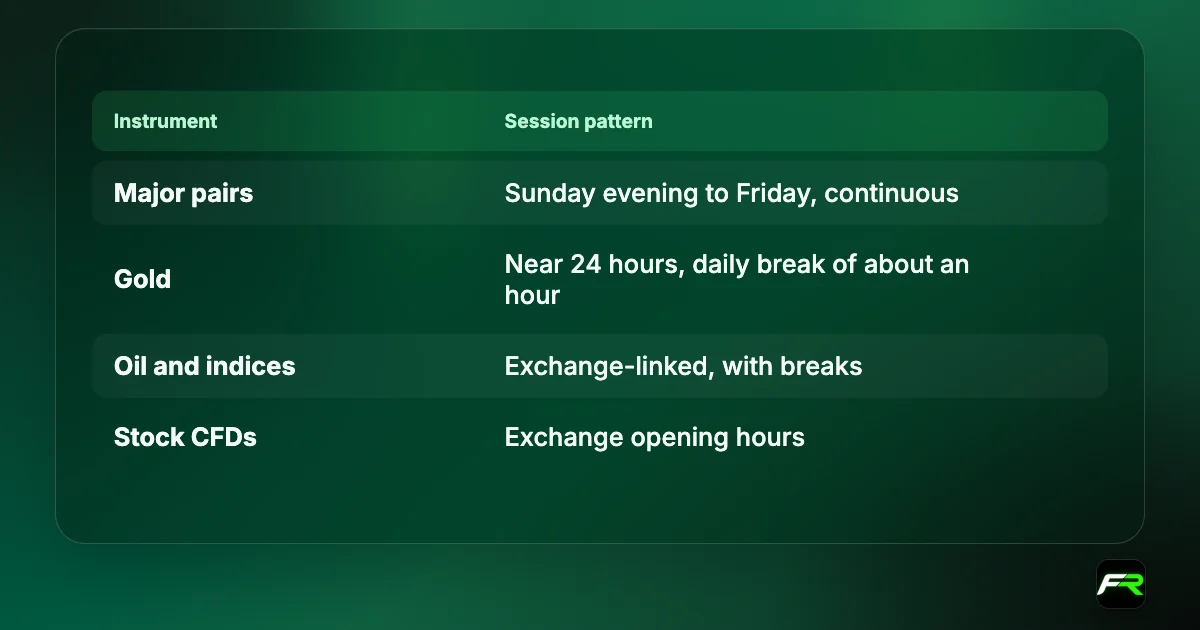
The Sessions table shows, for each day, when quotes stream and when trading is allowed, in your broker's server time. Gaps in the trade times are daily breaks. If you get market closed during what you thought were trading hours, compare the server time at the top of Market Watch with this table.
Margin fields
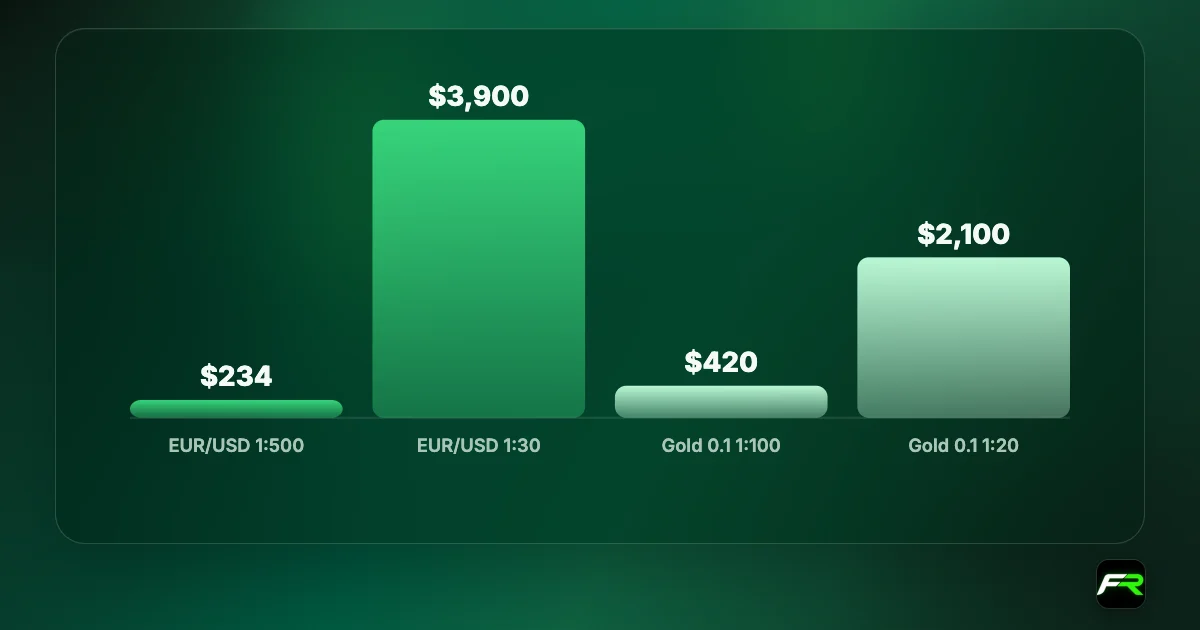
Depending on the broker, the window shows margin as initial and maintenance margin per lot, as a margin rate or percentage, or through the calculation mode and your leverage. Hedged margin shows the margin charged on opposite positions in the same symbol, often reduced. If a trade needs more margin than expected, the margin rate here usually explains why, for example a lower leverage on gold or indices.
A trader in Accra plans to try the US 500 index for the first time. The Specification shows a contract size of 1, two digits, a minimal volume of 0.1 and a step of 0.1, a stops level of 50 points, a margin rate equivalent to 1:20, and a daily break of one hour. A 0.1-lot trade therefore moves $0.10 per point, stops must sit at least 0.50 index points from price, and the trader avoids the break. No rejected orders on the first day.
Tick size and tick value
Some symbols, especially futures and some index CFDs, show Tick size and Tick value instead of relying on digits. Tick size is the smallest price change the symbol can make, and tick value is what that change is worth on one lot in the profit currency. Profit per tick times the number of ticks moved gives the result of a trade. If the two numbers look odd, for example a tick size of 0.25, the symbol moves in steps of that size and your stops and targets should fit those steps.
Five checks before trading a new symbol
- Contract size and digits: what is one point worth on your lot size?
- Volume min and step: can you trade the size your risk plan needs?
- Stops level: can you place your stop where the plan says?
- Swaps and 3-day swap: what does holding overnight cost?
- Sessions: when can you trade, and when are the daily breaks?
Different versions of the same symbol
Brokers often list several versions of a symbol for different account types, with suffixes such as .m, .r or .raw. Each version has its own Specification: spreads, commissions, volume limits and swaps can all differ. Always open the Specification of the exact symbol you will trade, not the plain one.
Take a screenshot of the Specification for each symbol you trade and save it with the date. When something changes, such as swaps or margin, you will notice quickly.
The Specification shows the broker's current settings. Brokers can change swaps, margin and sessions, especially around holidays and major events, so check again before large or long trades.
Frequently asked
How do I open the Specification window in MT5?
In Market Watch, right-click the symbol and choose Specification. On the mobile app, tap the symbol and choose Details or Specification. It shows contract size, volume limits, stop levels, swaps, sessions and margin settings.
What is contract size in MT5?
Contract size is the amount one lot controls: often 100,000 units for forex, 100 ounces for gold, and varied amounts for indices and stocks. Combined with the price's digits, it sets the value of one point per lot.
Where can I see swap rates in MT5?
In the Specification window: Swap long for buys, Swap short for sells, the Swap type and the 3-day swap day. The Trade tab also shows swap already charged on each open position.
What does stops level mean?
Stops level is the minimum distance, in points, between the current price and any stop loss, take profit or pending order. If you place orders closer, they are rejected with invalid stops. Zero means there is no minimum distance.
Why are trading sessions shown in a different time?
Sessions are shown in your broker's server time, often GMT+2 in winter and GMT+3 in summer. Compare the server time at the top of Market Watch with your local time to convert them.
Why does the same symbol have different specifications?
Brokers list separate versions for different account types, often with suffixes such as .m or .raw. Each has its own spreads, volume limits, swaps and sometimes margin. Check the version your account trades.
Official sources: MetaTrader 5 Help
Related reading
The team behind this guide
Researched, checked and approved by five forex specialists
Every guide is written, fact-checked and edited before it goes live, and updated when the facts change. Spotted an error? Tell us.