IC Markets





































MT4 vs MT5 for South African Traders
Both run on the same brokers South Africans use. MT5 is the newer, broader platform; MT4 has the larger ecosystem of tools and tutorials. Which to pick, and why it barely matters at the start.
 WriterAbir KhanWriterWrites the guides · checks every figure against primary sources View profileAbout Abir →
 Market analysisTanbir Habib RiyadForex & Crypto AnalystForex and crypto analyst · technical and fundamental analysis View profileAbout Tanbir →
 Fact-checking & riskJannatul FerdaushFact-Checker & Risk AnalystFact-checks every figure · risk analysis · Applied Statistics, University of Dhaka View profileAbout Jannatul →
 Trading reviewJowel RanaCo-Founder & Forex TraderCo-founder · forex trader · reviews guides from a trader's view View profileAbout Jowel →
 Final approvalRanjan NiskrityFounder, Owner & Forex TraderFounder and owner · forex trader · signs off every guide View profileAbout Ranjan →
MetaTrader 4 and MetaTrader 5 are the two platforms almost every broker serving South Africa offers. New traders spend more time agonising over the choice than it deserves. For learning to trade forex, they are close to interchangeable. This guide covers the real differences and a simple way to decide.
The practical differences
| MT4 | MT5 | |
|---|---|---|
| Released | 2005, forex-focused | 2010, multi-asset |
| Assets | Forex and CFDs | Forex, CFDs, plus stocks and futures where the broker offers them |
| Timeframes | 9 | 21 |
| Indicators and tools | Fewer built in, huge third-party library | More built in, growing library |
| Economic calendar | Not built in | Built into the terminal |
| Programming language | MQL4 | MQL5, not backward compatible |
| Tutorials and courses | The most, because it is older | Plenty, and increasing |
Where MT4 still wins
MT4 has been the retail forex standard for two decades, so the ecosystem around it is enormous: custom indicators, expert advisors, YouTube tutorials, course material, and communities. If you plan to follow a specific course or use a particular third-party tool, check which platform it targets, because many older ones are MT4-only. For pure forex trading, MT4 does everything a retail trader needs.
Where MT5 wins
- A built-in economic calendar in the terminal, useful for a South African tracking SARB and US events.
- More timeframes and more built-in indicators, so less need for add-ons.
- Better if you also want to trade stocks or indices on the same platform.
- It is the version under active development, so new features land here.
The feature numbers, from MetaQuotes
MetaQuotes, which makes both platforms, publishes the feature counts on its own sites. They make the gap concrete:
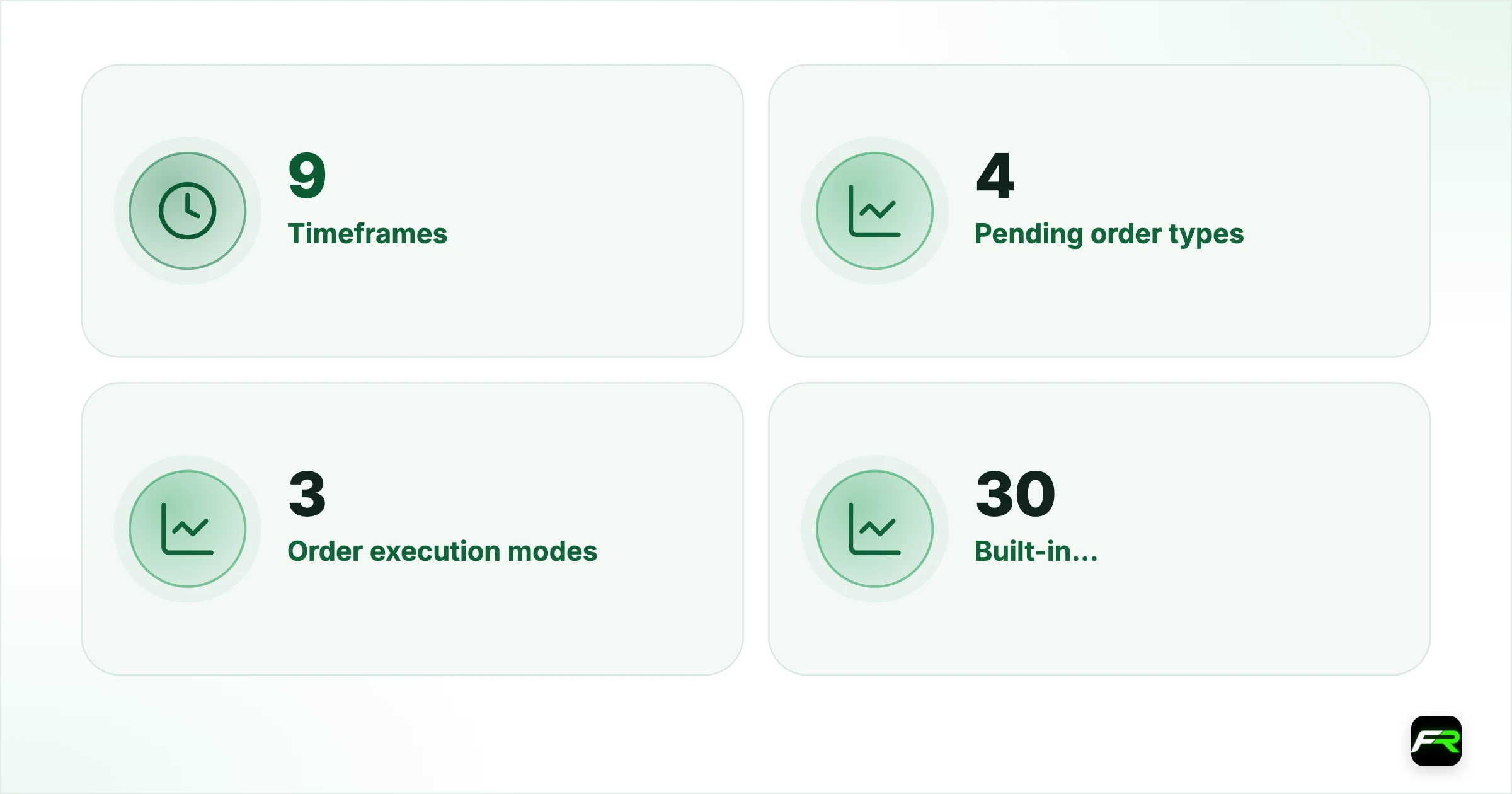
| Feature | MT4 | MT5 |
|---|---|---|
| Timeframes | 9 | 21 |
| Pending order types | 4 | 6 |
| Order execution modes | 3 | 4 |
| Built-in technical indicators | 30 | 38 |
| Built-in analytical objects | 23 | 44 |
| Depth of market | Not built in | Yes |
| Position accounting | Hedging | Netting or hedging |
The two extra pending orders in MT5 are Buy Stop Limit and Sell Stop Limit, which place a limit order once a stop price is reached. Useful, but most retail strategies run perfectly well on the four order types both platforms share.
If you trade only forex by hand, none of these numbers should decide the matter on its own. They matter most to traders who want the extra timeframes for analysis, the order book on exchange-traded products, or the built-in calendar on the phone app.
Moving from MT4 to MT5: what changes
- Your login: MT5 needs a separate account number from your broker, even with the same broker.
- Indicators and expert advisors written in MQL4 will not run; look for MQL5 versions or have them rewritten.
- Some menus and the order window look different; spend an evening on a demo before trading live.
- Templates and drawings do not transfer automatically; rebuild your main chart layout once.
- Your strategy, risk rules and journal carry over unchanged.
A simple way to decide
- If a course or tool you intend to use specifies a platform, use that one.
- For pure forex with the biggest library of free tools and tutorials, MT4 is fine.
- For the built-in calendar, more timeframes, and the option to trade other assets later, choose MT5.
- Still unsure? Pick MT5. It is the current version and the direction of travel.
- Whichever you pick, learn it properly. Switching later is easy, and the skills transfer.
Sipho spent two weeks reading comparison articles before opening an account. He eventually chose MT5 for the built-in calendar, learned it in a weekend, and never thought about the choice again. A friend chose MT4 for a specific indicator a course used. Both are trading fine two years on. The platform was never the thing that mattered.
The mobile app matters more than the desktop
Most South African traders end up doing the bulk of their trade management from the MetaTrader phone app, because the best trading window overlaps the commute and the end of the workday. Both MT4 and MT5 have capable mobile apps with charting, indicators, order placement and alerts. The MT5 mobile app carries the economic calendar through as a news tab, which MT4 does not. If you expect to trade mostly from your phone, spend an evening setting up the mobile app properly: your two pairs, your indicator template, price alerts on the levels you care about, and a stable login so you are not fumbling with a password when you need to close a trade.
What does not depend on the platform
- Your spread and commission. Those are set by the broker and the account type, not by MT4 or MT5.
- Execution speed. That is the broker's infrastructure. A VPS helps latency regardless of platform.
- Whether you can trade a given instrument. That is the broker's product list.
- Your results. Strategy, risk management and discipline decide those. The platform just draws the chart and sends the order.
Install the platform on both your computer and your phone and log in to both. Most South African traders end up managing trades from their phone during the day and doing analysis on a larger screen in the evening.
MT4 versus MT5 is the kind of decision beginners use to avoid the harder work of learning to trade. Pick MT5 if you have no reason to prefer MT4, spend a weekend learning the interface, and move on. Your results will depend on your process, not on which MetaTrader version drew the candles.
Frequently asked
Is MT4 or MT5 better for forex trading?
For pure forex, they are close to interchangeable. MT4 has the larger ecosystem of third-party tools and tutorials; MT5 has a built-in economic calendar, more timeframes and multi-asset support. Either works well for a retail trader.
Which platform do South African brokers use?
Almost all brokers serving South Africa, including Exness, HFM and XM, offer both MT4 and MT5. You choose when you open the account, and can usually open a second account on the other platform later.
Should a beginner choose MT4 or MT5?
If a course or tool you plan to use specifies one, use that. Otherwise MT5, because it is the current version with the built-in calendar and more built-in tools. The trading skills transfer between the two.
Can I switch from MT4 to MT5 later?
Yes, easily. Most brokers let you open an account on the other platform at any time, and the trading knowledge carries over. Only custom indicators and expert advisors need to be rebuilt, since the programming languages differ.
Does MT5 have an economic calendar?
Yes, built into the terminal, which is handy for tracking SARB decisions and US data releases. MT4 does not include one, so you would use a separate calendar website.
How many timeframes does MT5 have compared with MT4?
MetaQuotes lists 21 timeframes in MT5 and 9 in MT4. MT5 also has six pending order types to MT4's four, 38 built-in indicators against 30, and built-in depth of market.
Will my MT4 indicators work on MT5?
Not directly. MT4 uses the MQL4 language and MT5 uses MQL5, and the two are not compatible, so custom indicators and expert advisors need an MQL5 version or a rewrite. Built-in indicators such as moving averages and RSI are available on both, so most manual traders lose nothing.
Related reading
The team behind this guide
Researched, checked and approved by five forex specialists
Every guide is written, fact-checked and edited before it goes live, and updated when the facts change. Spotted an error? Tell us.