IC Markets





































Trading Through Load Shedding: VPS, Backups and Stop Placement
Power cuts and fibre outages still happen. The setup that keeps trades managed when your desk goes dark: a VPS, a backup line and hard stops.
 WriterAbir KhanWriterWrites the guides · checks every figure against primary sources View profileAbout Abir →
 Market analysisTanbir Habib RiyadForex & Crypto AnalystForex and crypto analyst · technical and fundamental analysis View profileAbout Tanbir →
 Fact-checking & riskJannatul FerdaushFact-Checker & Risk AnalystFact-checks every figure · risk analysis · Applied Statistics, University of Dhaka View profileAbout Jannatul →
 Trading reviewJowel RanaCo-Founder & Forex TraderCo-founder · forex trader · reviews guides from a trader's view View profileAbout Jowel →
 Final approvalRanjan NiskrityFounder, Owner & Forex TraderFounder and owner · forex trader · signs off every guide View profileAbout Ranjan →
Eskom ran through 2026 without load shedding, the first clear year since 2018, so this is less of a daily problem than it was. But localised load reduction still happens in many areas, storms take out power and fibre, and a trader with an open position cannot assume the lights and the line will stay on. The fix is a setup that keeps your trades managed even when you are not at the desk. This guide covers it.
The three layers
- A hard stop on every trade. This is the non-negotiable base layer. If your connection dies, your broker still holds your stop-loss order on its server, so the worst case is a defined loss, not an open-ended one.
- A backup connection. A laptop on battery plus a phone hotspot lets you manage positions through a power cut if the mobile network is up.
- A VPS. A virtual private server in London or New York runs your platform continuously, so pending orders, trailing stops and any automated strategy keep working regardless of what happens at your home.
What a VPS is and when you need one
A forex VPS is a small remote Windows machine, hosted in a data centre near the broker's servers, that runs MetaTrader around the clock. You connect to it to check in, but it does not depend on your power or internet to keep the platform running. It earns its cost if you hold trades for hours or days, use trailing stops or partial-close rules, or run an expert advisor. A pure intraday trader who closes everything before leaving the desk needs one less, but it is still useful insurance.
| Your trading style | VPS priority |
|---|---|
| Scalping or day trading, flat by end of session | Optional, nice to have |
| Swing trading, positions held overnight | Recommended |
| Trailing stops or partial exits that need the platform running | Strongly recommended |
| Automated strategy (expert advisor) | Essential |
Getting a VPS
- Many brokers offer a free VPS once you maintain a minimum balance or trade a minimum monthly volume. Ask support.
- Independent forex VPS providers charge roughly USD 5 to USD 30 a month depending on specification.
- Choose a location near your broker's servers (often London) for low latency, not one near you.
- Keep it lean: MetaTrader and nothing else, so a small, cheap plan is enough.
Setting up MetaTrader on a VPS, step by step
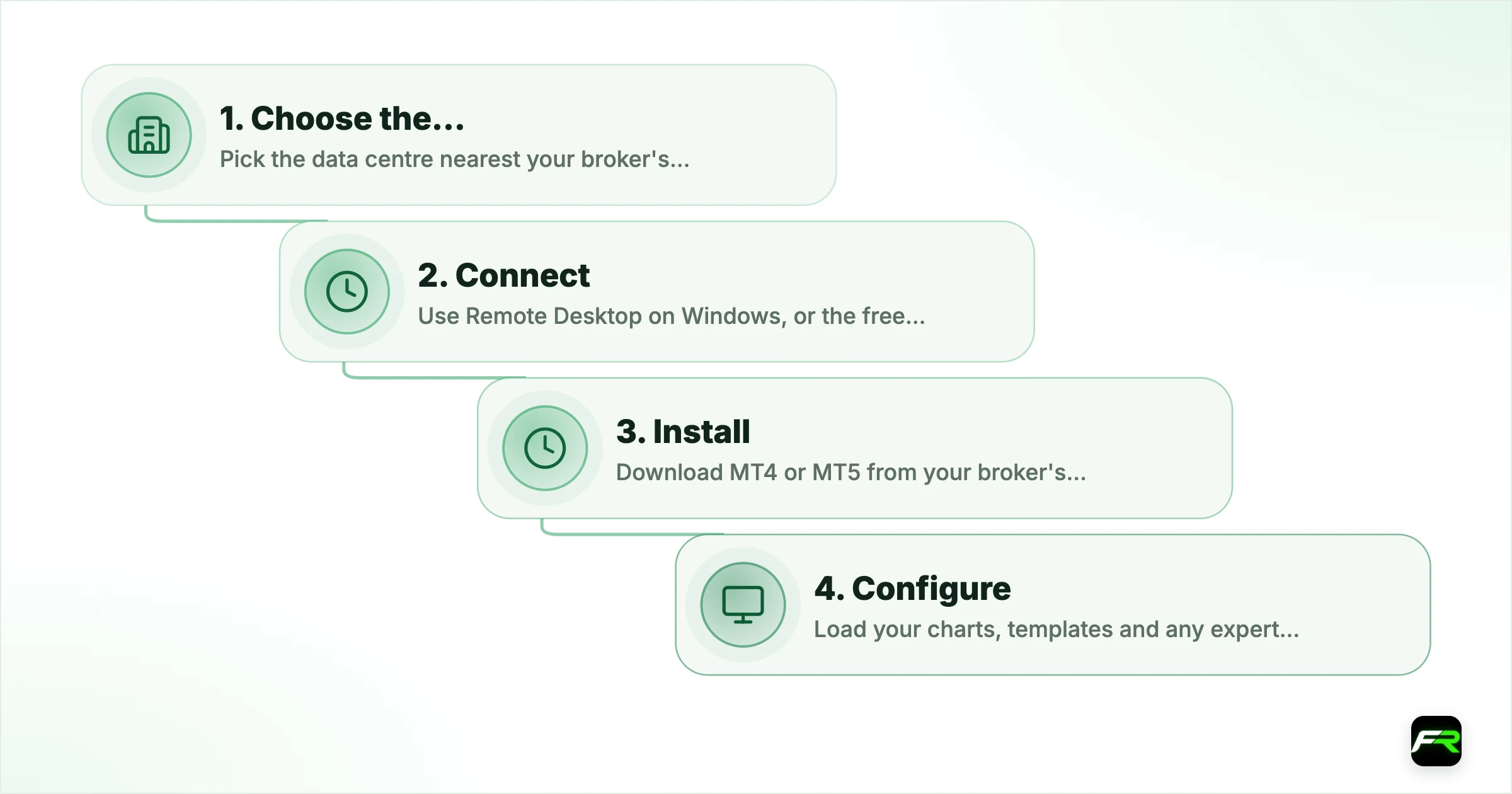
Getting a VPS running takes about half an hour the first time. Whether it comes free from your broker or from an independent provider, the steps are much the same.
| Step | What you do | Check before moving on |
|---|---|---|
| 1. Choose the location | Pick the data centre nearest your broker's trade server, often London | Ping from the VPS to the server is low |
| 2. Connect | Use Remote Desktop on Windows, or the free Microsoft app on a Mac or phone | You can see the VPS desktop |
| 3. Install | Download MT4 or MT5 from your broker's site, not a third-party link | The platform opens and logs in |
| 4. Configure | Load your charts, templates and any expert advisor; enable auto-trading if used | Settings survive a platform restart |
| 5. Secure | Set a strong password and turn on two-factor login with your broker | Only you can log in |
MetaTrader also offers its own built-in virtual hosting, rented from inside the platform. It mirrors your charts and expert advisors to a server near your broker without a separate Windows machine to manage, which suits traders who only need the platform kept running.
Keeping the VPS healthy
- Log in once a week to check the platform is connected and the journal shows no errors.
- Restart the platform after broker server maintenance, usually at weekends.
- Keep only one or two platforms running, so a small plan does not run out of memory.
- Note the renewal date if you pay for it; an expired VPS stops without warning.
The home setup
Even with a VPS, a functional home setup matters for the times you are actively trading. A laptop holds a battery charge through a typical load-reduction slot. Keep the router or fibre ONT on a small UPS or a power station so the line stays up. Have a phone hotspot configured and tested as a fallback. Know your area's load-reduction schedule so you are not caught mid-trade by a cut you could have planned around.
Kabelo held swing trades and used to close everything before any scheduled outage, which meant exiting good positions early and missing moves. He set up a broker-provided VPS running MT5, so his trailing stops and take-profits kept working through power cuts. Now an outage at home is a non-event for his trading: the VPS manages the positions and he checks in from his phone when the power returns.
A VPS is not a substitute for a stop-loss. If your VPS provider has an outage, or your account is disconnected for another reason, only the stop order sitting on the broker's own server protects you. Every trade gets a hard stop regardless of your infrastructure.
The order of priority is: stop-loss on every trade, then a backup connection, then a VPS. Load shedding being suspended does not change that order, it just makes the VPS a bit less urgent. Anyone holding trades overnight from South Africa should still have all three.
Frequently asked
Do I still need a trading VPS now that load shedding has stopped?
It is less urgent, but still useful. Localised load reduction, storms and fibre outages still happen. If you hold trades overnight, use trailing stops, or run an automated strategy, a VPS keeps your platform running regardless of your home power and internet.
What is a forex VPS?
A small remote Windows machine hosted in a data centre, usually near the broker's servers, that runs MetaTrader around the clock. It does not depend on your power or internet, so pending orders and automated strategies keep working when your desk goes dark.
How much does a VPS cost?
Many brokers provide one free above a minimum balance or monthly volume. Independent providers charge roughly USD 5 to USD 30 a month. A lean plan running only MetaTrader is enough.
Where should my VPS be located?
Near your broker's servers, often London, for low latency between the platform and the broker. It does not need to be near you, since you only connect to check in.
Is a VPS a replacement for a stop-loss?
No. If the VPS or your account connection fails, only a stop order sitting on the broker's own server protects your position. Put a hard stop on every trade regardless of your setup.
Can I run MT5 on a VPS from my phone?
Yes. You connect to the VPS with a remote desktop app on your phone and see the platform running there. For quick changes, though, logging into the same account in the MetaTrader mobile app is easier; the VPS keeps running either way.
Does a VPS make my trades execute faster?
It can cut the delay between the platform and the broker's server, because the VPS sits in a data centre near that server. For traders who hold positions for minutes or longer the difference is small; the real value of a VPS is that the platform keeps running when your home power or internet fails.
Related reading
The team behind this guide
Researched, checked and approved by five forex specialists
Every guide is written, fact-checked and edited before it goes live, and updated when the facts change. Spotted an error? Tell us.