IC Markets





































The Internet Setup a South African Forex Trader Needs
You do not need fast internet to trade forex. You need reliable internet with a backup. Here is a practical setup for fibre, LTE and load-reduction areas, plus why latency matters less than you think.
 WriterAbir KhanWriterWrites the guides · checks every figure against primary sources View profileAbout Abir →
 Market analysisTanbir Habib RiyadForex & Crypto AnalystForex and crypto analyst · technical and fundamental analysis View profileAbout Tanbir →
 Fact-checking & riskJannatul FerdaushFact-Checker & Risk AnalystFact-checks every figure · risk analysis · Applied Statistics, University of Dhaka View profileAbout Jannatul →
 Trading reviewJowel RanaCo-Founder & Forex TraderCo-founder · forex trader · reviews guides from a trader's view View profileAbout Jowel →
 Final approvalRanjan NiskrityFounder, Owner & Forex TraderFounder and owner · forex trader · signs off every guide View profileAbout Ranjan →
New traders worry that their internet is not fast enough for forex. For all but a handful of ultra-short-term strategies, speed is not the issue. Reliability is. A trade order is a few kilobytes; a 10 Mbps line sends it as fast as a 200 Mbps line. What hurts you is a connection that drops at the wrong moment with an open position. This guide covers a sensible South African setup.
What actually matters
- Uptime. A connection that is up 99 per cent of the time with no backup is worse than a slower one with a fallback.
- A backup path. A second way online: a phone hotspot, a second SIM, or a fixed-LTE router alongside fibre.
- Power resilience for the router. The line is useless if the router is off. A small UPS keeps fibre equipment running through a load-reduction slot.
- Latency, only for scalpers. If you hold trades for minutes or longer, 50 ms versus 150 ms to the broker is irrelevant. For sub-minute scalping it matters, and a VPS solves it.
A practical setup
| Component | Purpose | Rough cost |
|---|---|---|
| Fibre or fixed-LTE primary line | Main connection | R500-R1,000 a month |
| Phone hotspot or second SIM | Backup connection | Existing phone, or a cheap data SIM |
| Small UPS or power station for the router | Keeps the line up during power cuts | R800-R3,000 once |
| Laptop (holds its own battery) | Trade through a short outage | Existing |
| VPS (optional) | Removes home dependency for open trades | Free to USD 30 a month |
Fibre versus LTE
Fibre is the better primary connection where available: stable latency, no congestion in the evening peak, and unaffected by cell-tower issues. Fixed-LTE or 5G is a good primary where fibre has not reached, and a good backup everywhere. Many traders run fibre as primary and a fixed-LTE router or phone hotspot as automatic failover. Mobile data alone is workable for a light trader but can be congested at peak times.
Testing your setup
- Open a demo trade, then disconnect your primary line. Confirm your device fails over to the backup and the platform reconnects.
- Check your broker platform's ping to the server; anything under about 200 ms is fine for non-scalpers.
- Simulate a power cut: unplug the router and confirm the UPS holds it, and that your laptop stays online via hotspot.
- Do this once, properly, so you know it works before you need it with real money on the line.
Rirhandzu blamed her losses on a slow connection and upgraded to a faster fibre package, which changed nothing because her trades were held for hours, not seconds. What did help was adding a phone-hotspot failover and a small UPS for the router, after a brief outage once left her unable to close a losing trade. The reliability fix mattered; the speed upgrade did not.
Automatic failover versus manual switching
There are two ways to run a backup connection. Manual switching means noticing the primary is down and connecting your laptop to your phone hotspot yourself, which costs a minute or two at the worst possible time. Automatic failover means a router that holds both a fibre and an LTE connection and switches between them without you doing anything. For a trader, automatic failover is worth the modest extra cost of a dual-WAN or LTE-failover router, because the moments your connection drops are exactly the moments you cannot spare to fiddle with settings. Test it by pulling the fibre cable mid-session and watching the router switch.
A one-minute check before each session
Testing your setup once is good; a quick check before you trade each day catches the problems that creep in, such as a flat UPS battery or an expired data bundle on the backup SIM.
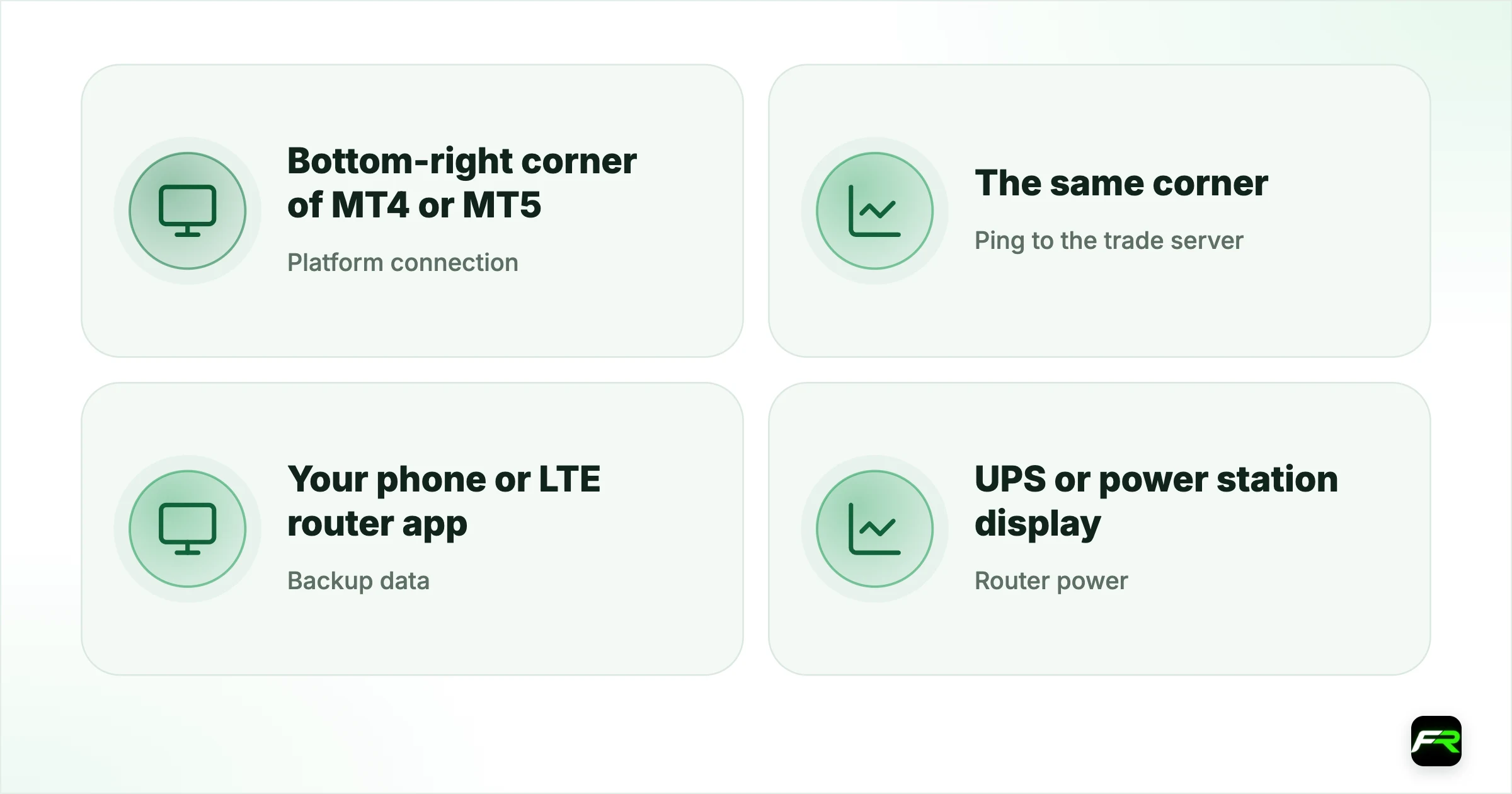
| Check | Where | Good result |
|---|---|---|
| Platform connection | Bottom-right corner of MT4 or MT5 | Shows a ping, not "No connection" |
| Ping to the trade server | The same corner | Under about 200 ms |
| Backup data | Your phone or LTE router app | Bundle active with data left |
| Router power | UPS or power station display | Charged, mains connected |
| Phone app | MetaTrader mobile | Logged in to the same account |
If any item fails, fix it before you open a trade, or trade smaller that session. Most connection disasters happen to traders who knew their backup was flaky and traded anyway.
A note on mobile trading
Your phone is the simplest backup: the MetaTrader app can close or adjust any position the desktop can. Keep it logged in, keep the app updated, and know where the close-position button is before you need it in a hurry. If load reduction or a storm takes out your home power and fibre, a charged phone on mobile data lets you manage open trades from anywhere with signal. It is not a comfortable way to analyse the market, but it is enough to protect a position.
Do not scalp on a marginal connection with no backup. If your strategy needs sub-minute execution and your line is unreliable, either change the strategy or run it from a VPS. A dropped connection mid-scalp with no stop is how accounts blow up.
Traders spend money on connection speed and ignore connection reliability, which is backwards. For normal trading, a stable 10 to 20 Mbps line with a hotspot backup and a UPS on the router beats a 200 Mbps line with a single point of failure. And every trade still gets a stop, because no home setup is perfect.
Frequently asked
How fast does my internet need to be for forex trading?
Not very. A trade order is a few kilobytes, so a stable 10 to 20 Mbps line is plenty for anything but sub-minute scalping. Reliability and a backup connection matter far more than raw speed.
Does latency matter for forex?
Only for very short-term scalping. If you hold trades for minutes or longer, the difference between 50 ms and 150 ms to the broker is irrelevant. Scalpers who need low latency should use a VPS near the broker's servers.
What is the best internet setup for a South African trader?
A fibre or fixed-LTE primary line, a phone hotspot or second SIM as backup, and a small UPS to keep the router running through power cuts. A VPS is optional but removes home dependency for open trades.
Is mobile data enough to trade forex?
It can work for a light trader, but it is prone to congestion at peak times and cell-tower issues. It is better used as a backup to a fixed line than as the sole connection.
How do I test my trading connection?
Open a demo trade, disconnect your primary line, and confirm the device fails over to the backup and the platform reconnects. Also simulate a power cut to check the UPS holds the router. Do this before trading real money.
What ping is good enough for forex trading?
For anyone holding trades for minutes or longer, a ping under about 200 milliseconds to the broker's server is fine, and the figure is shown in the corner of MT4 and MT5. Only very short-term scalpers need much lower latency, usually from a VPS.
What should I do if my connection drops with a trade open?
Switch to your backup straight away, usually the MetaTrader app on your phone using mobile data, and check the position. Your stop-loss and take-profit stay on the broker's server, so the trade is protected even while you are offline. Once reconnected, decide calmly whether to manage it or leave it.
Related reading
The team behind this guide
Researched, checked and approved by five forex specialists
Every guide is written, fact-checked and edited before it goes live, and updated when the facts change. Spotted an error? Tell us.