IC Markets





























"Trade Is Disabled" Error in MT4 and MT5: What Blocks Your Account
"Trade is disabled" means the server will not accept trades on this account or symbol at all. It is different from a closed market. Here are the causes and the order to check them.
 WriterAbir KhanWriterWrites the guides · checks every figure against primary sources View profileAbout Abir →
 Market analysisTanbir Habib RiyadForex & Crypto AnalystForex and crypto analyst · technical and fundamental analysis View profileAbout Tanbir →
 Fact-checking & riskJannatul FerdaushFact-Checker & Risk AnalystFact-checks every figure · risk analysis · Applied Statistics, University of Dhaka View profileAbout Jannatul →
 Trading reviewJowel RanaCo-Founder & Forex TraderCo-founder · forex trader · reviews guides from a trader's view View profileAbout Jowel →
 Final approvalRanjan NiskrityFounder, Owner & Forex TraderFounder and owner · forex trader · signs off every guide View profileAbout Ranjan →
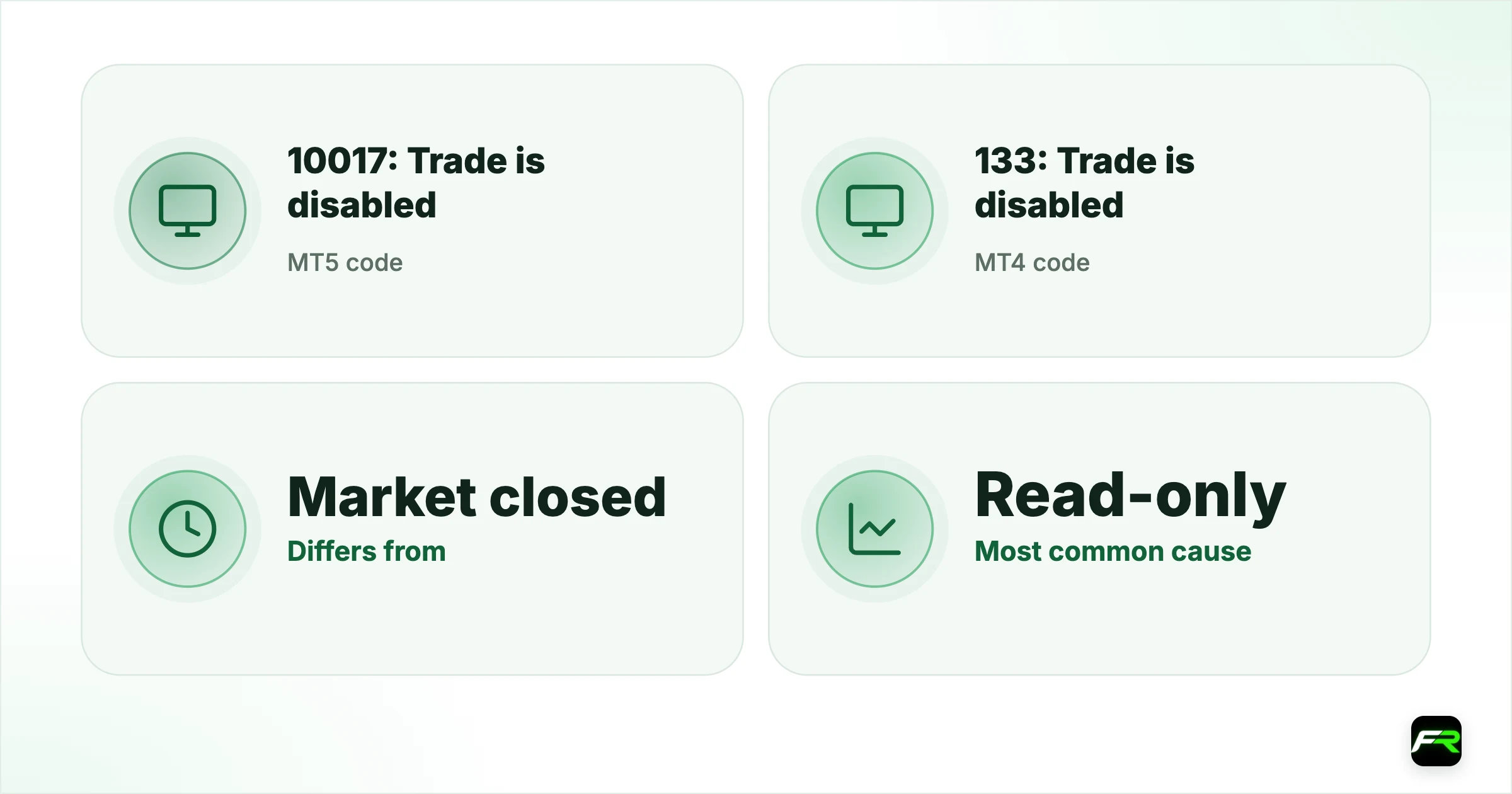
"Trade is disabled" means the trading server refuses trades for this account or this symbol entirely. MetaTrader 5 calls it return code 10017, TRADE_RETCODE_TRADE_DISABLED, and MetaTrader 4 calls it error 133, ERR_TRADE_DISABLED. Unlike "Market is closed", it does not clear when a session opens.
The cause sits with the login, the account's status or the symbol's settings. Five checks cover nearly every case, and most take less than a minute.
| MT5 code | 10017: Trade is disabled |
|---|---|
| MT4 code | 133: Trade is disabled |
| Differs from | Market closed (10018 / 132), which is about time |
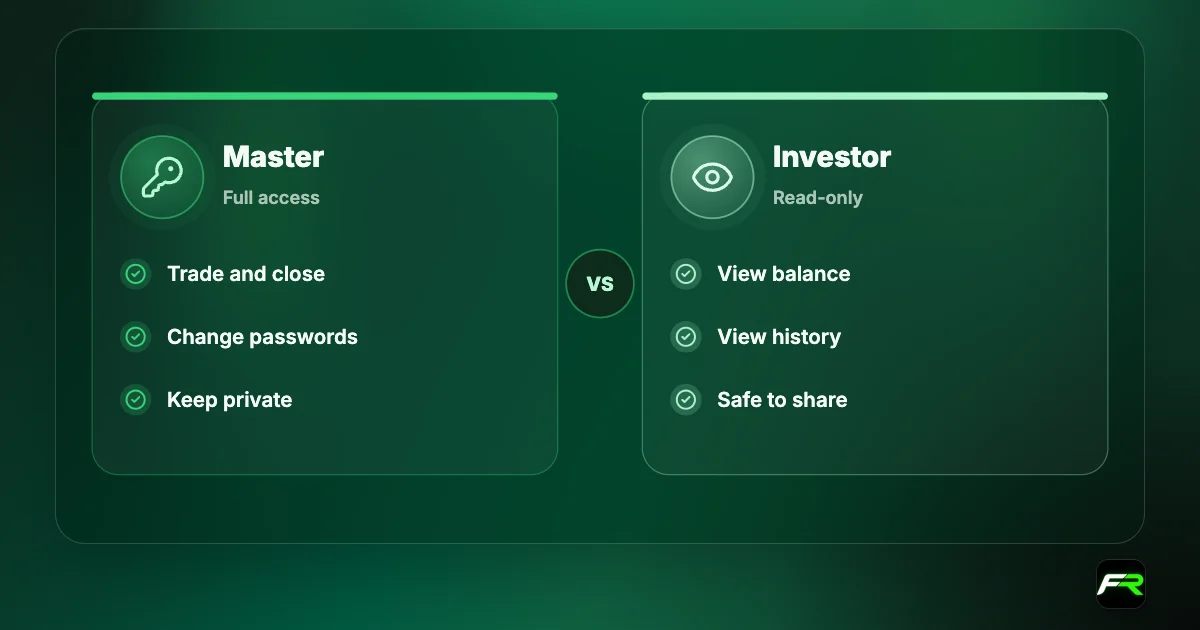
| Most common cause | Read-only (investor) login |
| Other causes | Disabled symbol, archived or expired account, restriction |
Five causes and how to check each
| Cause | Sign | Fix |
|---|---|---|
| Investor password | Whole account cannot trade | Log in with the master password |
| Symbol trading disabled | One symbol fails, others work | Use the version listed for your account type |
| Expired demo | Old demo login | Open a new demo |
| Archived live account | Long-unused account | Ask the broker to reactivate or open a new one |
| Compliance restriction | Notice from the broker | Complete the requested step |
Read-only login
A login made with the investor password connects normally and shows positions, but every trade request returns trade disabled or leaves the buttons grey. Log in again through the Navigator with the master password. If you share account access with a mentor or a signal checker, make sure they have the investor password and you keep the master one.
Disabled or close-only symbols
Each symbol has a trade mode on the server. Full access allows everything. Close only allows exiting existing positions. Disabled blocks the symbol completely. Brokers use these modes for instruments being delisted, for stock CFDs around corporate events, and for versions of a symbol that belong to a different account type.
Open the symbol's Specification and read the Trade line. If it does not say Full access, search the Symbols list for a version with a suffix that matches your account. Our Specification window guide shows where the line sits.
Expired or archived accounts
Demo accounts expire after a period that depends on the broker, often between two weeks and three months without use. Live accounts with no balance and no activity may be archived after several months. An archived login can still connect for a while but will not trade. Contact the broker to reactivate it, or open a new account from the client area.
Broker restrictions
A broker may disable trading while it waits for verification documents, during a compliance review, after an unpaid negative balance, or when your country is no longer served by that entity. These cases always come with a message in the client area or by email. Our guide to how forex regulators work explains why brokers sometimes move clients between entities.
A trader in Accra reopens MT4 after six months away and every order returns error 133. The live account had a zero balance, and the broker had archived it after 90 days of inactivity, as its terms allow. A new account from the client area traded normally the same day, while the old login could still show its history.
When you contact support, quote the exact error code and the time from the Journal tab. It lets the broker find the request in their server logs in minutes.
Never send your master password to anyone who claims they need it to reactivate your account. A real broker can unlock an account without your password; a stranger asking for it is a scam.
Trade disabled in Expert Advisors
EAs see the same codes. In MQL4 an EA receives error 133 from OrderSend, and in MQL5 the trade result carries 10017. Before blaming the strategy, check that the EA is running on a symbol version your account can trade and that you logged in with the master password. Running an EA on an investor login is a common mistake when a VPS is set up in a hurry.
Some brokers disable trading on specific symbols for EAs that break their rules, such as latency arbitrage. The terms of business list banned strategies, and the broker should tell you if a restriction is applied. Our XM scalping and EA rules show how one broker words these limits.
Trade disabled on prop firm accounts
Funded and challenge accounts at prop firms often run on MetaTrader too. When a challenge rule is broken, such as the daily loss limit, many firms switch the account to read-only, which shows as trade disabled or grey buttons. The firm's dashboard shows the breach and the time it happened. In that case the platform is working as designed, and the fix lies with the firm's rules rather than the broker or the terminal.
Some firms also disable trading for a short period around major news if their rules ban news trading. Check the rulebook for the exact windows, because orders sent inside them may be rejected or the account may be flagged.
What to send support
- Your account number and server name, never your password.
- The exact Journal line, with the time it appeared.
- Which action you tried (open, close or modify) and on which symbol.
- Whether other symbols on the same account trade normally.
With those four details, support can see in their logs whether the block is on the login, the account or the symbol, and fix it in one reply.
Frequently asked
Can an EA cause trade is disabled?
The EA does not cause it, but it reports it. If an EA gets error 133 or code 10017, check that it runs on a symbol your account can trade and under the master login. Brokers may also restrict symbols for strategies their terms ban.
What does trade is disabled mean in MT4?
Error 133, ERR_TRADE_DISABLED, means the server will not accept trades for this login or symbol. The usual causes are a read-only investor login, a symbol switched to disabled or close-only, an expired demo, an archived account, or a broker restriction.
Is trade disabled the same as market closed?
No. Market closed is about time: the symbol is outside its session and will trade again when it opens. Trade disabled is about permission: the account or symbol is blocked until the cause, such as the wrong password, is fixed.
Why can I close trades but not open new ones?
The symbol is probably in close-only mode on the server. Brokers use it before removing an instrument or during corporate events on stock CFDs. Check the Trade line in the symbol's Specification window and look for another version of the symbol.
How long before a demo account expires?
It depends on the broker, but many close demos after somewhere between two weeks and three months without activity. An expired demo may still connect and show prices, but trading is disabled. Opening a fresh demo is quicker than asking for reactivation.
Can my broker disable trading without telling me?
Restrictions for compliance, documents or balance issues come with a notice by email or in the client area. Server settings on individual symbols, such as close-only mode, may only show in the Specification window, so check it when one instrument stops working.
Official sources: MQL5: trade server return codes · MQL4: error codes · MetaTrader 5 Help: trading basics
Related reading
The team behind this guide
Researched, checked and approved by five forex specialists
Every guide is written, fact-checked and edited before it goes live, and updated when the facts change. Spotted an error? Tell us.