IC Markets




































Fusion Markets TradingView: How to Connect, Costs and Limits
You can trade a Fusion Markets account straight from TradingView charts. The connection is free, but it needs its own TradingView-type account, runs on Zero pricing only and uses cTrader behind the scenes. Here is the setup and everything it can't do.
 WriterAbir KhanWriterWrites the guides · checks every figure against primary sources View profileAbout Abir →
 Market analysisTanbir Habib RiyadForex & Crypto AnalystForex and crypto analyst · technical and fundamental analysis View profileAbout Tanbir →
 Fact-checking & riskJannatul FerdaushFact-Checker & Risk AnalystFact-checks every figure · risk analysis · Applied Statistics, University of Dhaka View profileAbout Jannatul →
 Trading reviewJowel RanaCo-Founder & Forex TraderCo-founder · forex trader · reviews guides from a trader's view View profileAbout Jowel →
 Final approvalRanjan NiskrityFounder, Owner & Forex TraderFounder and owner · forex trader · signs off every guide View profileAbout Ranjan →
Fusion Markets is listed as a broker inside TradingView, so you can place and manage trades from the same charts you analyse on. The integration is free. You pay Fusion's normal trading costs and nothing extra for the connection, and TradingView's own free plan is enough to trade.
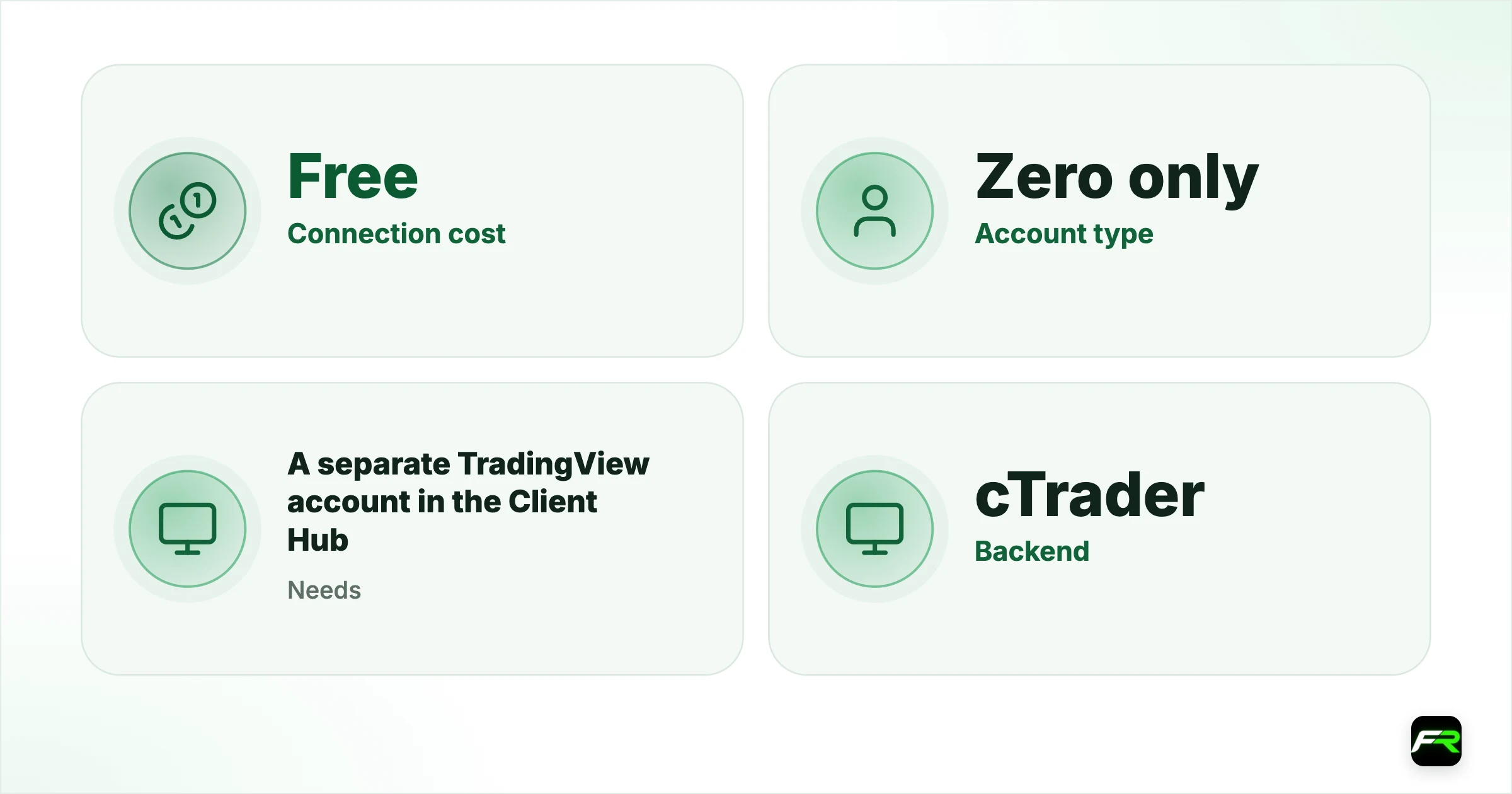
One point trips people up. You can't connect an existing MetaTrader account. Fusion requires a separate account with TradingView chosen as the platform, created in the Client Hub. That account is always a Zero account, with raw spreads and commission.
| Connection cost | Free |
|---|---|
| Account type | Zero only |
| Needs | A separate TradingView account in the Client Hub |
| Backend | cTrader |
| Markets | Forex, metals, indices, energy, soft commodities |
| Automation | Pine Script; no MetaTrader EAs |
Create the Fusion TradingView account
- Log in to the Client Hub, or register first if you are new.
- Under Accounts, create a new Live Account.
- Select TradingView as the trading platform and connect.
- Wait for the email with your TradingView account credentials.
- Fund the account from Payments in the Hub.
Already hold money in an MT4, MT5 or cTrader account? Use Payments, then Transfers, in the Hub to move funds across to the new TradingView account. Internal transfers save you a withdrawal and a fresh deposit.
Connect it inside TradingView
- Open any chart in TradingView on the web, desktop app or mobile app.
- Find the Trading Panel at the bottom of the chart and expand it.
- Choose Fusion Markets from the broker list. Select See all brokers if it isn't shown.
- Log in with the credentials Fusion emailed you.
- Pick a symbol and use the buy and sell buttons on the chart.
Fusion's prices appear in real time whichever TradingView plan you have. Your order history sits in the History tab at the bottom of the screen, where you can filter by filled, cancelled or rejected orders.
A TradingView login and a Fusion TradingView account are two different things. The first is your charting profile; the second is the trading account you connect to it.
Why cTrader emails you
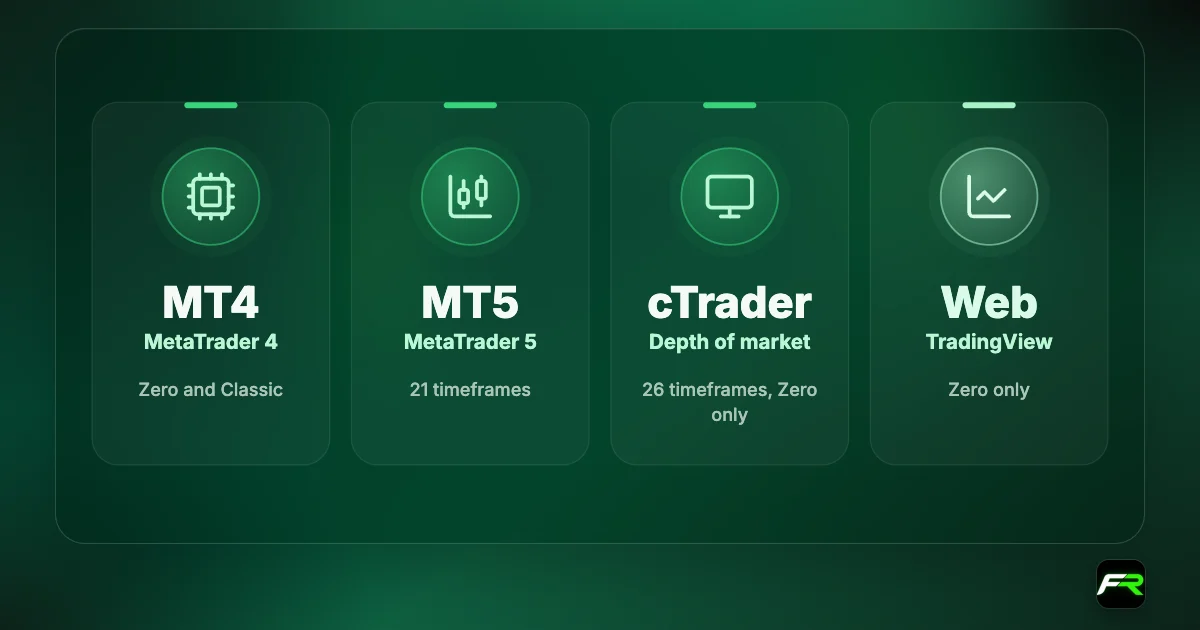
TradingView doesn't execute trades itself. Fusion's integration routes orders through cTrader's backend, which is why the broker describes it as TradingView powered by cTrader. After you create the account you may get emails from cTrader, including login details.
Those cTrader details work if you want to open the same account in the cTrader app. To log in through TradingView, use the credentials that came from Fusion. Keep the two emails apart and you avoid a lot of failed logins.
What it costs
| Cost | Amount |
|---|---|
| Broker connection to TradingView | Free |
| Spread | Raw Zero spread, from 0.0 pips |
| Commission | $2.25 per $100,000 notional per side, in the pair's base currency |
| Deposit and withdrawal fees | $0 from Fusion |
| Minimum account size | None |
| TradingView paid plans | Optional, bought from TradingView |
Commission follows the cTrader method, charged on notional volume in the base currency of the pair. One lot of EUR/USD costs 2.25 euros per side. The Fusion Markets Zero account guide has worked examples, including the adjustment for gold.
Paid TradingView plans add more indicators per chart, more alerts and extra layouts. None of that is needed to trade through Fusion. Start on the free plan and upgrade only when you hit a limit that gets in your way.
What TradingView can't do
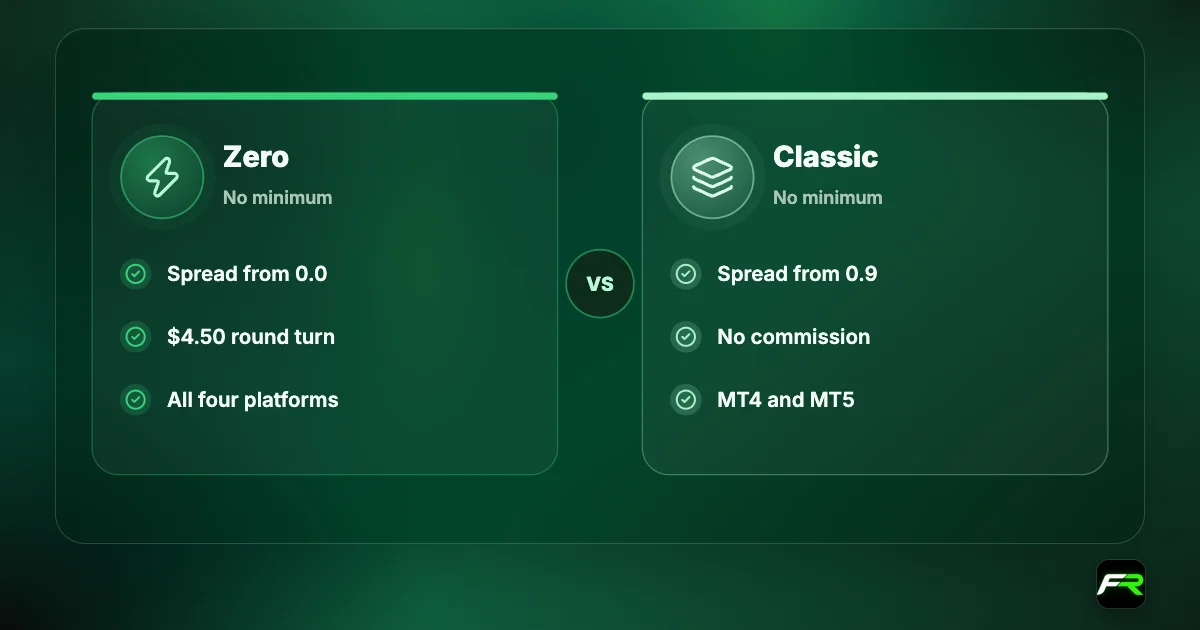
- No Classic account. Spread-only pricing isn't offered on this platform.
- MetaTrader expert advisors don't run here. EAs use a different coding language.
- An existing MT4 or MT5 account can't be linked.
- Fusion+ copy trading is missing, since it is limited to MetaTrader.
- A narrower product list: forex, metals, indices, energy and soft commodities.
Prices on a TradingView chart can also differ slightly from another feed. Fusion's FAQ explains that CFD prices are over the counter, and each liquidity provider may quote from futures, spot or a blend. Make sure the chart shows Fusion's own symbol, so the price you analyse is the price you trade. For a look at the other three platforms, see our Fusion Markets platforms guide.
Pine Script and alerts
TradingView's scripting language, Pine Script, lets you write indicators and strategies. Thousands of public scripts are shared by other users. A strategy's backtest result is a model on past data, not a forecast, and community scripts vary widely in quality.
Alerts are the more practical tool for most people. Set one on a price level, an indicator value or a drawn line, and TradingView notifies you. That lets you wait for the market to come to your level instead of watching the screen and entering out of boredom.
Practise the whole flow on a demo first. Create a demo account with TradingView as the platform in the Client Hub and connect it through the Trading Panel the same way.
Fixes for common problems
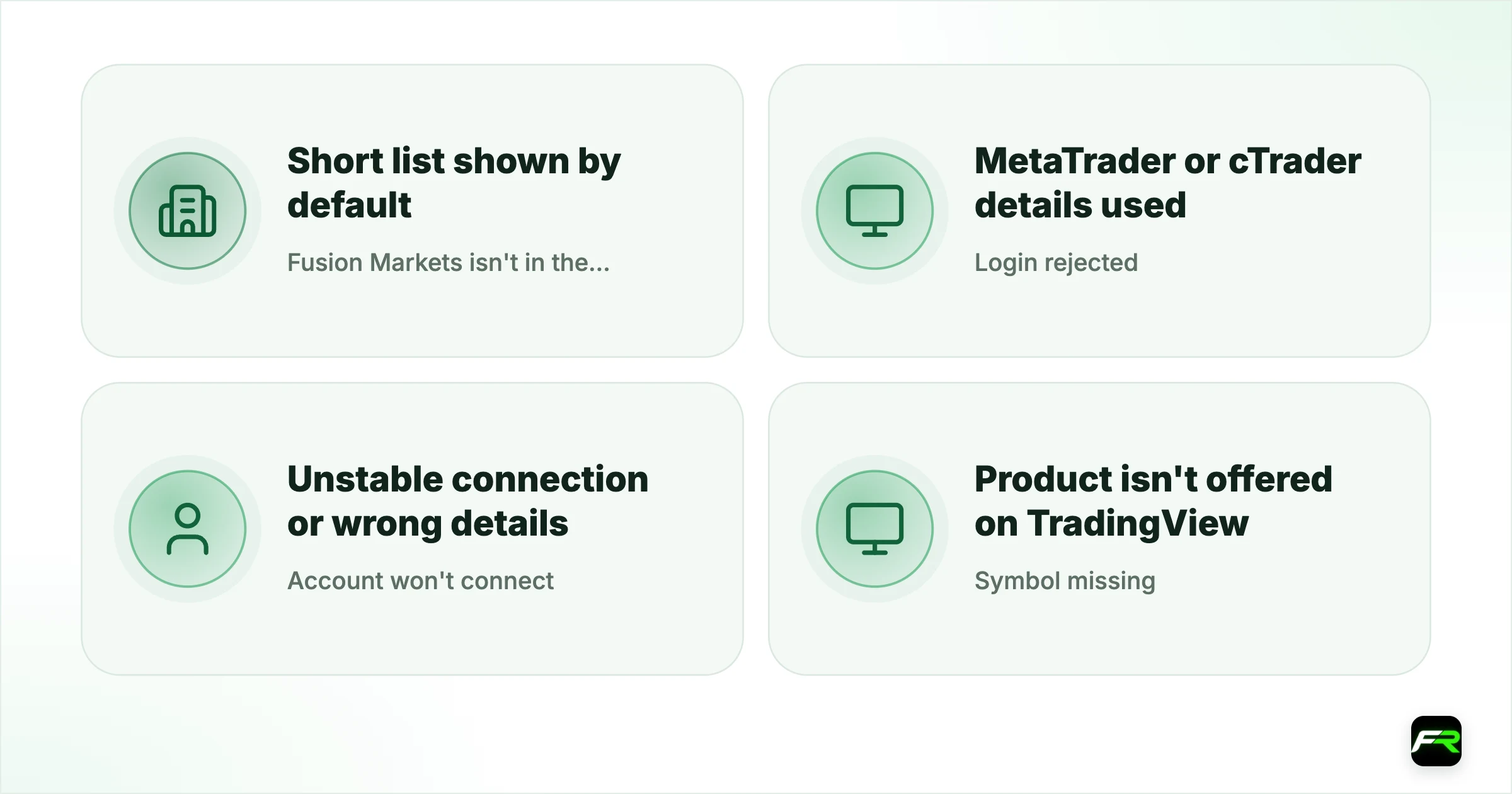
| Problem | Likely cause | Fix |
|---|---|---|
| Fusion Markets isn't in the broker list | Short list shown by default | Select See all brokers |
| Login rejected | MetaTrader or cTrader details used | Use the TradingView credentials from Fusion's email |
| Account won't connect | Unstable connection or wrong details | Check both, then contact TradingView support |
| Symbol missing | Product isn't offered on TradingView | Trade it on MT4, MT5 or cTrader |
| No funds showing | Money is in another trading account | Transfer in the Client Hub |
TradingView runs in Chrome, Edge, Safari and Firefox, and has desktop apps for Windows, macOS and Linux as well as mobile apps. If something breaks on one, try another before assuming the account is at fault.
Is TradingView the right choice for you?
It fits manual traders who already do their analysis there. With the level drawn and the order placed on the same chart, you no longer copy prices between two programs, which is where typing errors creep in. Bracket orders with a stop and a target can be dragged on the chart, so you see the risk before you commit.
Traders who depend on MetaTrader expert advisors should stay where they are, or run both. Nothing stops you keeping an MT5 account for automation and a TradingView account for discretionary trades. Money moves between them in the Client Hub without a fee from Fusion.
Cost-sensitive beginners should note the pricing. Zero is the cheaper of Fusion's two accounts, so being limited to it is no hardship. You do need to remember the commission when you read your results, since the chart shows raw prices and the fee appears in the account history.
Security on a web platform
Your TradingView profile becomes a door to a funded account once a broker is connected. Turn on two-factor authentication in TradingView's own settings, use a different password from your Fusion login, and disconnect the broker session on shared computers. Withdrawals still happen only in Fusion's Client Hub and still need your authenticator code, so a compromised TradingView login can't send money out, but it could place trades.
Most traders I know already chart on TradingView, so trading from the same screen removes a step where mistakes happen. Just accept the trade-off: Zero pricing only and none of your MetaTrader EAs.
Priya had charted on TradingView's free plan for two years while placing orders on MT4. She created a Fusion TradingView account in SGD, moved $1,000 across by internal transfer and connected it from the Trading Panel. Her first login failed because she typed her cTrader details; the Fusion credentials worked at once.
Frequently asked
Can I use TradingView with Fusion Markets?
Yes. Fusion Markets is an integrated broker on TradingView. Create a live or demo account with TradingView as the platform in the Client Hub, then connect it from TradingView's Trading Panel.
Is the TradingView integration free?
Yes. Fusion charges nothing for the connection. You pay the normal Zero account spread and commission, and TradingView's paid plans are optional.
Can I connect my MT4 or MT5 account to TradingView?
No. The integration works through a separate TradingView account opened in the Client Hub. You can transfer funds from your MetaTrader account to it.
Which account types work on TradingView?
Only the Zero account, which means raw spreads plus commission. The Classic account is not offered on TradingView or cTrader.
Why do I get emails from cTrader?
TradingView orders are executed through cTrader's backend. cTrader sends its own login details, which you can use in the cTrader app, while the TradingView credentials come from Fusion.
Can I run an EA on TradingView?
No. Expert advisors are written for MetaTrader. TradingView uses Pine Script for indicators and strategies.
Related reading
The team behind this guide
Researched, checked and approved by five forex specialists
Every guide is written, fact-checked and edited before it goes live, and updated when the facts change. Spotted an error? Tell us.