IC Markets




































Fusion Markets Platforms: MT4, MT5, cTrader and TradingView Compared
Fusion Markets supports four platforms: MetaTrader 4, MetaTrader 5, cTrader and TradingView. They differ in account types, commission method, automation and copy trading. Here is how to pick one, plus the free VPS rule.
 WriterAbir KhanWriterWrites the guides · checks every figure against primary sources View profileAbout Abir →
 Market analysisTanbir Habib RiyadForex & Crypto AnalystForex and crypto analyst · technical and fundamental analysis View profileAbout Tanbir →
 Fact-checking & riskJannatul FerdaushFact-Checker & Risk AnalystFact-checks every figure · risk analysis · Applied Statistics, University of Dhaka View profileAbout Jannatul →
 Trading reviewJowel RanaCo-Founder & Forex TraderCo-founder · forex trader · reviews guides from a trader's view View profileAbout Jowel →
 Final approvalRanjan NiskrityFounder, Owner & Forex TraderFounder and owner · forex trader · signs off every guide View profileAbout Ranjan →
Fusion Markets gives you four trading platforms. MetaTrader 4 and MetaTrader 5 work with both the Zero and Classic accounts. cTrader and TradingView are Zero only. All four connect to the same pricing and the same New York trade server, so the choice comes down to tools, automation and how commission is calculated.
You select the platform when you create a trading account in the Client Hub, and each account is tied to one platform. Nothing stops you holding several accounts, for example MT5 for an expert advisor and TradingView for manual trades, and moving money between them inside the Hub.
| Platforms | MT4, MT5, cTrader, TradingView |
|---|---|
| Classic account | MT4 and MT5 only |
| Swap-free account | MT4 and MT5 only |
| Fusion+ copy trading | MT4 and MT5 only |
| Sponsored VPS | Free above 20 lots of FX or metals in 30 days |
| Order limits | 200 on MetaTrader, 2,000 positions on cTrader |
The four platforms at a glance
| Feature | MT4 | MT5 | cTrader | TradingView |
|---|---|---|---|---|
| Account types | Zero, Classic, swap-free | Zero, Classic, swap-free | Zero | Zero |
| Commission basis | Per lot | Per lot | Per $100,000 notional | Per $100,000 notional |
| Timeframes | 9 | 21 | 26 | Many, set by TradingView |
| Automation | EAs in MQL4 | EAs in MQL5 | cAlgo bots | Pine Script |
| Market depth | No | Yes | Three depth views | No |
| Fusion+ copying | Yes | Yes | No | No |
| Devices | Windows, Mac, iOS, Android, web | Windows, Mac, iOS, Android, web | Windows, Mac, iOS, Android, web | Web, Windows, macOS, Linux, mobile |
MetaTrader 4
MT4 is the old standard and still the platform with the largest library of expert advisors and custom indicators. Fusion's version offers one-click trading, more than 50 built-in indicators and automated trading through MQL4. Forex, indices, commodities and crypto CFDs are all available on it.
Pick MT4 if you already own an EA written for it, or if you want to use DupliTrade, which connects to MT4 accounts. Its charts and nine timeframes feel dated beside the newer platforms, and the developer has moved its attention to MT5.
MetaTrader 5
MT5 is the newer MetaQuotes platform. Fusion lists 21 timeframes, more than 80 technical analysis objects, market depth, extra pending order types and faster processing. Its MQL5 language is object-oriented and comes with better debugging tools, which matters if you write your own code.
For a new trader who wants MetaTrader, MT5 is the sensible default. MT4 advisors don't run on it without being rewritten, so check with the seller of any EA before you choose.
cTrader
cTrader is aimed at traders who want a cleaner screen and more detail on order flow. Fusion highlights 26 timeframes, more than 80 indicators, three market depth views (standard, price and VWAP), QuickTrade one-click orders and cAlgo for automated strategies.
A recent addition is MCP, short for Model Context Protocol. It lets you connect the account to an AI app such as Claude or ChatGPT and ask about open positions or market information. cTrader hosts a remote version that needs no installation, and a local version runs on your own computer.
Commission is the main practical difference. cTrader charges $2.25 per $100,000 of notional volume per side, in the base currency of the pair, instead of per lot. The Fusion Markets Zero account guide shows what that means for euro and Australian-dollar pairs.
TradingView
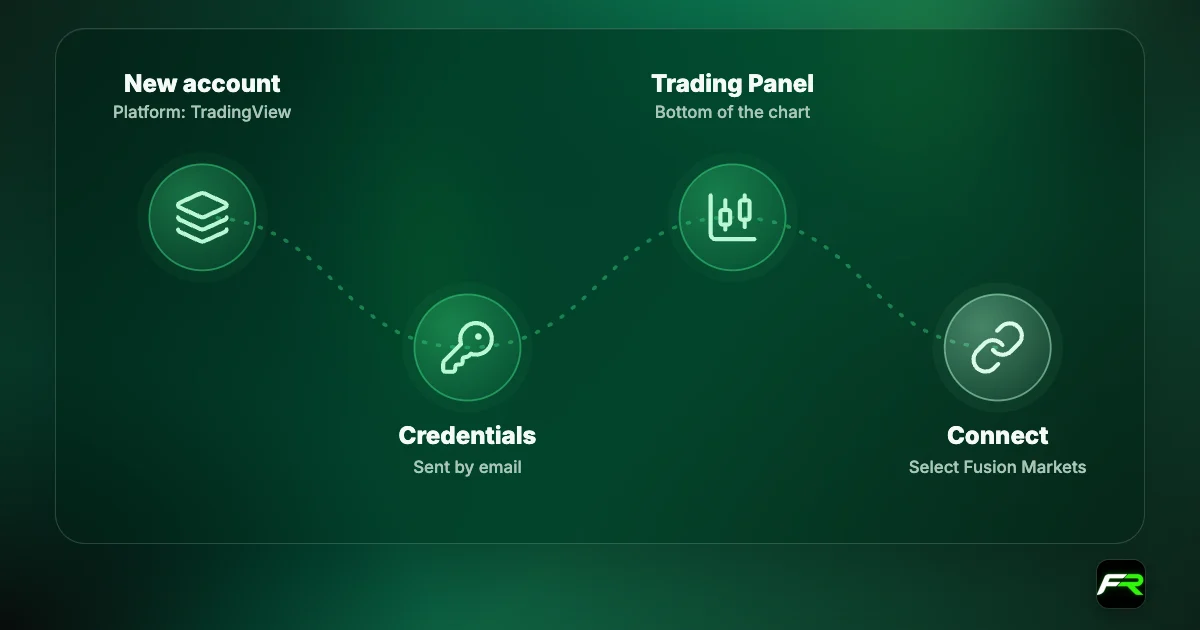
TradingView is a browser-based charting platform with a large community. Fusion connects to it through cTrader's backend, so you need a separate TradingView-type account from the Client Hub. The product list is shorter: forex, metals, indices, energy and soft commodities. Setup steps are in our Fusion Markets TradingView guide.
Which platform should you choose?
- You want the Classic or swap-free account: MT4 or MT5.
- Your strategy is a MetaTrader expert advisor: the version it was written for.
- A Fusion+ master is someone you follow: MT4 or MT5.
- Depth of market and a modern layout matter to you: cTrader.
- Charts on TradingView are already your habit and you trade by hand: TradingView.
- New and undecided: MT5, with a demo to learn it.
Whichever you lean towards, try it without risk first. A demo takes two minutes to open in the Hub, as our demo account guide explains.
Free VPS for automated trading
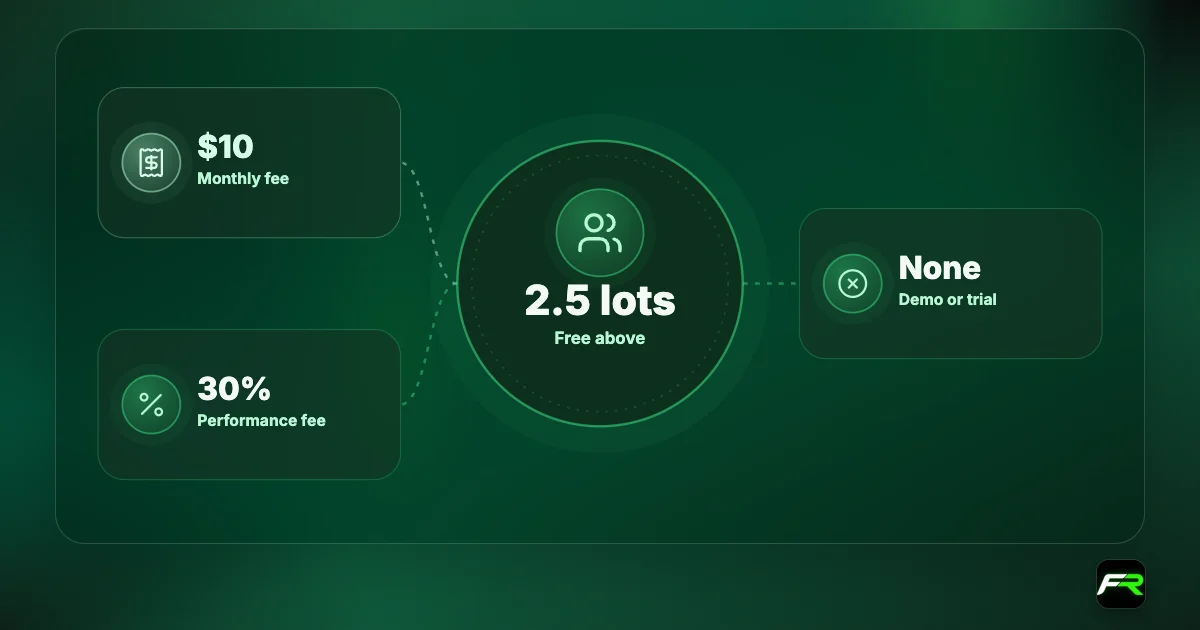
Your platform keeps running on a virtual private server around the clock, close to the broker's servers, even when your own computer is off. Fusion offers a sponsored VPS that is free when you trade more than 20 lots of forex or metals in a 30-day period.
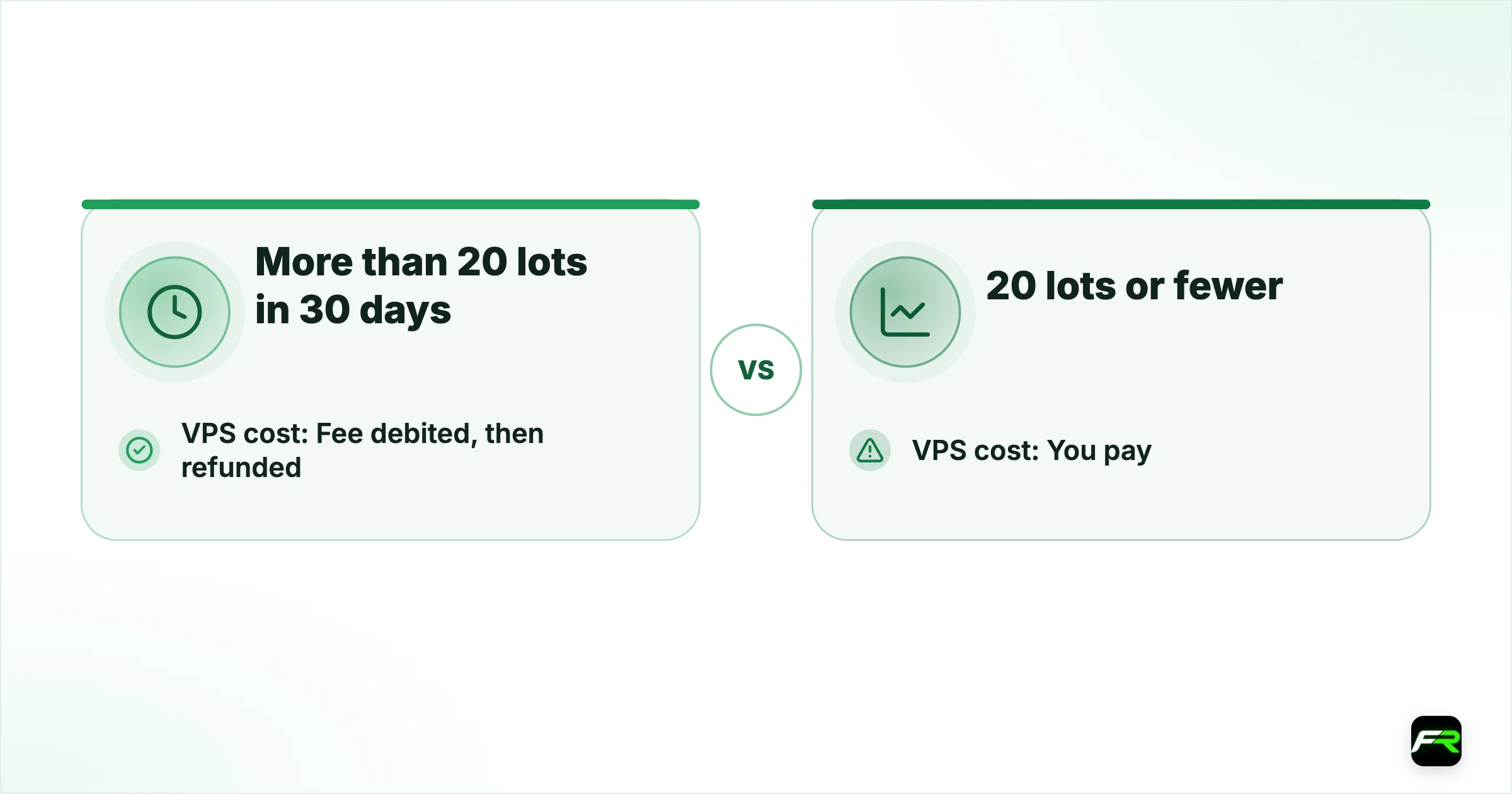
The mechanics are worth knowing. You sign up in the Hub, Fusion debits the fee from your account up front, and it refunds the fee automatically if you meet the volume. Two choices are offered: a New York VPS from NYC Servers for MT4, TradingView and cTrader, or the MetaQuotes VPS for MT5. Clients below the threshold get a 25% discount with NYC Servers.
| Monthly volume in FX and metals | VPS cost |
|---|---|
| More than 20 lots in 30 days | Fee debited, then refunded |
| 20 lots or fewer | You pay; 25% off with NYC Servers |
Never trade more just to earn a free VPS. Twenty lots a month is a lot of risk for a small account, and a basic VPS costs far less than one bad trade.
Login and setup problems
| Problem | Fix |
|---|---|
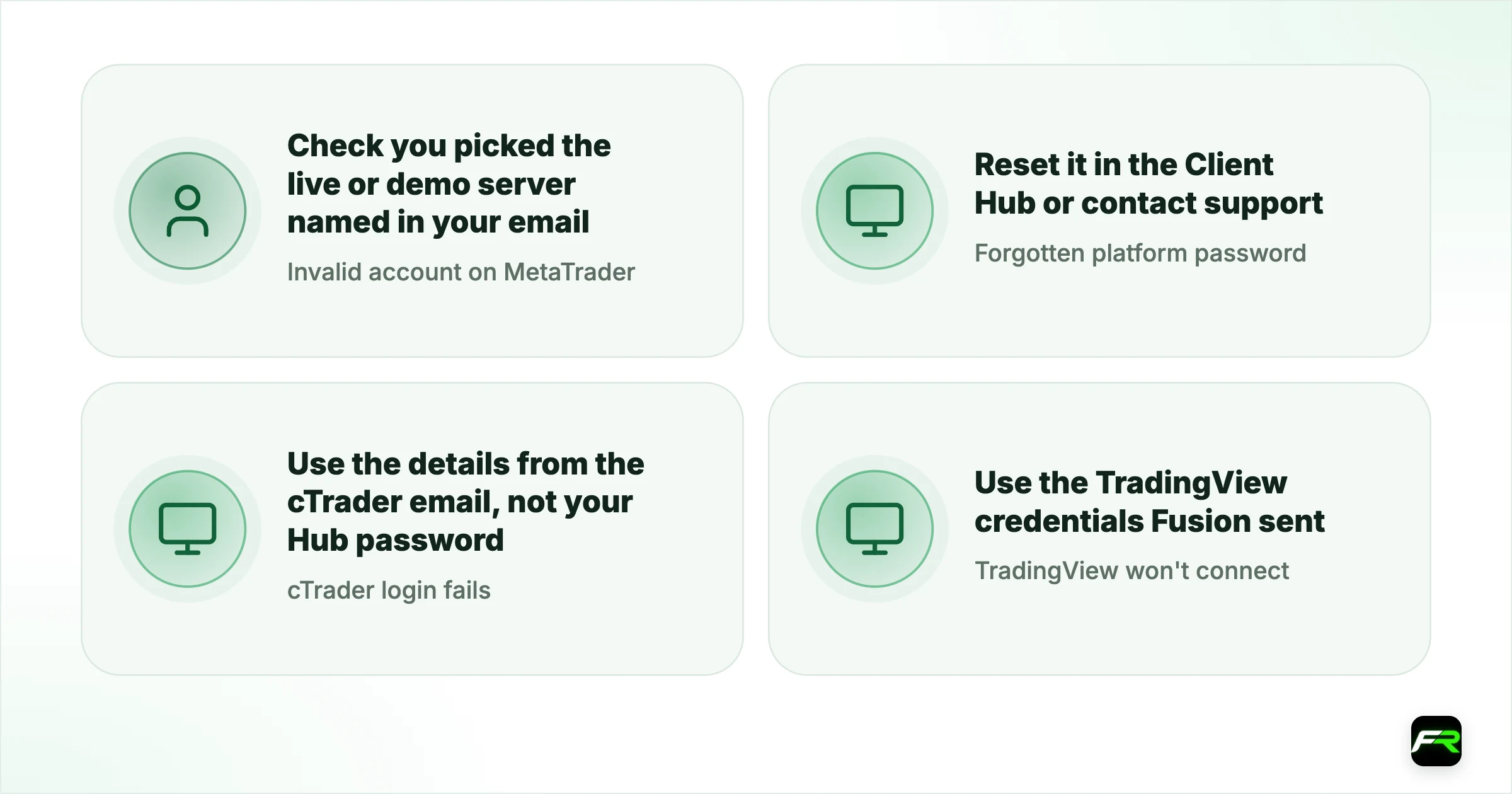
| Invalid account on MetaTrader | Check you picked the live or demo server named in your email |
| Forgotten platform password | Reset it in the Client Hub or contact support |
| cTrader login fails | Use the details from the cTrader email, not your Hub password |
| TradingView won't connect | Use the TradingView credentials Fusion sent |
| Demo has disappeared | Demos expire after 30 days; ask support to extend once you have a funded live account |
Write down which login belongs to which platform. Client Hub, MetaTrader, cTrader and TradingView each use different credentials.
Mobile and web trading
Every platform has a phone app for iOS and Android. MetaTrader and cTrader also run in a browser through their web versions, and TradingView is web-based by design. Phone apps are fine for watching positions, moving a stop or closing a trade. Detailed analysis on a five-inch screen is harder, and mistakes with lot size are easier to make.
A workable routine is to plan and place trades on a computer and use the phone to manage them. Whatever device you use, attach the stop loss when the order goes in. A lost signal on a train shouldn't be the reason a trade ran without protection.
More than one platform at once
Each trading account belongs to one platform, yet a single Client Hub login can hold many accounts. Transfers between them are made under Payments in the Hub. That setup lets you separate strategies cleanly: one account for an automated system, another for manual trades, a third for copy trading through Fusion+.
Separate accounts also separate risk. Margin isn't shared, so a stop out on one doesn't touch the others, and Fusion applies negative balance protection per account. The price is a little admin, because you have to keep each one funded for the positions it carries.
Keep a note of what each account is for. Six months on, an unlabelled list of account numbers in the Hub is hard to untangle, and unused empty accounts are archived after 90 days.
Four platforms on one low-cost account is a strong offer. My advice is to choose by what you need to do, not by reputation. If you don't run EAs and you like clean charts, cTrader or TradingView will serve you better than MT4.
Chen ran a trend-following EA on MT5 and traded news by hand. He kept the EA on an MT5 Zero account with Fusion's sponsored VPS, since his 30 lots a month qualified for the refund, and opened a second account on cTrader for manual trades where he wanted to see market depth.
Frequently asked
Which platforms does Fusion Markets offer?
MetaTrader 4, MetaTrader 5, cTrader and TradingView. MT4 and MT5 support Zero, Classic and swap-free accounts, while cTrader and TradingView are Zero only.
Is MT4 or MT5 better at Fusion Markets?
MT5 has more timeframes, market depth and a newer coding language, so it suits new traders. MT4 is the choice if you already have an expert advisor written for it or want DupliTrade.
Does Fusion Markets have cTrader?
Yes, on Windows, Mac, web, iOS and Android, with a Zero account. Commission is charged on notional volume at $2.25 per $100,000 per side.
Does Fusion Markets offer a free VPS?
A sponsored VPS is free when you trade more than 20 lots of forex or metals in 30 days. The fee is debited up front and refunded if you meet the volume.
Can I use more than one platform?
Yes. Open a separate trading account for each platform in the Client Hub and transfer funds between them when you need to.
Can I use expert advisors?
Yes on MT4 and MT5. cTrader has its own automation through cAlgo, and TradingView uses Pine Script. MetaTrader EAs don't run on cTrader or TradingView.
Related reading
The team behind this guide
Researched, checked and approved by five forex specialists
Every guide is written, fact-checked and edited before it goes live, and updated when the facts change. Spotted an error? Tell us.