IC Markets




































Vantage Demo Account: Virtual Funds, the 30-Day Limit and How to Use It
Vantage's demo gives you up to $100,000 in virtual funds on MT4 or MT5. A demo login lasts 30 days and is disabled after 14 days without a trade. Here is how to open one, set it up realistically and get real value from it.
 WriterAbir KhanWriterWrites the guides · checks every figure against primary sources View profileAbout Abir →
 Market analysisTanbir Habib RiyadForex & Crypto AnalystForex and crypto analyst · technical and fundamental analysis View profileAbout Tanbir →
 Fact-checking & riskJannatul FerdaushFact-Checker & Risk AnalystFact-checks every figure · risk analysis · Applied Statistics, University of Dhaka View profileAbout Jannatul →
 Trading reviewJowel RanaCo-Founder & Forex TraderCo-founder · forex trader · reviews guides from a trader's view View profileAbout Jowel →
 Final approvalRanjan NiskrityFounder, Owner & Forex TraderFounder and owner · forex trader · signs off every guide View profileAbout Ranjan →
A Vantage demo account lets you trade live market prices with virtual money. You choose the starting balance from seven options between $1,000 and $100,000, pick a base currency from nine, and set the leverage. The account costs nothing and you don't need to deposit.
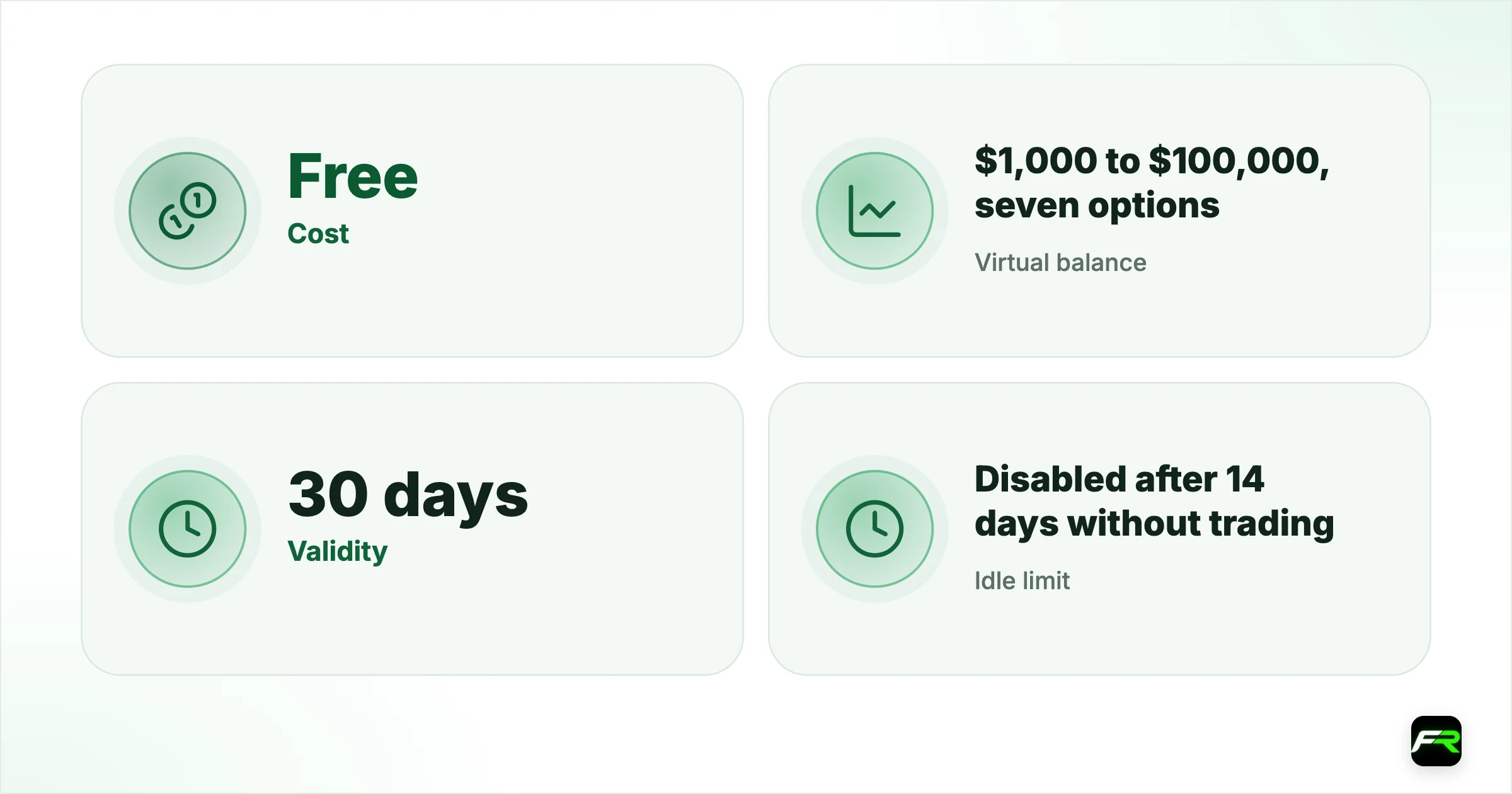
Two time limits apply. Each MT4 or MT5 demo is valid for 30 days before the login expires, and a demo with no trading activity for 14 consecutive days is disabled or archived automatically. A new one takes a minute to open, so neither rule is a real obstacle.
| Cost | Free |
|---|---|
| Virtual balance | $1,000 to $100,000, seven options |
| Validity | 30 days |
| Idle limit | Disabled after 14 days without trading |
| Demo types | Standard STP, Raw ECN, Perpetual |
| Currencies | USD, GBP, CAD, AUD, EUR, SGD, NZD, HKD, JPY |
How to open a Vantage demo
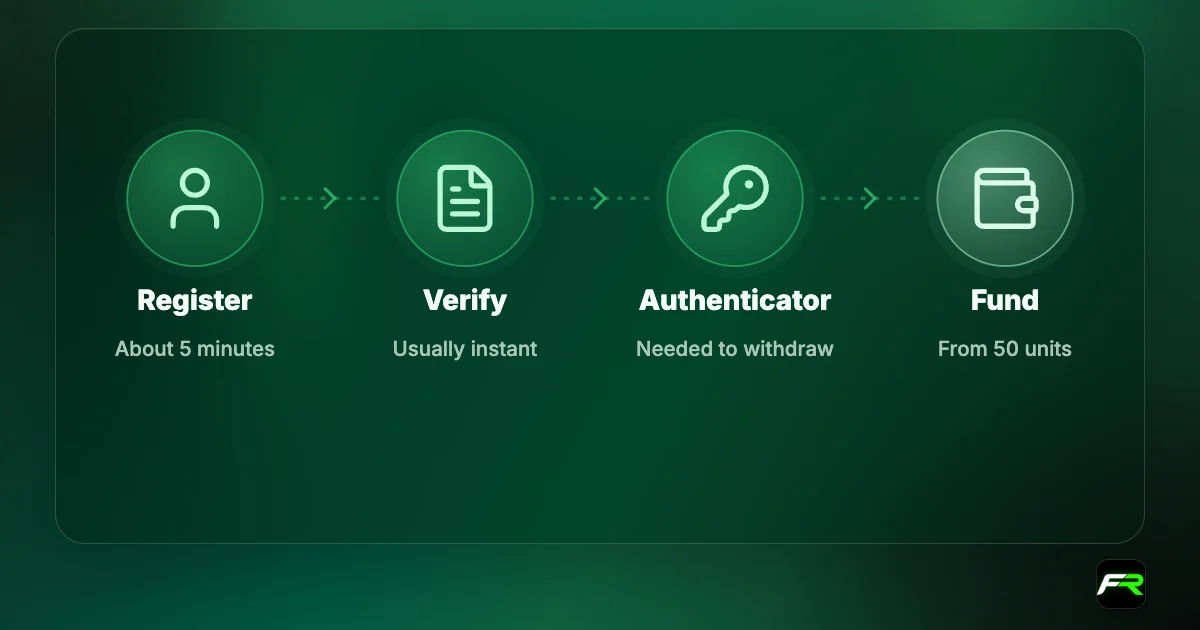
- Log in to the client portal, or register first if you are new.
- Select Accounts from the menu and click Open account.
- Choose Demo account.
- Set the platform, account type, currency, leverage and balance.
- Check your email for the demo login details.
- Download MT4 or MT5 and log in to the demo server.
Demo accounts can also be created in the Vantage App. If you made one in MT4 or MT5 and want to see it in the app, check the Help Centre's instructions, since not every demo type appears there.
Balance options
| Virtual balance | Who it suits |
|---|---|
| $1,000 | Anyone planning a small first deposit |
| $2,500 | Traders who will fund a few hundred dollars and add over time |
| $5,000 | Part-time traders with a mid-sized account in mind |
| $10,000 | Experienced traders testing a new method |
| $25,000 to $100,000 | Strategy testing at size; unrealistic for most beginners |
Pick the lowest balance near what you will really deposit. A $100,000 demo makes a $500 loss look trivial, and the habits you form there won't survive a $300 live account. You can edit the balance later in the portal's demo section by clicking the edit icon and entering a new figure.
Set it up like your live account
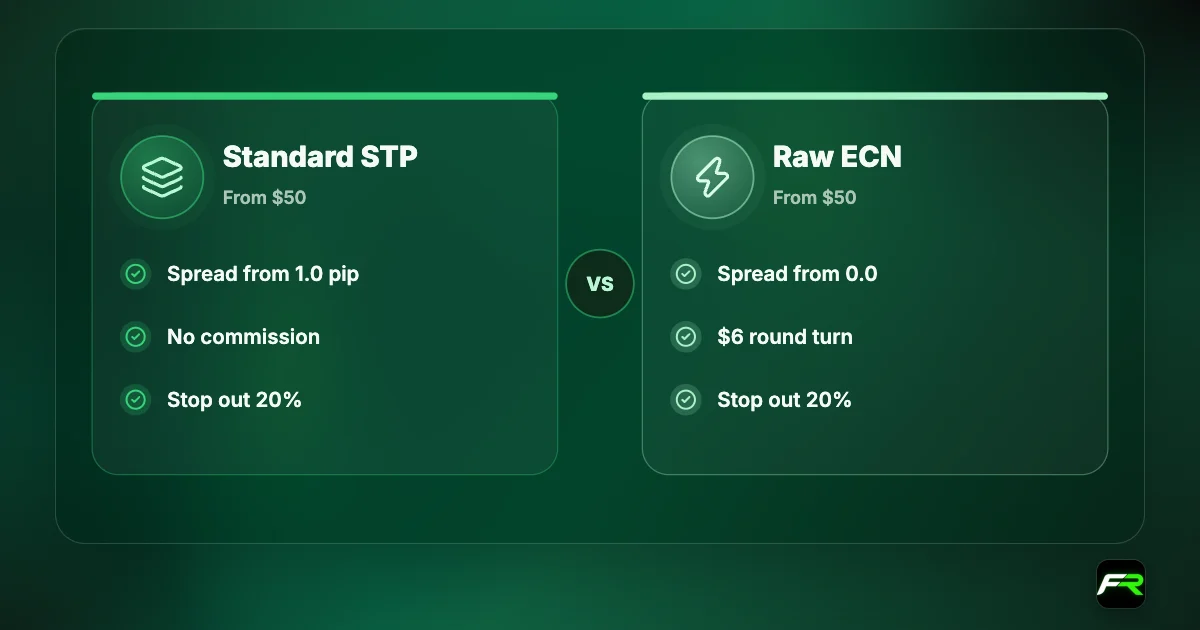
Three settings make the difference between practice and play. Choose the same account type you plan to trade live, because Standard STP and Raw ECN price the same trade differently. Use the platform you intend to keep. And set leverage to the level you will use with real money, not the 1:2000 maximum.
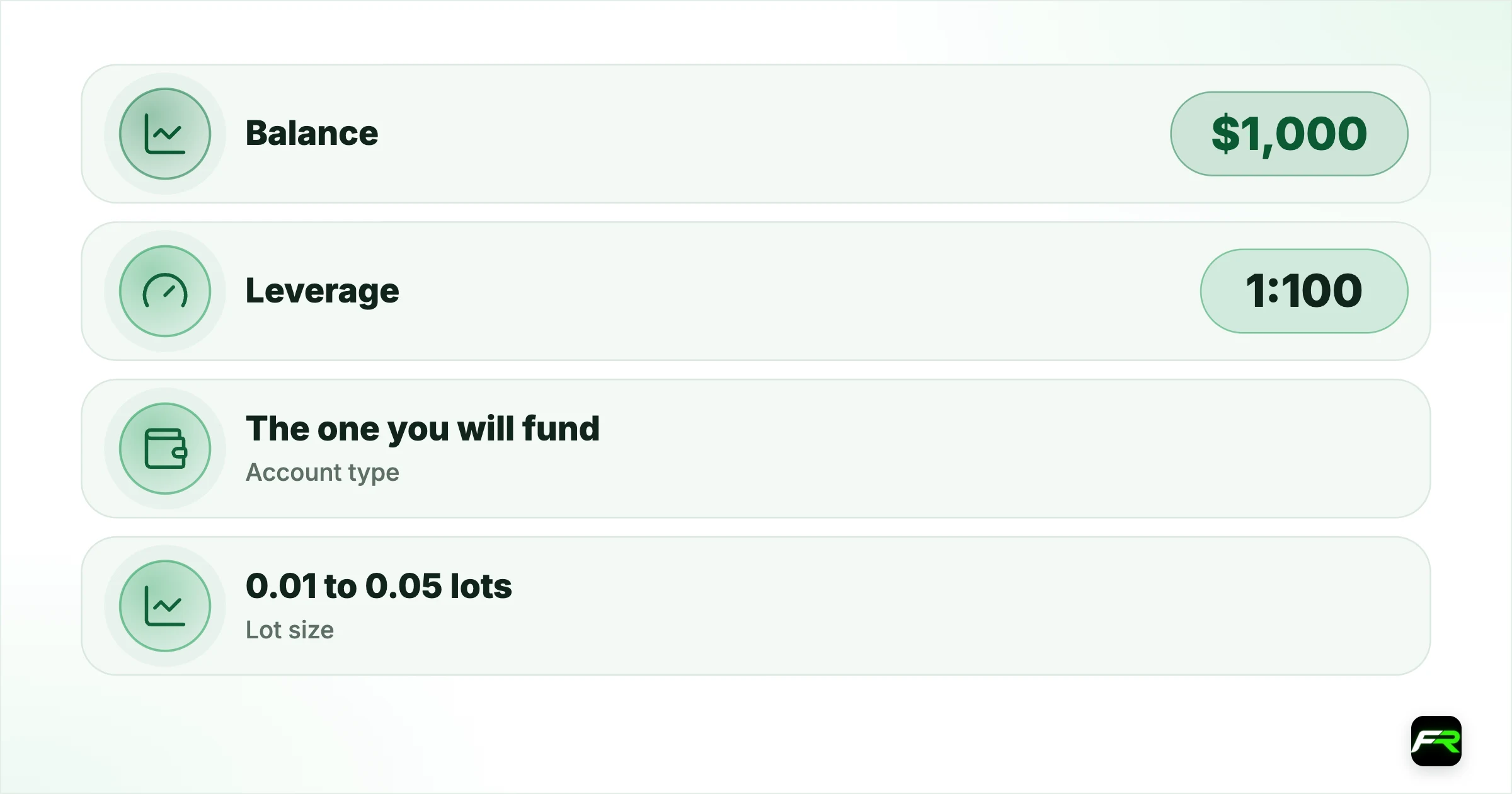
| Setting | Realistic choice | Unrealistic choice |
|---|---|---|
| Balance | $1,000 | $100,000 |
| Leverage | 1:100 | 1:2000 |
| Account type | The one you will fund | Whatever is preselected |
| Lot size | 0.01 to 0.05 lots | 1.00 lots |
What a demo is good for
- Order types: market, limit, stop, and how to attach a stop loss and take profit.
- Real spreads on Standard STP against Raw ECN at different times of day.
- Margin: how much a position uses at your leverage.
- Expert advisors, which Vantage allows without restriction on MT4 and MT5.
- The daily rollover and what it does to an open position.
- Position sizing, practised until it is automatic.
Where a demo misleads
A demo has no fear in it. Nobody hesitates to close a losing trade when the money is imaginary, and nobody grabs a small profit out of nerves. Those two reactions cause most real losses, and you will meet them only in a live account.
Fills are another difference. Vantage uses market execution, which means an order is filled at the current price, and that price can be slightly higher or lower than the one you clicked. In a live account during news, the gap can be noticeable. Demo fills tend to look cleaner than reality, so treat demo results from fast scalping as a best case.
Bonus credit, swap charges on your real account type and the pressure of margin calls also behave differently when nothing is at stake. Use the demo to learn mechanics. A small live account is where you learn yourself.
A 30-day plan that fits the limit
- Days 1 to 5: learn the platform. Open, modify and close trades until it is routine.
- From day 6 to day 12: trade one market only, with a stop on every order and 1% risk.
- Through days 13 to 20: write down every trade, including why you took it and how it ended.
- In the fourth week: review the log and count the trades where you broke your own rules.
- On the last three days: decide whether to go live small, or open a fresh demo and repeat.
That schedule also keeps the account alive. Because a demo is disabled after 14 idle days, a plan with trades every week means you never trip the rule.
An expired demo isn't a problem. Create a new one in the portal with the same settings and carry on.
From demo to live
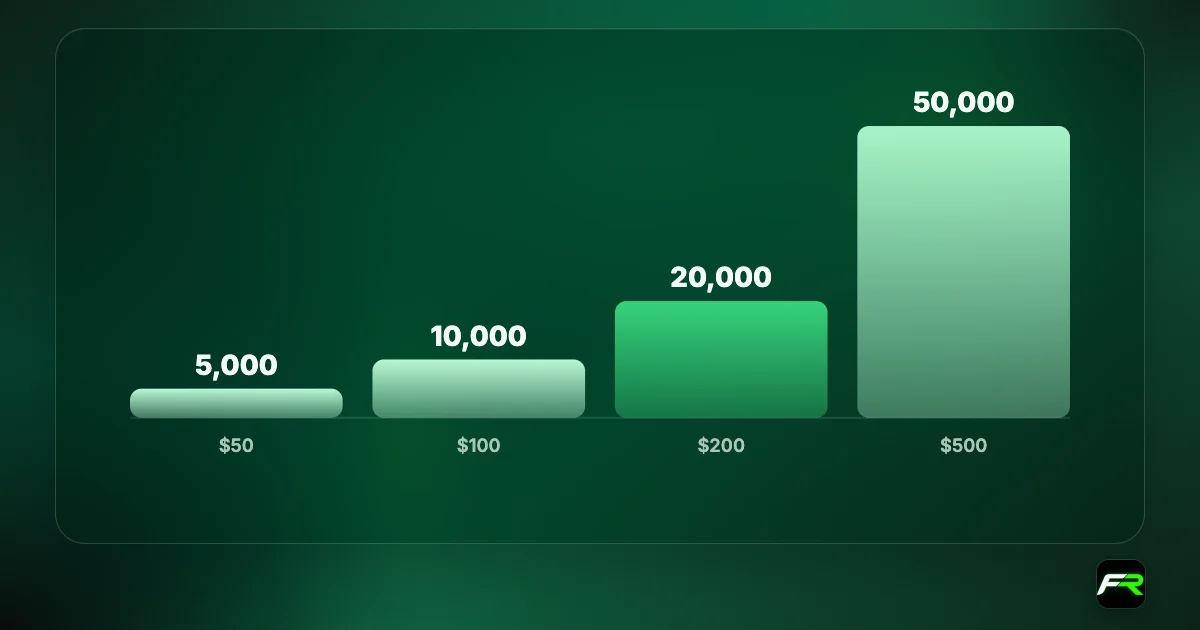
Start live with the smallest position, 0.01 lots, or use a Cent account where the same trade is a hundredth of the size. The Vantage Cent account guide explains how $50 becomes 5,000 cents. Keep the demo running beside your live account for testing new ideas.
If you haven't registered yet, our Vantage account opening guide lists the documents, and the minimum deposit guide shows what a sensible first deposit looks like.
Reset nothing after a bad week. Study the losing trades first; the reset button teaches you that mistakes are free, which they aren't.
Common demo mistakes
Oversized trades are the first. A one-lot position on a $100,000 demo feels normal, and the same position would need most of a small live account as margin at modest leverage. Trade the lot sizes you can afford in real life.
Short samples are the second. Ten winning trades in a row prove very little, because chance alone produces streaks like that. Judge a method on thirty to fifty trades across quiet and busy markets before you believe its results.
A third is to trade everything. Vantage offers more than 1,000 CFDs, and a demo makes it tempting to click through gold, indices, shares and exotic pairs in one afternoon. Each market has its own trading hours, typical spread and personality. One or two markets learned properly beat ten sampled.
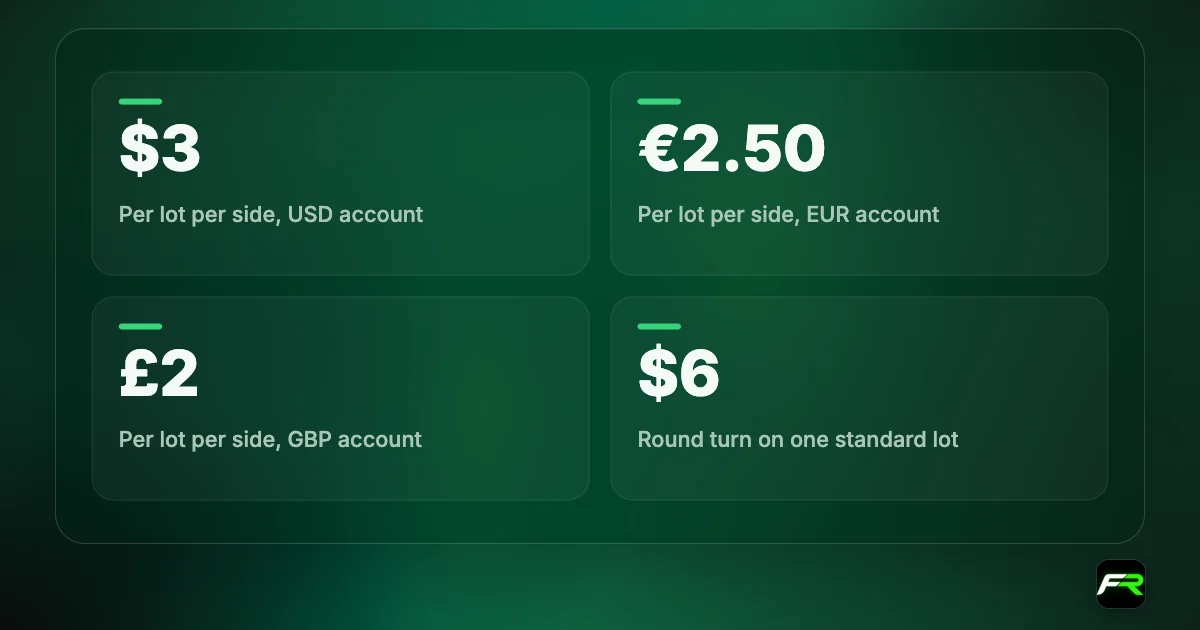
Last, many people never look at costs on a demo. Open the account history, find the commission and swap columns, and add them up for the month. On Raw ECN you will see $6 per round-turn lot; on Standard STP the cost hides in the entry price. That habit of reading the statement is one of the most useful things a demo can teach.
Vantage also publishes courses, webinars and market analysis in its academy section. Pair one lesson with one practice session, and try the idea the same day while it is fresh.
Vantage lets you pick a $1,000 demo balance, and that is the one I recommend. The $100,000 option is there for testing systems, not for building habits you can afford.
Ploy opened a $1,000 Raw ECN demo on MT5 at 1:100. She traded gold only, logged 28 trades in three weeks and found that nine of her losses came from moving her stop. After a second month on a new demo with that habit fixed, she opened a Cent account with $50.
Frequently asked
Is the Vantage demo account free?
Yes. A demo needs no deposit. Log in to the client portal, open a demo account and choose its platform, type, currency, leverage and balance.
How long does a Vantage demo last?
Each MT4 or MT5 demo login is valid for 30 days. A demo with no trading activity for 14 consecutive days is disabled or archived automatically. You can create a new one at any time.
How much virtual money do I get?
You choose from $1,000, $2,500, $5,000, $10,000, $25,000, $50,000 or $100,000, and you can edit the balance later in the client portal.
Which account types have a demo?
The Help Centre lists three demo types: Standard STP, Raw ECN and Perpetual.
Can I test an EA on the demo?
Yes. Vantage allows expert advisors on MT4 and MT5 and its demo page encourages testing robots and algorithms without financial commitment.
Can I change the leverage on a demo?
Yes. You set leverage when creating the demo, and the Help Centre describes how to adjust it afterwards in the client portal.
Related reading
The team behind this guide
Researched, checked and approved by five forex specialists
Every guide is written, fact-checked and edited before it goes live, and updated when the facts change. Spotted an error? Tell us.