IC Markets




































Vantage Trading Platforms: MT4, MT5, Vantage App and TradingView
Vantage supports MetaTrader 4, MetaTrader 5, its own Vantage App, a browser WebTrader and TradingView. Each trading account is tied to one platform and can't be moved. Here is what each does, how TradingView connects, and the VPS and subscription refunds.
 WriterAbir KhanWriterWrites the guides · checks every figure against primary sources View profileAbout Abir →
 Market analysisTanbir Habib RiyadForex & Crypto AnalystForex and crypto analyst · technical and fundamental analysis View profileAbout Tanbir →
 Fact-checking & riskJannatul FerdaushFact-Checker & Risk AnalystFact-checks every figure · risk analysis · Applied Statistics, University of Dhaka View profileAbout Jannatul →
 Trading reviewJowel RanaCo-Founder & Forex TraderCo-founder · forex trader · reviews guides from a trader's view View profileAbout Jowel →
 Final approvalRanjan NiskrityFounder, Owner & Forex TraderFounder and owner · forex trader · signs off every guide View profileAbout Ranjan →
Vantage gives you five ways to trade: MetaTrader 4, MetaTrader 5, the Vantage App, a browser-based WebTrader and TradingView. A trading account is linked to one platform when you create it. An MT4 account can't be opened in MT5, and the platform can't be changed afterwards, so the choice deserves a minute of thought.
You aren't locked out of the others. Vantage allows up to 20 live accounts, and you can create one for each platform in the client portal and move money between them by internal transfer.
| Platforms | MT4, MT5, Vantage App, WebTrader, TradingView |
|---|---|
| Platform per account | One, fixed at creation |
| TradingView needs | An MT5 and TradingView account |
| EAs | Allowed on MT4 and MT5 |
| VPS refund | Up to $25 or $50 a month |
| Servers | London and New York, plus four Asia-Pacific centres |
Platforms at a glance
| Platform | Best for | Automation | Notes |
|---|---|---|---|
| MetaTrader 4 | Existing EAs and indicators | EAs in MQL4 | No new Cent accounts; no TradingView link |
| MetaTrader 5 | New traders, more markets | EAs in MQL5 | Needed for Cent and TradingView accounts |
| Vantage App | Mobile trading and copy trading | None | Deposits, withdrawals and promotions in one place |
| WebTrader | Trading without installing software | None | Runs in a browser |
| TradingView | Chart-first manual trading | Pine Script indicators and alerts | Connects through an MT5 and TradingView account |
MetaTrader 4
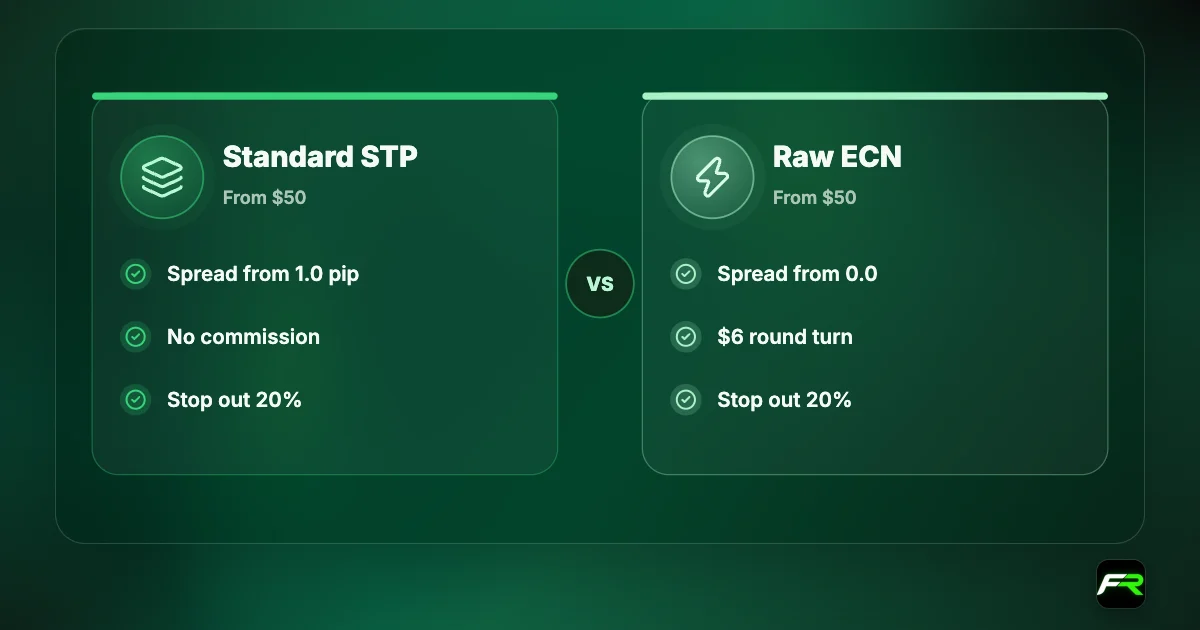
MT4 remains the platform with the largest stock of expert advisors and custom indicators. Vantage describes its Standard STP account as running through a oneZero MT4 bridge to its liquidity providers. If you already own an EA built for MT4, this is the natural home for it.
Its age shows in two places at Vantage. Cent accounts can no longer be created on MT4, and TradingView accounts don't work with it. A newcomer with no MT4 software to bring along has little reason to start here.
MetaTrader 5
MT5 is the newer MetaQuotes platform and the more flexible choice at Vantage. It supports every account type, including Cent, and it is the platform behind TradingView access. MT5 has more timeframes and order types than MT4 and a faster strategy tester for people who build their own systems.
One caution for EA buyers: MT4 advisors don't run on MT5. The languages differ, and a robot has to be rewritten. Ask the seller which version you are getting before you pick the platform.
The Vantage App
The Vantage App is the broker's own mobile platform for iOS and Android. It gives access to more than 1,000 CFDs across gold, forex, ETFs, indices, bonds and shares, and it switches between a CFD trading mode and a copy trading mode. One-tap trading is available in CFD mode.
It is also where you run the account. Deposits, withdrawals, leverage changes, promotion opt-ins and verification all happen in the app, and Vantage says you can reach your MT4 and MT5 accounts through it by logging in with your client portal details. News, an economic calendar and webinars are built in.
| Task | Where to do it |
|---|---|
| Open another account | Client portal or app |
| Change leverage | Portal: gear icon. App: Trades, then Trade settings |
| Copy a signal provider | App only |
| Run an expert advisor | MT4 or MT5 desktop |
| Deposit or withdraw | Client portal or app |
TradingView
Vantage is a connected broker on TradingView, so you can trade from TradingView's charts. The setup has one requirement that people miss: you need a specific account type. When opening an account, select MT5 and TradingView as the account type, then choose a currency.
- Create an MT5 and TradingView account in the client portal.
- Sign in to TradingView and open any chart.
- Open the Trading Panel and select All brokers.
- Click the Vantage icon, then Connect.
- Enter your Vantage account login details.
TradingView accounts are compatible with MT5 and the Vantage App, and they can't be used on MT4. Deposits and withdrawals are still made through Vantage, not inside TradingView. Vantage's page lists 15 or more chart types, over 100 built-in indicators, 50 or more drawing tools and 12 alert conditions.
The Help Centre adds a fair caveat. TradingView is a third-party platform, and its features and access are subject to its own terms. Not everything TradingView offers is necessarily available through a Vantage connection.
WebTrader and ProTrader
WebTrader is a browser platform that needs no download. It is useful on a work computer or a borrowed laptop where you can't install software. Vantage's account pages also mention free access to the Vantage ProTrader platform and technical analysis for Raw ECN, Pro ECN and Cent clients, and for Standard STP clients who meet its requirements.
Refunds for VPS and TradingView
Automated traders often rent a virtual private server so their platform runs all day near the broker's servers. Vantage refunds part of that cost if you qualify.
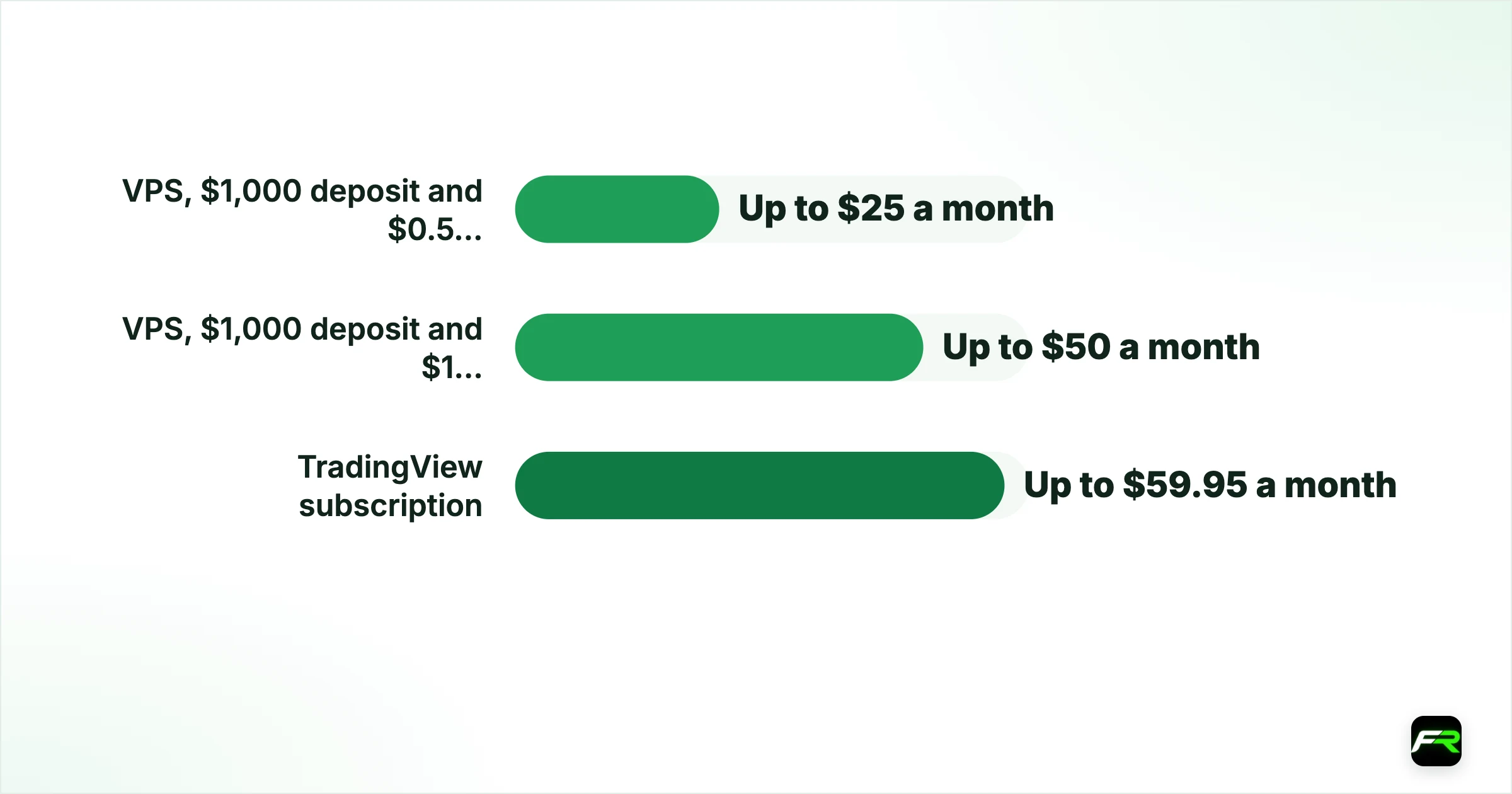
| Offer | Requirement | Refund |
|---|---|---|
| VPS | $1,000 deposit and $0.5 million monthly notional on closed trades | Up to $25 a month |
| VPS | $1,000 deposit and $1 million monthly notional | Up to $50 a month |
| TradingView subscription | Opt in, meet deposit and trading criteria, email the invoice | Up to $59.95 a month |
Both work by reimbursement. You pay the provider, then submit an invoice showing your name, the billing period, the amount and the currency. The name must match your Vantage registration, the invoice must arrive within three months of the billing period, and one subscription per client per month is covered. PAMM and MAM master accounts are excluded from the VPS offer, and the TradingView refund is limited to STP and ECN account types.
A million dollars of notional sounds large. It is ten standard lots of a dollar-based pair. Never trade extra volume to earn a $50 refund, since ten unnecessary lots on Raw ECN cost $60 in commission alone.
Execution and servers
Vantage uses market execution on every platform. Its primary trading servers are in London and New York, with further data centres in Sydney, Singapore, Hong Kong and Taipei, linked by an Equinix fibre network. Traders in Asia benefit most from the regional centres, which shorten the path an order has to travel.
Common platform problems
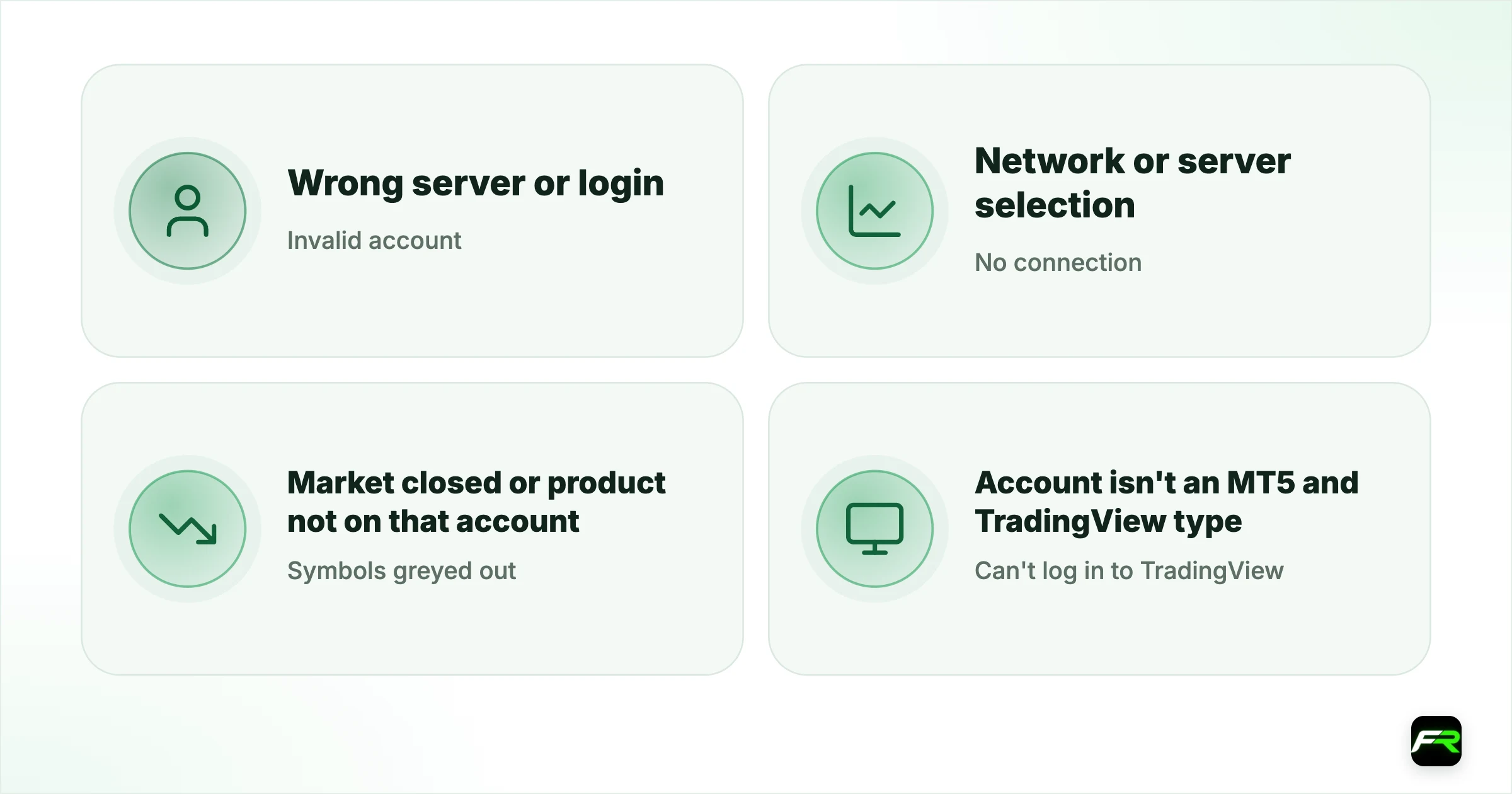
| Message or problem | Usual cause | What to do |
|---|---|---|
| Invalid account | Wrong server or login | Use the server named in your account email |
| No connection | Network or server selection | Rescan servers or add the server manually |
| Symbols greyed out | Market closed or product not on that account | Check trading hours in the specification |
| Can't log in to TradingView | Account isn't an MT5 and TradingView type | Create the right account type first |
| Chart shows Waiting for update | No price data loaded yet | Reconnect, or reopen the chart |
If you are still choosing an account, the Vantage account types guide sets out which types each platform supports. The demo account guide explains how to test a platform for 30 days first, and our copy trading guide covers the app's copy mode.
Unsure between MT4 and MT5? Choose MT5. It keeps Cent accounts and TradingView open to you, and you can always add an MT4 account later.
Which platform should you choose?
- New to trading and undecided: MT5, with a demo first.
- Owner of an MT4 expert advisor: MT4, on a desktop or VPS.
- Chart-first manual trader: an MT5 and TradingView account.
- Phone-only trader or copier: the Vantage App.
- Borrowed or locked-down computer: WebTrader.
Whatever you pick, learn it on a demo before real money goes in. Most early losses that people blame on the market are really order-entry mistakes: the wrong lot size, a stop on the wrong side, a market order sent twice. A week of practice on the platform you will use removes nearly all of them.
Keep your logins straight as well. The client portal and the app share one set of details. Each MT4 or MT5 trading account has its own number, password and server, sent by email when the account is created, plus a read-only investor password you can give to someone who only needs to watch.
Vantage's app has become the centre of the account, and for mobile traders it is good. For serious chart work I would still sit at a desktop with MT5 or TradingView, and keep the app for monitoring and money movements.
Wei wanted to trade from TradingView and first opened a plain MT4 account, which wouldn't connect. He added an MT5 and TradingView account in the portal, transferred his $800 internally, and connected through the Trading Panel. The MT4 account stayed open for an old EA he still runs on a VPS.
Frequently asked
Which platforms does Vantage offer?
MetaTrader 4, MetaTrader 5, the Vantage App for iOS and Android, a browser-based WebTrader and TradingView. Each trading account is linked to one platform.
How do I connect Vantage to TradingView?
Create an MT5 and TradingView account in the client portal, then open TradingView's Trading Panel, select All brokers, choose Vantage, click Connect and enter your account login details.
Can I use my MT4 account on MT5?
No. A trading account is tied to its platform. Create a new trading account for each platform you want to use; up to 20 live accounts are allowed.
Does Vantage allow expert advisors?
Yes, on MT4 and MT5. Vantage doesn't supply EAs or signals, and using an EA for exploitative trading as defined in the client agreement is prohibited.
Does Vantage offer a free VPS?
It refunds VPS costs up to $25 or $50 a month for clients who deposit at least $1,000 and trade $0.5 million or $1 million of monthly notional value, on submission of the invoice.
Where are Vantage's servers?
Primary servers are in London and New York, with additional data centres in Sydney, Singapore, Hong Kong and Taipei connected through Equinix.
Related reading
The team behind this guide
Researched, checked and approved by five forex specialists
Every guide is written, fact-checked and edited before it goes live, and updated when the facts change. Spotted an error? Tell us.