 IC Markets




































XM Account Types Explained
XM offers three account plans (Standard, Ultra Low and Shares), and Standard and Ultra Low each come in a Micro version. Standard spreads on EUR/USD start from 1.6 pips and Ultra Low from 0.8 pips, both with no commission and a $5 minimum deposit. The Shares account needs $10,000 and charges commission. XM does not offer a Zero or raw-spread account.
 WriterAbir KhanWriterWrites the guides · checks every figure against primary sources View profileAbout Abir →
 Market analysisTanbir Habib RiyadForex & Crypto AnalystForex and crypto analyst · technical and fundamental analysis View profileAbout Tanbir →
 Fact-checking & riskJannatul FerdaushFact-Checker & Risk AnalystFact-checks every figure · risk analysis · Applied Statistics, University of Dhaka View profileAbout Jannatul →
 Trading reviewJowel RanaCo-Founder & Forex TraderCo-founder · forex trader · reviews guides from a trader's view View profileAbout Jowel →
 Final approvalRanjan NiskrityFounder, Owner & Forex TraderFounder and owner · forex trader · signs off every guide View profileAbout Ranjan →
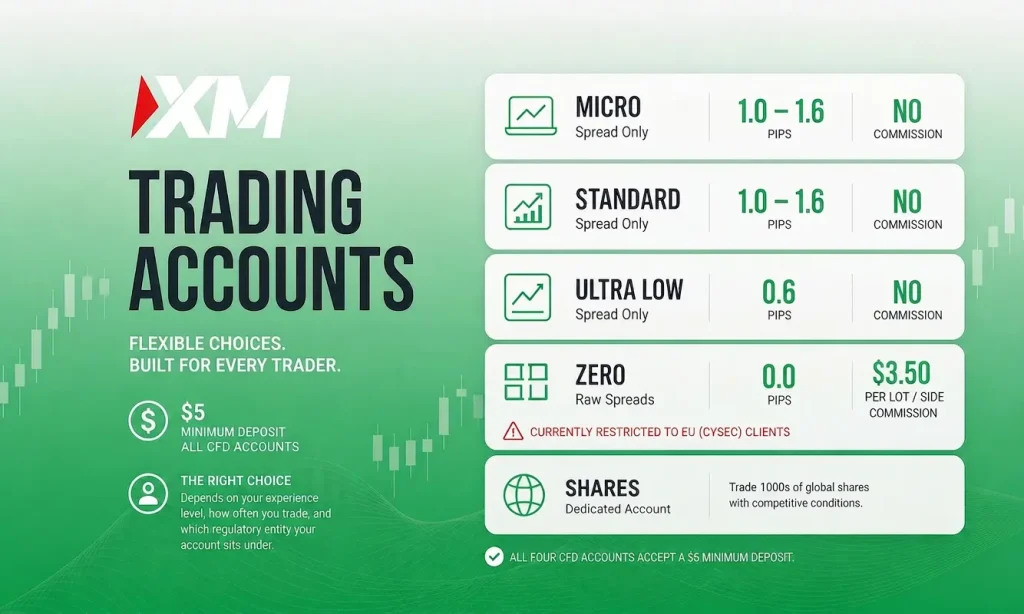
XM lists three account plans on its website: Standard, Ultra Low and Shares. Standard and Ultra Low each have a Micro option, so XM’s Help Center names five real account types: Standard, Micro, Ultra Low Standard, Ultra Low Micro and Shares. XM does not offer a Zero (raw spread plus commission) account. Below is a breakdown of each account, the real cost differences most articles gloss over, and a clear recommendation based on your trading style. For a broader look at the broker, see our XM safety and legitimacy review.
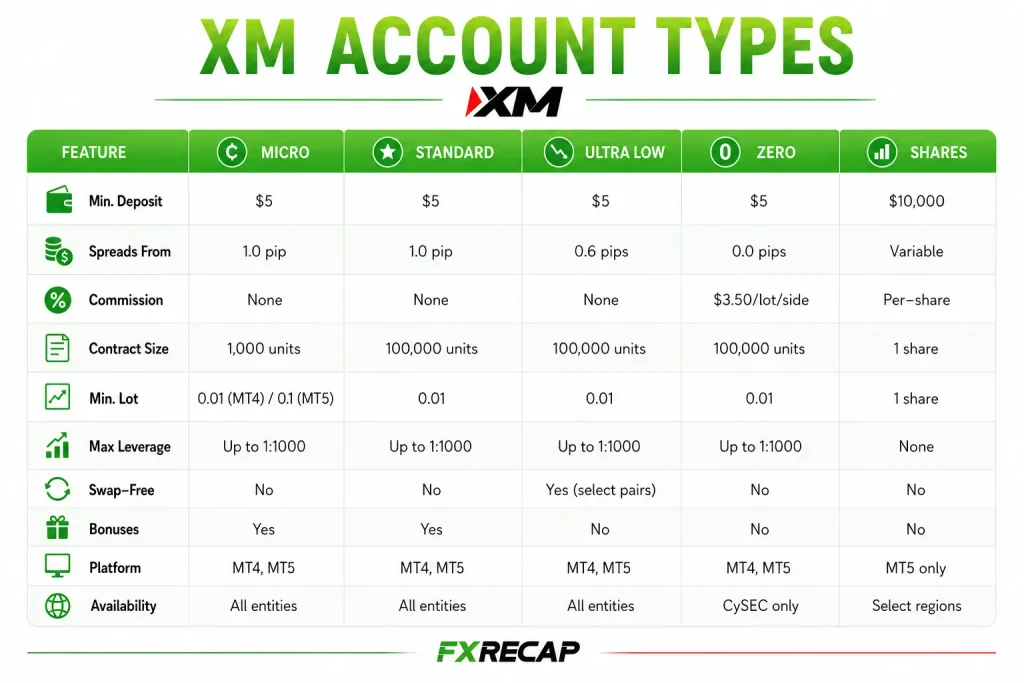
Side-by-Side Comparison
| Feature | Micro | Standard | Ultra Low | Shares |
| Min. Deposit | $5 | $5 | $5 | $10,000 |
| EUR/USD Spread (as low as) | 1.6 pips | 1.6 pips | 0.8 pips | Not applicable |
| Commission | None | None | None | Yes |
| Contract Size | 1,000 units | 100,000 units | 100,000 units (Micro version: 1,000) | Shares |
| Min. Trade | 0.1 lots | 0.01 lots | 0.01 lots (Micro version: 0.1) | See xm.com |
| Max Leverage | Up to 1:1000 | Up to 1:1000 | Up to 1:1000 | 1:1 |
| Stop-Out Level | 20% | 20% | 20% | 0% |
| Swap-Free | No | No | Selected instruments | Yes |
| Bonuses | Yes (some countries excluded) | Yes (some countries excluded) | No | No |
| Platforms | MT4, MT5 | MT4, MT5 | MT4, MT5 | See xm.com |
Note: Leverage caps depend on the XM entity that holds your account. EU retail clients of the CySEC entity are capped at 1:30 on major forex pairs. Clients of XM Global Limited (FSC Belize) can use up to 1:1000 on accounts with equity up to $40,000. All XM accounts include negative balance protection, hedging and an Islamic option.
1. Micro Account
The Micro account is built for traders who want live market exposure with the smallest possible financial risk. The contract size is 1,000 units per lot instead of the standard 100,000. At XM’s minimum Micro trade of 0.1 lots (100 units), one pip on EUR/USD is worth about $0.01, so a 100-pip adverse move costs about $1.
Micro is an option of the Standard account on xm.com, so it follows Standard pricing: EUR/USD spreads from 1.6 pips (2.0 pips on average in XM’s spread table) with no commission and a $5 minimum deposit. XM’s Help Center sets the Micro minimum trade at 0.1 lots, the maximum at 100 lots and the step at 0.01 lots.
The Micro account can receive XM’s deposit bonuses (some countries are excluded). Swaps apply to overnight positions; swap-free trading on selected instruments is an Ultra Low feature. XM says an Islamic option is available on all accounts.
Works well for: Complete beginners placing their first live trades, traders testing new strategies with real money, and anyone who wants to learn position sizing without meaningful financial risk.
2. Standard Account
The Standard account uses full-size contracts (100,000 units per lot). This means one pip on EUR/USD at 0.01 lots is worth about $0.10, and at 1.0 lot it is $10. The pricing structure is identical to the Micro account: EUR/USD spreads from 1.6 pips (2.0 pips on average), no commission, and a $5 minimum deposit.
The key difference from Micro is the contract size. The Standard account gives you access to the same instruments and platforms, but each position carries more weight. This matters once you are past the learning stage and trading with proper position sizing based on your account balance.
Like the Micro, the Standard account is eligible for bonuses and does not include swap-free conditions. It works on both MT4 and MT5.
Suits: Intermediate traders who are comfortable with standard lot sizing, traders who want bonus eligibility, and anyone who prefers a straightforward spread-only cost structure.
3. Ultra Low Account
The Ultra Low is where XM gets competitive on pricing. EUR/USD spreads start from 0.8 pips (half the Standard account’s 1.6 pips) with no commission. The trading cost is entirely built into the spread, just like Standard and Micro, but the spread itself is significantly narrower. We compare actual costs in our XM spreads guide.
XM offers two versions of Ultra Low: Ultra Low Standard (100,000 units per lot) and Ultra Low Micro (1,000 units per lot). This gives you the flexibility to choose your contract size while still getting the tighter pricing.
The Ultra Low also offers swap-free trading, but only on selected instruments. XM’s Help Center tells clients to check each instrument’s Symbol Information in the platform: if no swaps are listed, it is swap-free.
The trade-off is that Ultra Low accounts are not eligible for XM’s bonuses. If bonus funds matter to your trading plan, you will need to weigh that against the spread savings.
Built for: Active day traders and scalpers who want tight spreads without commissions, swing traders who benefit from swap-free conditions, and EA operators who need predictable spread-only costs.
4. Is There an XM Zero Account?
No. XM’s website lists Standard, Ultra Low and Shares accounts, and its Help Center names the real account types as Standard, Micro, Ultra Low Standard, Ultra Low Micro and Shares. There is no Zero or raw-spread account with a per-lot commission. On Standard and Ultra Low accounts, XM says the only trading cost is the spread; the Shares account is the only one that charges commission.
5. Shares Account
The Shares account is fundamentally different from the other accounts. It provides direct access to real shares (not CFDs) on global stock exchanges. There is no leverage, no overnight swap, and no margin trading. You buy actual equity with full ownership exposure.
The minimum deposit is $10,000, leverage is 1:1, and XM charges commission on this account. The stop-out level is 0%.
Made for: Investors focused on equities who want real share ownership through their XM profile. Not suitable for forex or CFD traders.
What Does Each Account Cost? A Worked Example
Here is what one standard lot of EUR/USD costs in spread at the lowest spreads XM lists for each account. Spreads are variable, so real costs are often higher: XM’s published Standard average is 2.0 pips ($20).
| Account | EUR/USD Spread (as low as) | Commission | Cost per Standard Lot |
| Micro / Standard | 1.6 pips | $0 | $16.00 |
| Ultra Low | 0.8 pips | $0 | $8.00 |
At these quoted minimums, Ultra Low halves the spread cost of Standard on EUR/USD. Both spreads widen at times, so treat these figures as best case.
How to Pick the Right One
| Your Situation | Best Match | Why |
| Brand new, small budget | Micro | Smallest risk per pip, $5 entry, bonus eligible |
| Comfortable with basics, wants simplicity | Standard | Full lot sizing, no commission, bonus eligible |
| Active trader, wants lower costs | Ultra Low | Half the spread of Standard, swap-free on selected instruments |
| Long-term stock investor | Shares | Real equity ownership, no leverage risk |
Details That Most Guides Leave Out
You Can Run Multiple Accounts
XM allows up to 10 active trading accounts and 1 Shares account per client. Additional accounts are verified automatically when you use the same personal details, and you can move money instantly between verified accounts with an internal transfer.
Swap-Free Is Only on Ultra Low
Only the Ultra Low account (both Standard and Micro versions) offers swap-free trading, and only on selected instruments. Micro and Standard accounts earn or pay overnight swaps. XM also lists an Islamic option on all accounts.
Bonus Eligibility Varies
XM’s bonuses are available on the Standard account and its Micro option, with some countries excluded. Ultra Low and Shares accounts are not eligible. Bonus funds can’t be withdrawn, though profits made with them can, and a withdrawal reduces the bonus proportionally.
MT4 and MT5 Offer Different Instruments
XM’s Help Center says its MT4 platform does not offer stock CFDs, while MT5 covers currencies, crypto CFDs, stock index CFDs, gold and oil CFDs and stock CFDs, and also gives access to the XM WebTrader. You can open an MT5 account alongside an MT4 account at any time.
No Mini, Nano or Cent Accounts
XM does not offer Mini, Nano or Cent accounts. You can still trade mini-lot sizes (10,000 units) with 0.1 lots on a Standard account or 10 lots on a Micro account, and nano sizes (100 units) with 0.1 lots on a Micro account.
How Leverage Differs by Account and Entity
Micro, Standard and Ultra Low accounts share the same maximum leverage; the Shares account is 1:1. At XM Global (FSC Belize) the maximum is 1:1000 for equity up to $40,000 and steps down to 1:500, 1:200 and 1:100 as equity grows. EU retail clients of the CySEC entity are limited to 1:30 on major forex pairs under ESMA rules. XM says you can change your leverage at any time of the day. For a full breakdown, see our XM leverage guide.
Start with a Demo First
XM offers free demo accounts in Standard and Ultra Low Standard types (there is no Micro demo). You can hold up to 5 active demo accounts, and a demo is closed automatically after 60 days of inactivity. Our XM demo account guide walks through the setup.
Most Common Question About XM
Which XM account has the lowest trading cost?
The Ultra Low account, with EUR/USD spreads from 0.8 pips and no commission, against 1.6 pips on Standard. XM does not offer a Zero account.
Can I switch my account to a different type?
No. XM says you can’t change your account type, but you can open an additional account of any type. Each client can hold up to 10 active trading accounts.
Does XM offer a Zero account?
No. XM’s real account types are Standard, Micro, Ultra Low Standard, Ultra Low Micro and Shares. For the lowest spreads, choose the Ultra Low account.
Do all accounts support the same instruments?
Micro, Standard and Ultra Low accounts trade forex, stock index CFDs, precious metals, commodities and crypto CFDs; stock CFDs need an MT5 account. The Shares account is for buying company shares.
Are XM bonuses available on all accounts?
No. Bonuses apply to the Standard account and its Micro option, with some countries excluded. Ultra Low and Shares accounts are not eligible.
How fast can I open an account?
XM says opening a trading account takes only a few minutes. To start, you only need to provide Proof of Identity. Our step-by-step XM account opening guide covers the full process.
How do withdrawals work?
XM charges no deposit or withdrawal fees. XM says withdrawal requests are processed instantly by its automated back office; bank wires and cards usually take 2 to 5 business days to arrive. Details are in our XM withdrawal guide.
Final Word from FX Recap
There is no single “best” XM account. The Micro is for learning with small positions. The Standard is for growing, with bonus eligibility. The Ultra Low is for cutting spread costs. The Shares account is for buying company shares.
The one decision that matters most is not which account to open first. It is understanding the cost difference between them. Going from Standard to Ultra Low halves the lowest EUR/USD spread XM lists (1.6 to 0.8 pips). Over hundreds of trades, that compounding difference separates breakeven traders from profitable ones. Pick the account that matches where you are now, and upgrade as your results justify it.
The team behind this guide
Researched, checked and approved by five forex specialists
Every guide is written, fact-checked and edited before it goes live, and updated when the facts change. Spotted an error? Tell us.
Related Articles
 Brokers
11 min read
Brokers
11 min read

 Brokers
12 min read
Brokers
12 min read
 Brokers
10 min read
Brokers
10 min read
 Brokers
12 min read
Brokers
12 min read
 Brokers
15 min read
Brokers
15 min read
 Brokers
9 min read
Brokers
9 min read