 IC Markets




































How to Open an XM Account
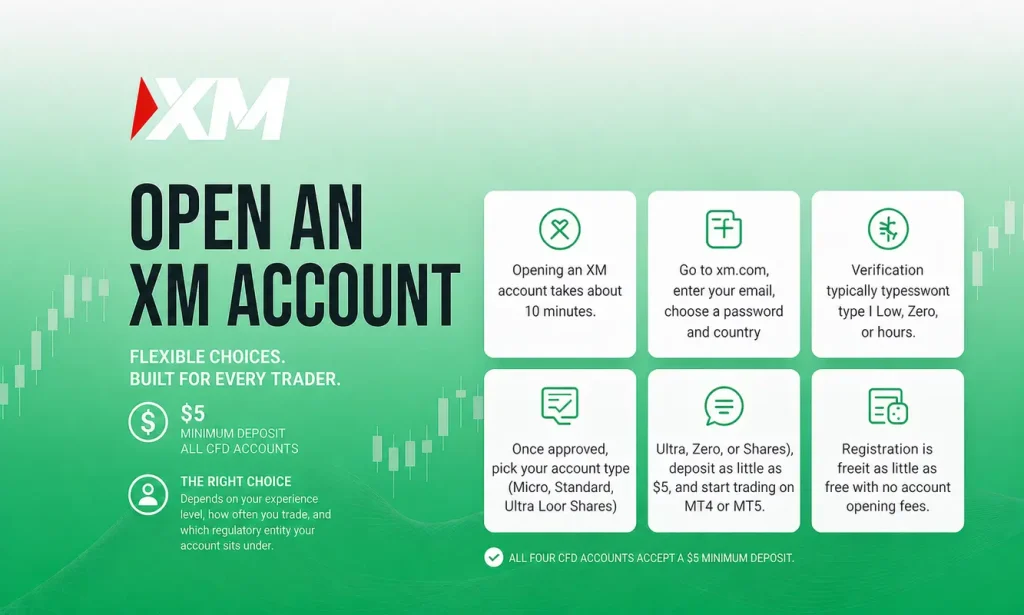
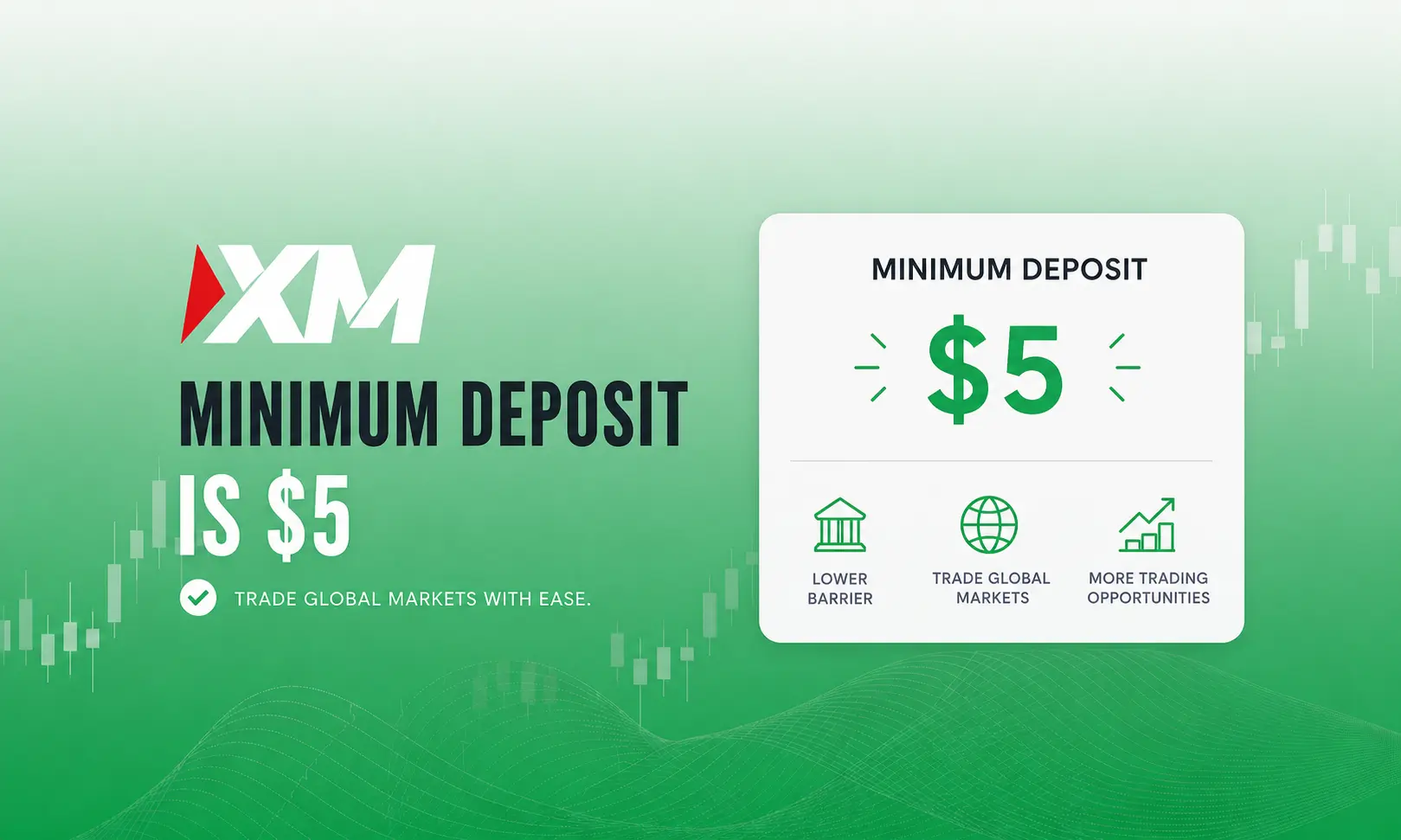
XM says opening an account takes only a few minutes. Register on xm.com with your country, email and a password, and XM opens your first Real and Demo accounts automatically. To verify, XM asks only for a Proof of Identity. Real accounts come in Standard, Micro, Ultra Low Standard, Ultra Low Micro and Shares types; Standard and Ultra Low start from a $5 deposit, and you can trade on MT4 or MT5.
 WriterAbir KhanWriterWrites the guides · checks every figure against primary sources View profileAbout Abir →
 Market analysisTanbir Habib RiyadForex & Crypto AnalystForex and crypto analyst · technical and fundamental analysis View profileAbout Tanbir →
 Fact-checking & riskJannatul FerdaushFact-Checker & Risk AnalystFact-checks every figure · risk analysis · Applied Statistics, University of Dhaka View profileAbout Jannatul →
 Trading reviewJowel RanaCo-Founder & Forex TraderCo-founder · forex trader · reviews guides from a trader's view View profileAbout Jowel →
 Final approvalRanjan NiskrityFounder, Owner & Forex TraderFounder and owner · forex trader · signs off every guide View profileAbout Ranjan →
XM is a global forex and CFD broker whose group companies are regulated by CySEC (Cyprus), the DFSA (Dubai), the FSC (Belize), the FSA (Seychelles) and the FSC (Mauritius). XM says it serves more than 20 million clients in over 190 countries. The registration process is fully online. You register, verify your identity, pick an account type, and fund it. Below is a complete walkthrough covering every step, the documents required, mistakes that cause delays, and the decisions that affect your trading costs. For a broader look at the broker itself, see our XM safety and legitimacy review.
What You Need Before You Start
Have these ready before you begin. XM says opening an account takes only a few minutes.
| Requirement | Details |
| Email address | An active email you can access. Your XM profile is linked to it. |
| Phone number | A working mobile number for your profile. |
| Proof of Identity (POI) | A colour copy of a passport, driver’s license or identity card. Passports must be valid for at least 6 months. |
| Proof of Address | Not needed to open an account. XM asks only for Proof of Identity. |
XM’s Help Center says it asks only for a colour copy of a valid official document (passport, driver’s license or identity card) showing your full name, issue and expiry dates, your date and place of birth or tax identification number, and your signature. Passports must be valid for at least 6 months. If you later change your residential address, XM asks for a new Proof of Residence no more than 6 months old.
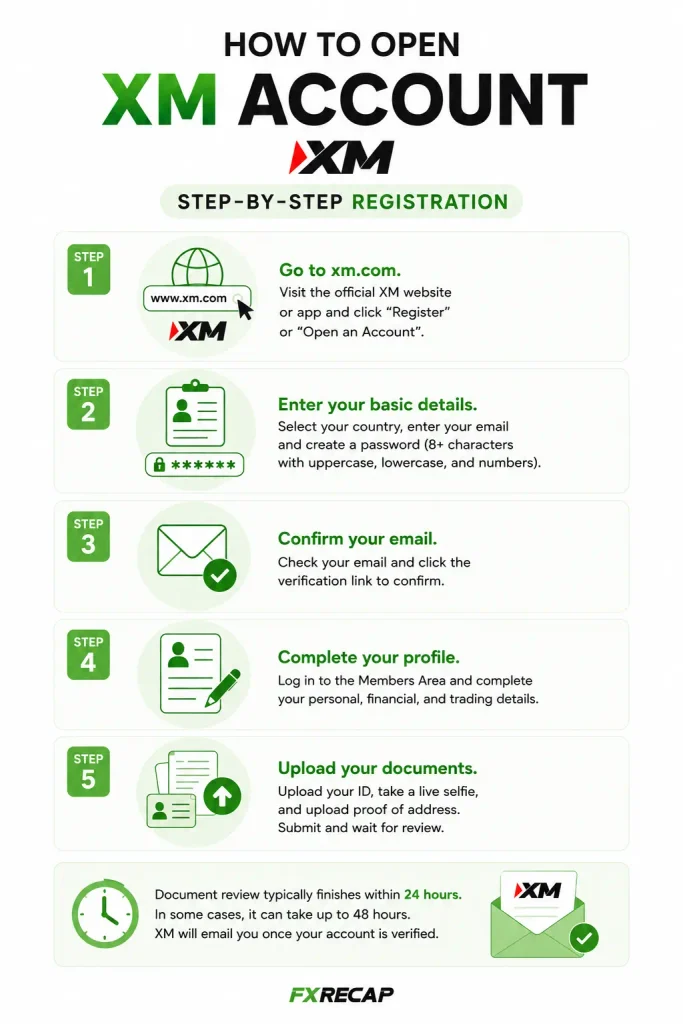
Step-by-Step Registration
Step 1: Go to xm.com. Open the official XM website in your browser or download the XM mobile app. Click “Get Started” to begin.
Step 2: Enter your basic details. Select your country of residence (this determines which regulatory entity you are registered under and which payment methods are available). If your country is not in the list, XM does not currently serve it. Enter your email address and create a password for your XM profile.
Step 3: Find your first accounts. XM opens your first Real and Demo trading accounts automatically just after you register. You log in to them with your XM profile password, and you can see your account numbers and trading servers by clicking your account balance.
Step 4: Complete your profile. Log in to your XM profile and complete the verification (Know Your Client) details XM asks for. Answer honestly. XM collects this information because its regulator requires it.
Step 5: Upload your Proof of Identity. XM asks for a colour copy of a valid official document (passport, driver’s license or identity card) showing your full name, issue and expiry dates, your date and place of birth or tax identification number, and your signature. Passports must be valid for at least 6 months. Make sure every detail is readable.
XM’s Help Center does not give a standard review time. Once your profile is verified, any additional account you open with the same personal details is verified automatically.
Pick Your Account Type
Once verified, you can open and fund real accounts. XM’s real account types are Standard, Micro, Ultra Low Standard, Ultra Low Micro and Shares. We compare each in detail in our XM account types guide. Here is the short version.
| Account | Min Deposit | EUR/USD Spread (as low as) | Commission | Min Trade | Best For |
| Micro | $5 | 1.6 pips | None | 0.1 micro lots | Absolute beginners |
| Standard | $5 | 1.6 pips | None | 0.01 standard lots | General trading |
| Ultra Low | $5 | 0.8 pips | None | 0.01 lots (Micro version: 0.1) | Cost-conscious traders |
| Shares | $10,000 | Not applicable | Yes | See xm.com | Stock investors |
If you are just starting, the Micro account is the safest entry point. Each micro lot is 1,000 units (100x smaller than a standard lot), so your risk per trade is genuinely small. The Ultra Low account offers tighter spreads from 0.8 pips on EUR/USD with no commission, making it a good next step once you are comfortable. XM does not offer a Zero or raw-spread account.
Choose Your Trading Platform
MetaTrader 4 (MT4): A widely used platform with 30 built-in indicators, 9 timeframes and Expert Advisor (EA) support, according to its developer MetaQuotes. At XM, MT4 does not offer stock CFDs. The simpler interface makes it a good fit if you are new to trading.
MetaTrader 5 (MT5): Adds 21 timeframes, 38 built-in indicators and a built-in economic calendar, according to MetaQuotes. At XM, MT5 also covers stock CFDs and gives access to the XM WebTrader.
XM Mobile App: Available on iOS and Android. Combines account management, trading, deposits, withdrawals and integrated TradingView charts in one place.
XM WebTrader: No download required. Runs in your browser and uses your MT5 login. Convenient if you switch between devices regularly.
Each XM trading account runs on one platform. XM’s Help Center says MT4 users can open an additional MT5 account at any time.
Fund Your Account
After verification, log in to WebTrader or the XM App and go to Funding, then Deposit. XM charges no deposit fees. The minimum is $5 for Micro, Standard and Ultra Low accounts. The Shares Account requires $10,000.
XM’s payment options include cards, bank transfers, local transfers and e-wallets, and the methods available depend on your country. Withdrawals follow a matching rule: the amount you deposited through a method (for example a card) goes back to that same source first, and any remaining balance can then be withdrawn through any available method.
One practical tip: choose your base currency carefully. XM converts every deposit automatically into your account’s base currency, and you can’t change the base currency later (you would need to open an additional account in another currency).
Place Your First Trade
With funds in your account and your platform installed, you are ready to trade. Before risking real money, consider starting on a demo account first. XM opens a demo account for you automatically when you register. If you prefer to go live immediately, here is the process.
Step 1: Open your chart. In MT4 or MT5, find the instrument you want to trade in the Market Watch panel (Ctrl+M on desktop). Double-click it or right-click and select “New Order.”
Step 2: Set your lot size. Start small. On a Micro account, the minimum of 0.1 lots (100 units) is worth roughly $0.01 per pip on EUR/USD. On a Standard account, 0.01 lots (1,000 units) is about $0.10 per pip.
Step 3: Set your Stop Loss and Take Profit. Define your maximum acceptable loss and your target profit before executing. This is not optional. Every trade needs a defined exit point.
Step 4: Execute. Click Buy if you expect the price to rise, or Sell if you expect it to drop. Your position appears in the Terminal/Trade tab at the bottom of the platform.
Setting Your Leverage
XM offers leverage up to 1:1000 at XM Global Limited (FSC Belize) for account equity up to $40,000, and EU retail clients of its CySEC entity are capped at 1:30 on major forex pairs. XM says you can change your leverage at any time of the day. Higher leverage reduces your margin requirement per trade but also amplifies losses. New traders should start at 1:100 or lower until they are confident with position sizing. Our XM leverage guide explains how leverage tiers work across different entities and instruments.
Mistakes That Delay Account Opening
Expired or blurry documents. XM asks for a colour copy of a valid document, and passports must be valid for at least 6 months. Glare, shadows and cropped edges make details hard to read. Use natural lighting and place documents on a dark, flat surface.
Missing details. XM’s Help Center says the document must show your full name, issue and expiry dates, your date and place of birth or tax identification number, and your signature.
Name mismatch. Your name on the registration form should match your ID exactly. Even small differences (a middle name on one document but not the other, or a transliteration variant) can trigger a rejection.
Wrong base currency. Picking a base currency that does not match the money you deposit means every deposit is converted. You cannot change the base currency after account creation. If you pick the wrong one, you will need to open a new trading account.
Skipping verification. XM’s regulator requires it to collect a valid Proof of Identity from every client under its Know Your Client rules. Complete it upfront.
What You Can Do After Account Setup
Open Multiple Accounts
XM allows up to 10 active trading accounts and 1 Shares account per client. You can run a Micro account for practice and an Ultra Low account for active trading at the same time, and additional accounts can use a different platform, leverage and base currency.
Bonuses (Region Dependent)
Depending on your country, XM offers a deposit bonus on Standard and Micro accounts (some countries are excluded, and Ultra Low and Shares accounts are not eligible). Bonus funds can’t be withdrawn, though profits made with them can. Be aware that bonus-driven trading can encourage overleveraging. Make deposit decisions based on trading conditions, not bonus value.
Swap-Free (Islamic) Trading
XM offers swap-free trading on select instruments through its Ultra Low account type. Only selected instruments are swap-free; XM tells you to check each instrument’s Symbol Information. XM also lists an Islamic option on all accounts.
Withdrawing Funds
XM charges no withdrawal fees. XM says withdrawal requests are processed instantly by its automated back office; bank wires and cards usually take 2 to 5 business days to arrive. We test actual processing speeds in our XM withdrawal guide.
Frequently Asked Questions
Is it free to open an XM account?
Yes. XM charges no deposit or withdrawal fees and no commission on Standard and Ultra Low accounts; you pay the spread when you trade. A dormancy fee of $10 a month applies after more than 90 days of inactivity, and nothing is charged if the balance is zero.
How long does the whole process take?
XM says opening an account takes only a few minutes, and you need only a Proof of Identity to verify. XM does not publish a standard review time.
Can I open an account without verification?
XM opens your first Real and Demo accounts when you register, but its regulator requires a valid Proof of Identity from every client. Finish verification upfront to avoid delays.
What if my documents are rejected?
Upload a clearer colour copy or a different valid document. Check that it shows your full name, issue and expiry dates, date and place of birth or tax ID number, and signature, and that a passport has at least 6 months of validity left.
Can I open an account from the United States?
No. XM does not provide its services to citizens of the United States, Canada, Israel and Iran (and other sanctioned countries). US traders need a broker registered with the CFTC and NFA.
Can I have more than one trading account?
Yes. XM allows up to 10 active trading accounts and 1 Shares account. Each can have a different type, platform, leverage setting and base currency.
Can I change my account type after opening?
No. You cannot convert an existing account. But XM says you can open an additional account of any type. Your original account stays active.
Which entity will my account be registered under?
This depends on your country of residence, and XM assigns it automatically. XM’s regulated companies are Trading Point of Financial Instruments Ltd (CySEC, Cyprus), Trading Point MENA Limited (DFSA, Dubai), XM Global Limited (FSC, Belize), XM (SC) Limited (FSA, Seychelles) and XM International MU Limited (FSC, Mauritius).
Which account type should a beginner choose?
Micro. It has the $5 minimum deposit, micro-lot sizing (1,000 units per lot), and no commission. The spreads are wider than Ultra Low, but the small position sizes mean the cost per trade is minimal in dollar terms while you learn.
Final Word from FX Recap
Opening an XM account is one of the more straightforward broker registrations available. The process is fully online, verification needs only a Proof of Identity, and XM charges no deposit or withdrawal fees. Where most traders run into trouble is not the registration itself but the small decisions they rush through: picking the wrong base currency, uploading expired documents, or choosing an account type that does not match their trading style.
Take the extra few minutes to get those details right. Match your base currency to your deposit method. Complete KYC before you try to trade. Start on a demo to test your strategy under live conditions. Then go live with a small deposit on a Micro account and scale up only as your results support it.
The team behind this guide
Researched, checked and approved by five forex specialists
Every guide is written, fact-checked and edited before it goes live, and updated when the facts change. Spotted an error? Tell us.
Related Articles
 Brokers
12 min read
Brokers
12 min read

 Brokers
10 min read
Brokers
10 min read
 Brokers
12 min read
Brokers
12 min read
 Brokers
10 min read
Brokers
10 min read
 Brokers
15 min read
Brokers
15 min read
 Brokers
9 min read
Brokers
9 min read