IC Markets





































Pepperstone Account Opening: Sign-Up, Verification and First Deposit
Opening a Pepperstone account takes four steps: register, answer the appropriateness questions, verify your identity and fund. Here is what each step involves, which company you join, and how to set up your first live and demo accounts.
 WriterAbir KhanWriterWrites the guides · checks every figure against primary sources View profileAbout Abir →
 Market analysisTanbir Habib RiyadForex & Crypto AnalystForex and crypto analyst · technical and fundamental analysis View profileAbout Tanbir →
 Fact-checking & riskJannatul FerdaushFact-Checker & Risk AnalystFact-checks every figure · risk analysis · Applied Statistics, University of Dhaka View profileAbout Jannatul →
 Trading reviewJowel RanaCo-Founder & Forex TraderCo-founder · forex trader · reviews guides from a trader's view View profileAbout Jowel →
 Final approvalRanjan NiskrityFounder, Owner & Forex TraderFounder and owner · forex trader · signs off every guide View profileAbout Ranjan →
Pepperstone describes account opening in four steps: register, answer, verify and fund. You start with an email address and a password, or another sign-up method, and get a free demo account straight away. The live application then asks questions to judge whether its products suit you, checks your identity and lets you deposit.
Before you start, note which Pepperstone site you are on. The global English site signs you up with Pepperstone Markets Limited in the Bahamas. The UK, EU, German and Australian sites sign you up with the local regulated company, and residents of those places are steered to their own company.
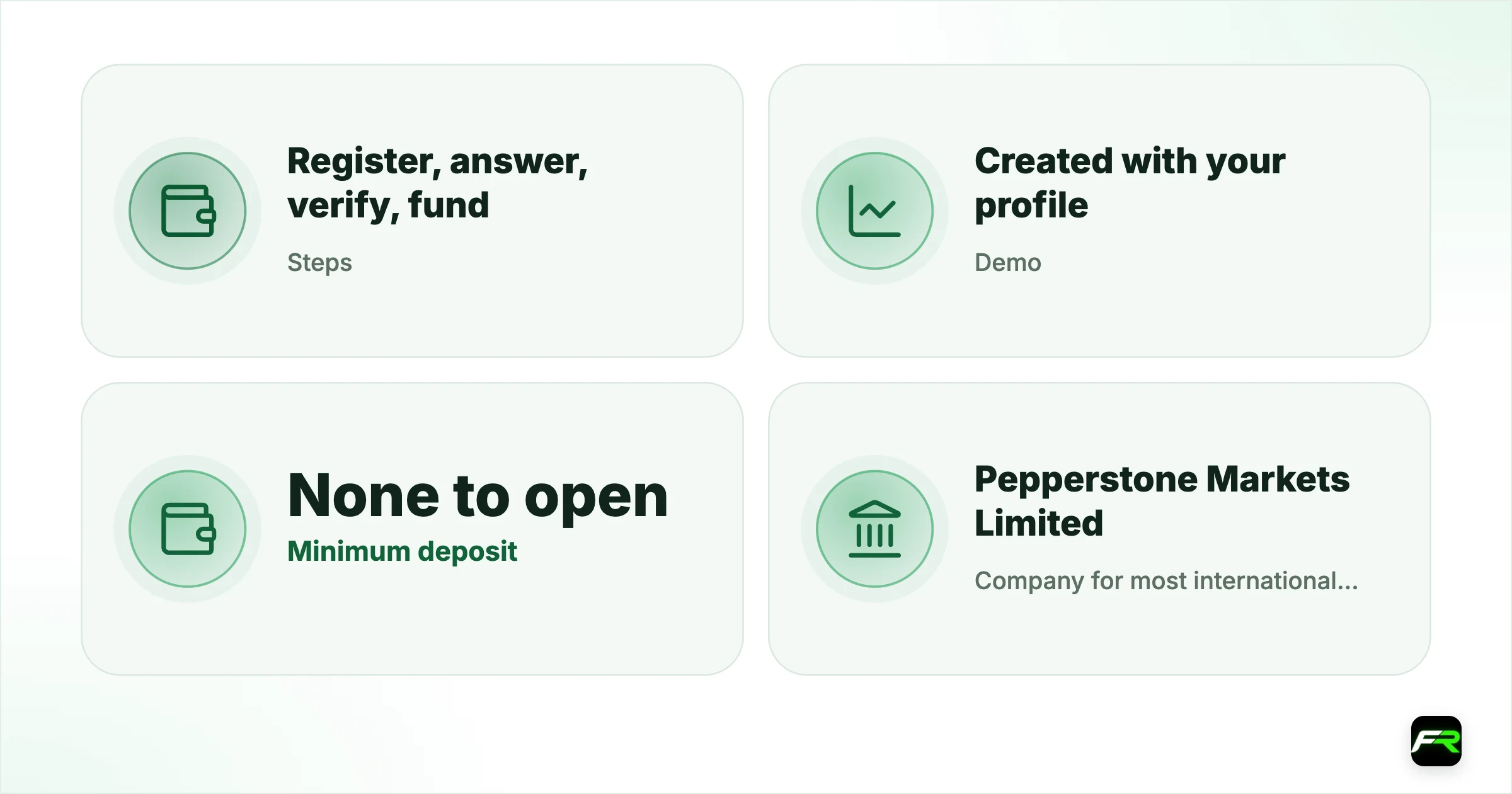
| Steps | Register, answer, verify, fund |
|---|---|
| Demo | Created with your profile |
| Minimum deposit | None to open |
| Company for most international clients | Pepperstone Markets Limited (SCB Bahamas) |
| Accounts per profile | Several; Standard and Razor side by side |
Step by step
- Register with your email address and a password. This is the same journey as for a demo account.
- Set up your profile with your name, date of birth and mobile number.
- Answer the appropriateness questions. Pepperstone checks whether CFDs suit your knowledge and experience.
- Verify your identity in the secure client area. Pepperstone says every client is verified to prevent fraud and unauthorised access.
- Choose your account: Standard or Razor, a platform and a base currency.
- Fund the account from a payment method in your own name, from $10.
Turn on two-factor authentication as soon as you log in. Pepperstone uses an authenticator app, and every withdrawal must later be approved within one hour by email or 2FA.
The appropriateness questions
Regulated brokers must check whether leveraged products are suitable before you trade. Pepperstone's questions cover your trading experience and your understanding of how CFDs and leverage work. Answer them honestly: they protect you from a product you may not yet understand, and false answers can cause trouble later if there is a dispute.
If you are new, spend time on the demo before you finish this step. Our free forex lessons cover margin, leverage and stop losses in plain language.
Verification
Pepperstone's public pages say every client is verified, without listing the exact documents. Most brokers ask for a government photo ID and a recent proof of address, such as a bank statement or utility bill in your name. Upload clear colour scans with all four corners visible, and make sure the name matches your registration exactly.
Pepperstone warns that scammers copy its branding. Only upload documents inside the secure client area on pepperstone.com, never through a link in an unexpected email or chat message.
Choosing your first account
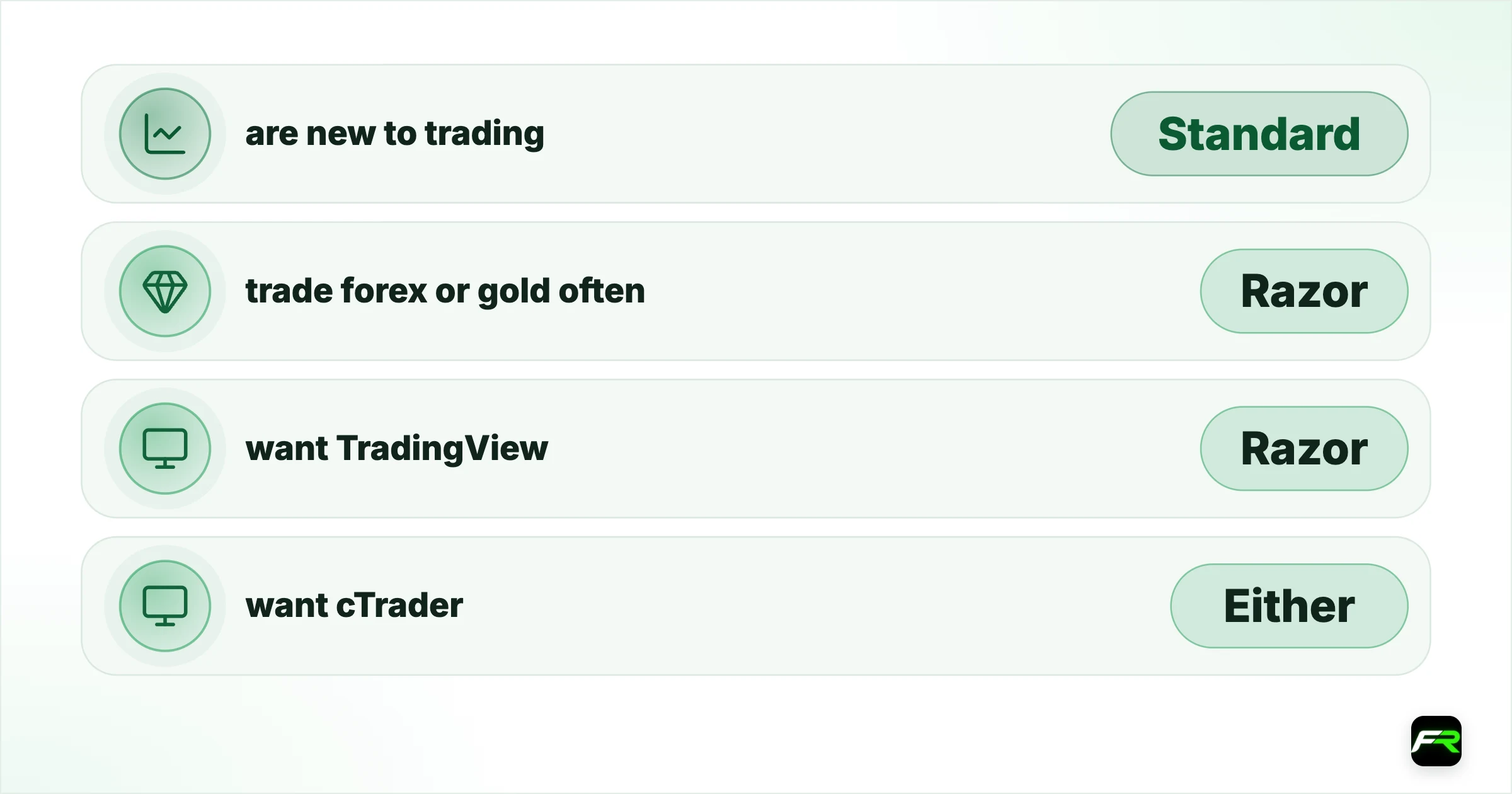
| If you… | Choose | Why |
|---|---|---|
| are new to trading | Standard | No commission to calculate |
| trade forex or gold often | Razor | Raw spread plus $3.50 a side |
| want TradingView | Razor | TradingView works only with Razor |
| want cTrader | Either | cTrader works with both |
| mostly trade indices | Standard | Same pricing on both accounts |
Demo accounts
A Pepperstone demo comes with unlimited virtual funds and live prices. You can hold up to five demo accounts without a live account and ten with one. Pepperstone, MT4 and MT5 demos expire 60 days after you create them, while cTrader and TradingView demos expire after 90 days without activity. A funded, approved client can ask for a non-expiring MetaTrader or Pepperstone demo.
Demo trading is not identical to live trading. Pepperstone says demos are for testing and may not reflect live conditions, there are no swap-free demos, and demo accounts aren't charged interest or dividend adjustments.
Common hold-ups
- A name on your ID that doesn't match your registration.
- A proof of address that is old, cropped or not in your name.
- Residence in a country the company you chose doesn't serve, such as the US.
- Deposits from a card or bank account in someone else's name.
Check the footer and the agreement before you upload anything. The company name you see there decides your regulator, your leverage and your protections.
Priyanka registered on the global site, practised on a Razor demo for two weeks, then completed the questions and verification. She opened a USD Razor account, deposited $200 by card and set up 2FA before placing her first trade.
Frequently asked
How do I open a Pepperstone account?
Register with your email, answer the appropriateness questions, verify your identity and fund your account. A demo account is created when you register.
Do I need to deposit to open a Pepperstone account?
No. There is no obligation to fund, and top-ups start at $10.
Which Pepperstone company will I join?
International clients on the global site join Pepperstone Markets Limited in the Bahamas; UK, EU, German and Australian residents join their local company.
How many demo accounts can I have?
Up to five without a live account and up to ten with one.
Can US residents open a Pepperstone account?
No. Pepperstone's sites say their products are not intended for US residents.
Related reading
The team behind this guide
Researched, checked and approved by five forex specialists
Every guide is written, fact-checked and edited before it goes live, and updated when the facts change. Spotted an error? Tell us.