IC Markets




































Vantage Stop Out and Margin Call Levels: 50% and 20% Explained
Vantage warns you at a 50% margin level and starts closing positions at 20%, beginning with the largest loss. Here is the formula, a worked example, what happens to negative balances, and how bonus credit changes the sums.
 WriterAbir KhanWriterWrites the guides · checks every figure against primary sources View profileAbout Abir →
 Market analysisTanbir Habib RiyadForex & Crypto AnalystForex and crypto analyst · technical and fundamental analysis View profileAbout Tanbir →
 Fact-checking & riskJannatul FerdaushFact-Checker & Risk AnalystFact-checks every figure · risk analysis · Applied Statistics, University of Dhaka View profileAbout Jannatul →
 Trading reviewJowel RanaCo-Founder & Forex TraderCo-founder · forex trader · reviews guides from a trader's view View profileAbout Jowel →
 Final approvalRanjan NiskrityFounder, Owner & Forex TraderFounder and owner · forex trader · signs off every guide View profileAbout Ranjan →
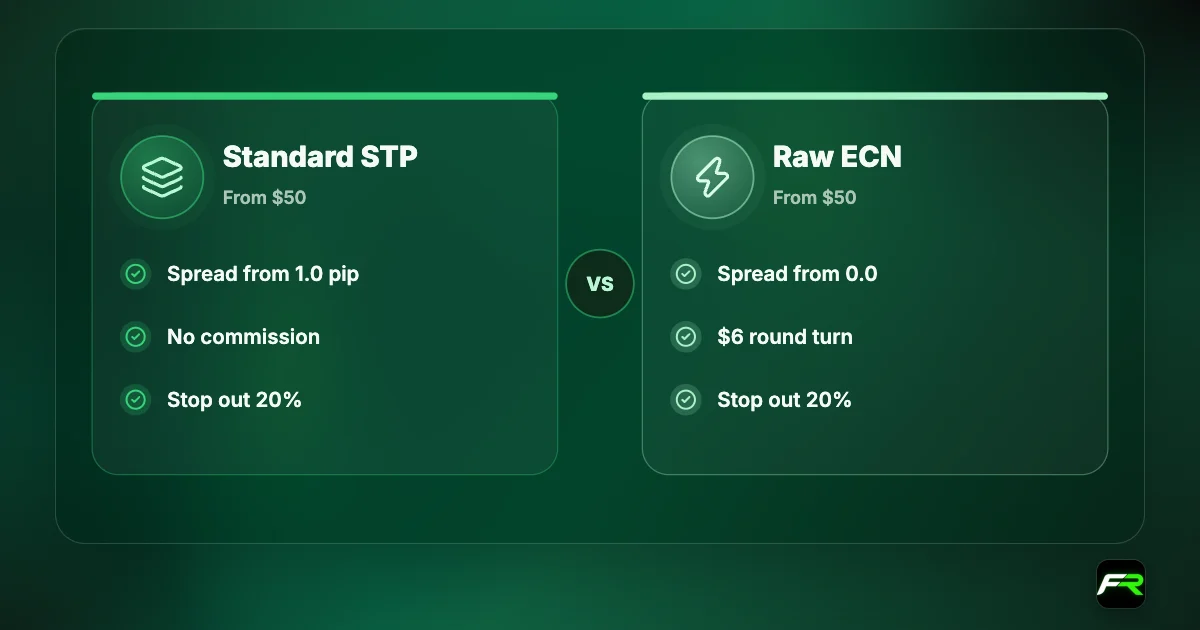
Vantage sets its margin call level at 50% and its stop out level at 20% on Standard STP and ECN accounts. A margin call is a warning that your account is running short of margin. Stop out is the point where the system starts closing your positions automatically, and the Help Centre says it begins with the one showing the largest loss.
Both thresholds are measured by margin level. The formula Vantage gives is equity divided by used margin, multiplied by 100. Equity is your balance plus bonus credit, plus or minus the running result of your open trades.
| Margin call | 50% margin level |
|---|---|
| Stop out | 20% margin level |
| Formula | Equity ÷ used margin × 100% |
| Closed first | The position with the largest loss |
| Premium Unlimited | 30% margin call, 0% stop out |
| Negative balance | Cleared automatically on eligible accounts |
Margin level in plain terms
Four numbers in MT4 or MT5 matter here. Balance is your money counting closed trades only. Equity adds the floating profit or loss. Margin is the amount held against open positions. Free margin is equity minus margin, and it is what you have left for new trades.
| Term | Meaning | Example |
|---|---|---|
| Balance | Deposits plus closed results | $500 |
| Equity | Balance plus floating profit or loss | $420 with a $80 open loss |
| Margin | Held for open positions | $100 |
| Free margin | Equity minus margin | $320 |
| Margin level | Equity ÷ margin × 100 | 420% |
Beginners watch the balance, which doesn't move while a trade is open. Equity is the number that falls, and equity is what the 50% and 20% levels are measured against.
What happens at 50%
At a 50% margin level, your equity has dropped to half the margin your positions require. Vantage describes the margin call as a warning that you may need to add funds or reduce positions to prevent a stop out. With no free margin left, you can't open new trades that need margin.
You have a few options at that point, none of them pleasant. Close the worst position and accept the loss. Cut part of it. Add money, which rescues the margin level and also raises your stake in a trade that is going wrong. Or wait and hope, which is how margin calls become stop outs.
What happens at 20%
When the margin level reaches 20% or less, the platform closes positions automatically, starting with the largest loser. If that brings the margin level back above 20%, the closing stops. Otherwise the next position goes.
Vantage's Help Centre is clear that it won't compensate losses from a stop out, including one triggered by an expert advisor or a copy trading strategy. The system is doing what the client agreement says it will do. Your own stop loss is the protection you control.
A worked example
Suppose you deposit $400 and set leverage to 1:500. You buy 0.40 lots of a pair with the dollar as its base currency, a $40,000 position. Margin is $80 and each pip is worth about $4. The margin level starts at 500%.
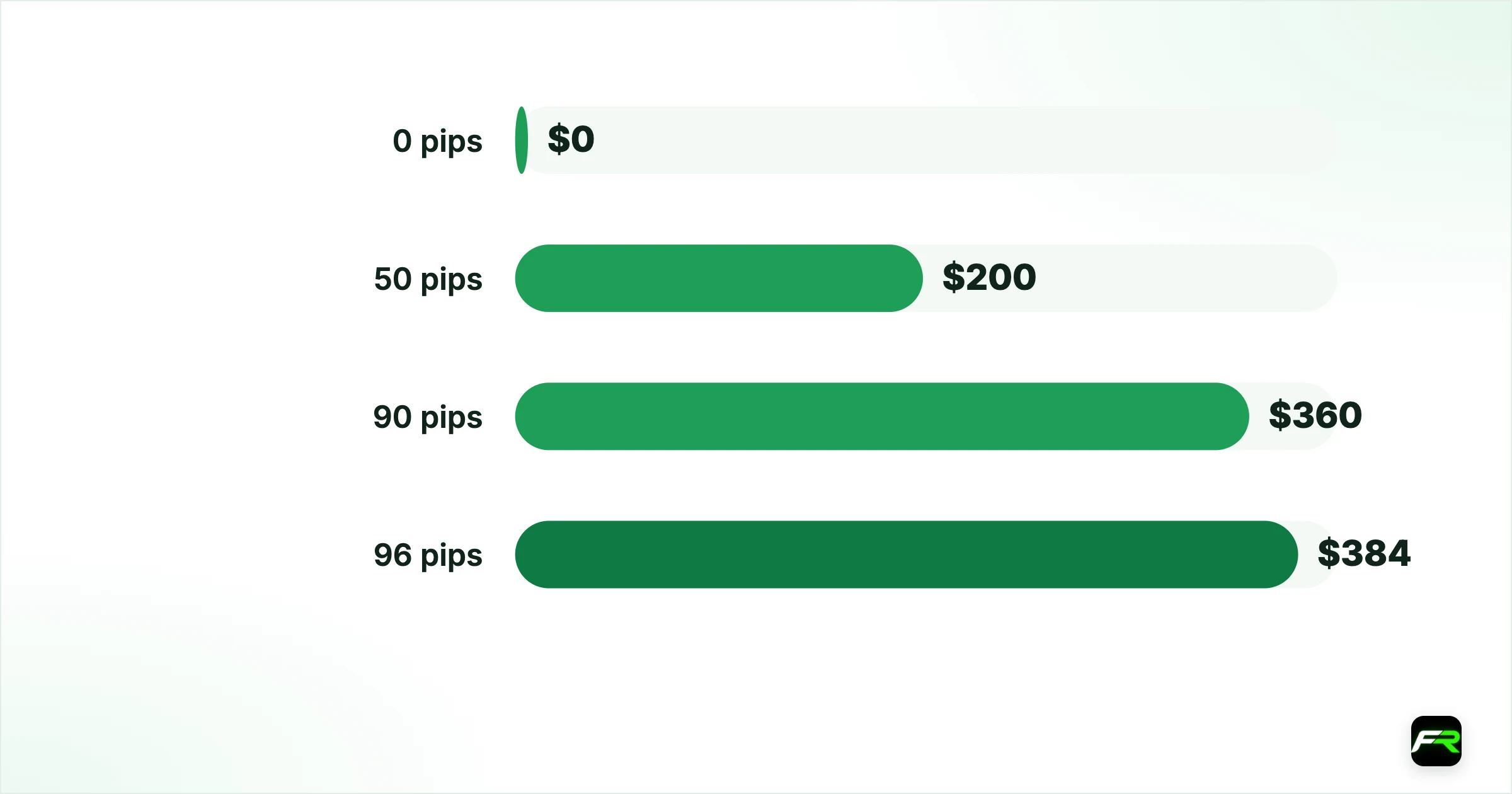
| Move against you | Floating loss | Equity | Margin level | Status |
|---|---|---|---|---|
| 0 pips | $0 | $400 | 500% | Normal |
| 50 pips | $200 | $200 | 250% | Normal |
| 90 pips | $360 | $40 | 50% | Margin call |
| 96 pips | $384 | $16 | 20% | Stop out |
Ninety pips of loss brings the warning, and only six more ends the trade. You are left with $16 of your $400. The gap between the two levels is narrow by design, so never treat the margin call as time to think.
Trade 0.04 lots on the same account and 96 pips costs $38. The margin level never falls below 4,000%. Those thresholds are identical; the position is a tenth of the size.
How leverage changes the distance
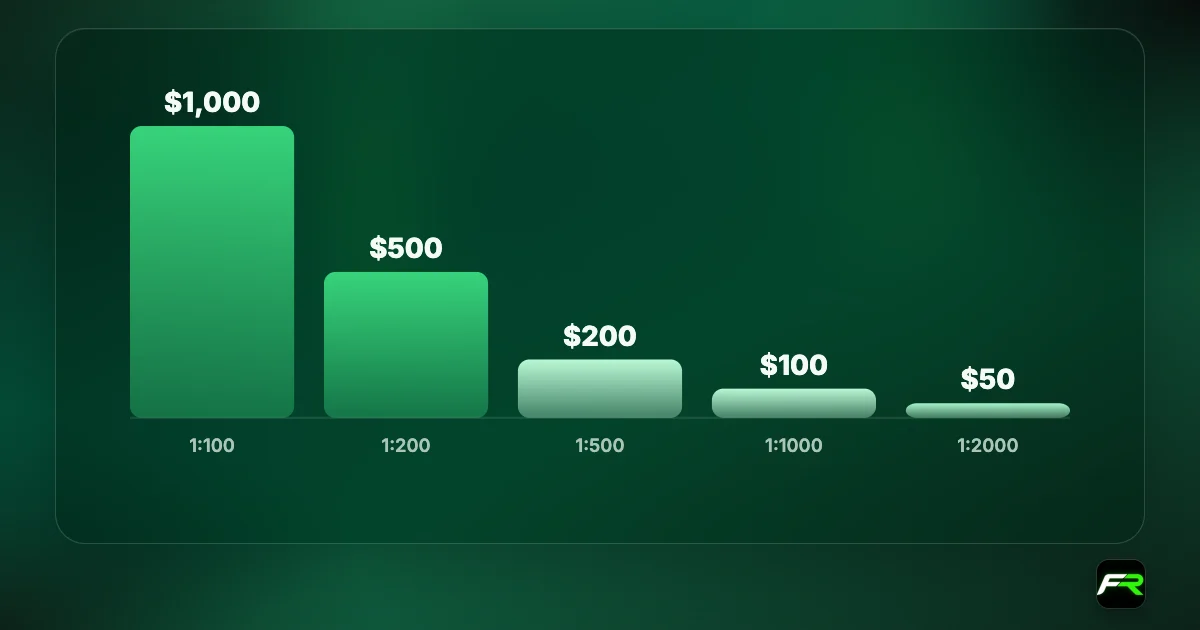
Higher leverage means less margin for the same position, and that pushes the stop out point further away in pips while leaving less money when you get there. The Help Centre has an article on exactly this effect.
| Leverage | Margin for 0.40 lots ($40,000) | Equity at stop out | Loss before stop out on $400 |
|---|---|---|---|
| 1:100 | $400 | $80 | $320 |
| 1:500 | $80 | $16 | $384 |
| 1:2000 | $20 | $4 | $396 |
At 1:2000 the trade survives a little longer and leaves you with $4. More leverage doesn't protect you from stop out. It lets a losing trade consume more of your account first. Our Vantage leverage guide covers the settings.
Bonus credit and margin level
Credit from Vantage's deposit bonus counts towards equity for margin purposes. That keeps the margin level higher and lets positions stay open longer. It also means that at stop out, your own money may already be gone, with only credit left supporting the trade.
Credit is removed pro rata when you withdraw or transfer funds. A withdrawal can therefore drop your margin level by more than the cash you took, and trigger a margin call on trades that looked safe. The Vantage bonus guide has a worked example.
Negative balances
Stop out doesn't guarantee a positive balance. Vantage's Help Centre says market gaps at weekends or in thin holiday trading can close positions at worse prices and leave the account below zero. It then says you will not be liable for a negative balance because of its protection measures.
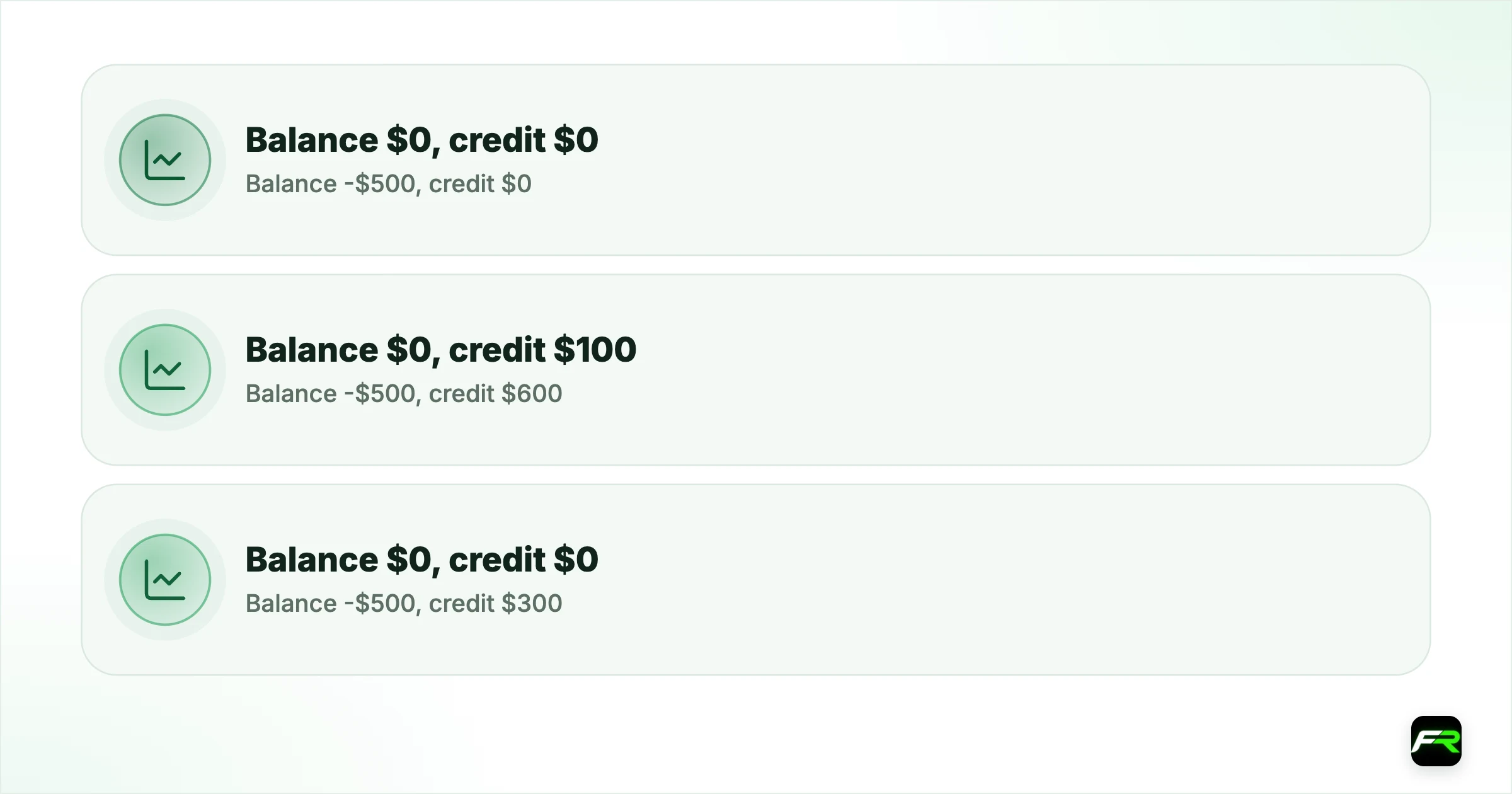
| Before clearing | After clearing |
|---|---|
| Balance -$500, credit $0 | Balance $0, credit $0 |
| Balance -$500, credit $600 | Balance $0, credit $100 |
| Balance -$500, credit $300 | Balance $0, credit $0 |
Eligible accounts are cleared by an automated process, which can take up to a day. PAMM and MAM accounts are not reset. Copy trading accounts are cleared only when no copiers are actively copying. If an eligible account stays negative for more than a day, contact support.
How to stay clear of stop out
- Place a stop loss on every trade, set where your idea is proven wrong.
- Risk about 1% of the account per trade and size the position from the stop.
- Keep used margin under a fifth of equity, so the margin level stays above 500%.
- Reduce exposure before weekends and major announcements.
- Treat correlated positions as one large trade.
- Check the margin level after any withdrawal, not just before it.
Vantage's own advice overlaps with that list: maintain sufficient margin, use stop losses, monitor the margin level, avoid high-volatility periods and reduce position sizes.
On the Premium Unlimited account the stop out level is 0%. Positions are not closed until equity is exhausted, so a stop loss is the only brake.
Set a platform alert at a margin level of 300%. Early notice of trouble gives you choices that a 50% warning doesn't.
One more habit helps. Before each new trade, look at free margin. If the position you want would use most of it, the trade is too big for the account, whatever the leverage setting allows.
With margin call at 50% and stop out at 20%, the warning and the liquidation are a few pips apart on a heavily leveraged trade. I tell people to act as if the broker's levels don't exist and let their own stop loss do the closing.
Dewi held three long positions on dollar pairs with $600 in equity, including $200 of bonus credit. She withdrew $150, which also removed part of the credit. Her margin level fell from 180% to about 112%, and a sharp move the next morning took it down to the 50% margin call. She closed two trades and now checks the level after every withdrawal.
Frequently asked
What is the stop out level at Vantage?
20% on all trading platforms for Standard STP and ECN accounts. When the margin level reaches 20% or below, positions are closed automatically, starting with the largest loss.
What is the margin call level at Vantage?
50%. It is a warning that you may need to add funds or reduce positions. The Premium Unlimited account uses a 30% margin call level.
How is margin level calculated?
Margin level equals equity divided by used margin, multiplied by 100%. Equity includes your balance, any credit and the floating result of open trades.
Will Vantage refund a loss caused by stop out?
No. The Help Centre says Vantage does not compensate for amounts lost during a stop out, including those caused by EAs or copy trading strategies.
Can my balance go negative at Vantage?
It can after a gap. Vantage says clients are not liable for negative balances, and eligible accounts are cleared automatically. PAMM and MAM accounts are excluded.
Does bonus credit help avoid stop out?
Credit counts towards equity, so it raises the margin level. It is removed pro rata when you withdraw, which can lower the margin level sharply, and losses still come from your own balance.
Related reading
The team behind this guide
Researched, checked and approved by five forex specialists
Every guide is written, fact-checked and edited before it goes live, and updated when the facts change. Spotted an error? Tell us.